Proven strategies. Real results.
Trusted expertise.
Explore our case studies and insights to learn how our unified, cloud-based solutions and signature service model deliver performance, compliance, and lasting impact across industries.

Broadband Network Capacity Planning
Broadband networks are judged by what customers feel: fast page loads, stable video calls, low-latency gaming, reliable streaming, and consistent performance during the busiest hours of the day. Behind that experience is a disciplined process of forecasting demand, measuring constraints, and investing in the right parts of the network before congestion becomes visible.
That process is broadband network capacity planning. Done well, it helps internet service providers, municipalities, campus networks, and enterprise broadband teams balance performance, capital spending, and customer satisfaction. Done poorly, it leads to oversubscribed links, preventable outages, rushed upgrades, rising churn, and support teams fielding the same “slow internet” complaints every evening.
This guide explains how network capacity planning works, which metrics matter, how to forecast demand, and which network bandwidth optimization tactics can delay or reduce unnecessary infrastructure spend.
Caption: Capacity planning starts with visibility into traffic, utilization, and performance across the full broadband network.
What Is Broadband Network Capacity Planning?Broadband network capacity planning is the process of determining how much network capacity is needed now and in the future to deliver reliable service across access, aggregation, transport, peering, and core network layers.
It answers questions such as:
- How much bandwidth is currently being used during peak periods?
- Which nodes, links, ports, or service groups are approaching congestion?
- How fast is subscriber usage growing?
- Where will new demand appear because of customer growth, higher speed tiers, new applications, or business expansion?
- Which upgrades should happen first?
- Can performance improve through configuration, routing, caching, or traffic engineering before adding new infrastructure?
The goal is not simply to buy more capacity. The goal is to provide the right capacity, in the right location, at the right time, at the right cost.
For broadband providers in the United States, this is especially important because customer expectations keep rising. Households may have multiple connected TVs, phones, laptops, cameras, smart speakers, gaming systems, and work-from-home applications running at once. A network that looked healthy based on average usage can struggle when real demand concentrates during evening streaming hours, major software updates, live sports, school breaks, or weather-related work-from-home spikes.
Why Capacity Planning MattersCapacity planning is both a technical discipline and a business discipline. It directly affects customer experience, upgrade timing, budget allocation, and competitive positioning.
Strong capacity planning helps organizations:
- Maintain consistent broadband performance during peak usage windows
- Reduce latency, packet loss, jitter, and buffering
- Identify bottlenecks before they affect a large customer base
- Prioritize capital investments based on evidence instead of guesswork
- Support higher speed tiers and new service packages
- Improve customer retention by reducing repeat performance complaints
- Coordinate engineering, finance, operations, and customer support teams
- Avoid overbuilding in areas where optimization would solve the issue
Poor planning often shows up as a familiar pattern: a network looks acceptable during the day, then deteriorates at night. Speed tests become inconsistent. Video buffering increases. Gamers report lag. Support tickets rise. Engineers scramble to split nodes, upgrade backhaul, add ports, or renegotiate upstream capacity under pressure.
A mature capacity planning strategy prevents that cycle by creating a continuous planning rhythm instead of waiting for congestion to become a customer-facing emergency.
The Core Layers of Broadband CapacityBroadband capacity is not one single number. A customer’s experience depends on multiple layers working together. A bottleneck at any layer can degrade performance even if other parts of the network have room to spare.
Access NetworkThe access layer connects customers to the broadband network. Depending on the provider, this may include fiber, cable, DSL, fixed wireless, satellite, or hybrid architectures.
Capacity planning at this layer may focus on:
- Passive optical network split ratios
- Cable service group utilization
- Wireless sector capacity and spectrum efficiency
- Customer premises equipment performance
- Last-mile signal quality
- Upstream and downstream traffic balance
This is often where customer complaints first appear because access constraints are closest to the user.
Aggregation NetworkAggregation networks collect traffic from many access nodes and move it toward regional or core infrastructure. These links and devices may serve large clusters of customers, so a bottleneck here can affect entire neighborhoods, towns, or service areas.
Important considerations include:
- Uplink utilization
- Router and switch port capacity
- Link redundancy
- Oversubscription ratios
- Regional traffic growth
- Failure scenarios, such as whether surviving links can carry traffic after a fiber cut or device failure
The core network carries traffic between regions, data centers, internet gateways, and service platforms. Capacity planning here is less about a single neighborhood and more about total network scale and resilience.
Key planning areas include:
- Backbone link utilization
- Routing efficiency
- Data center interconnect capacity
- Resilient path design
- Hardware forwarding capacity
- Maintenance and failover headroom
Many broadband performance issues are influenced by where traffic enters and exits the provider network. Streaming, gaming, cloud platforms, software updates, and video conferencing all place heavy demand on interconnection points.
Planning should account for:
- Transit capacity
- Peering relationships
- Internet exchange participation
- Content delivery network cache placement
- Regional traffic localization
- Cloud service connectivity
A provider may have sufficient access capacity but still deliver poor performance if peering or transit paths are congested during peak hours.
Key Metrics for Network Performance AnalysisEffective network performance analysis depends on consistent measurement. The best capacity plans are built from trend data, not one-time snapshots.
Peak UtilizationAverage utilization can hide serious problems. A link that averages 35 percent utilization over 24 hours may still hit 95 percent every evening. Capacity planning should focus heavily on peak busy-hour usage.
Useful views include:
- 95th percentile utilization
- Evening peak utilization
- Weekend versus weekday patterns
- Seasonal peaks
- Utilization during special events or outages
Throughput measures how much data is successfully delivered over time. It helps planners understand whether customers are receiving the performance they expect from their subscribed service tiers.
Throughput should be analyzed by location, speed tier, technology type, and time of day. This makes it easier to distinguish between localized congestion and broader architectural issues.
LatencyLatency is the time it takes data to travel from one point to another. High latency can make a connection feel slow even when raw bandwidth appears sufficient.
Latency is especially important for:
- Video conferencing
- Online gaming
- Voice over IP
- Remote desktop applications
- Cloud-based business tools
Rising latency during peak usage is often an early warning sign of congestion.
Packet LossPacket loss occurs when data packets fail to reach their destination. Even small amounts of loss can degrade real-time applications and cause retransmissions that consume more bandwidth.
Capacity planning should track packet loss across access, aggregation, core, and interconnection points to pinpoint where degradation begins.
JitterJitter is variation in packet delay. It matters most for voice, video, gaming, and other real-time services. A network may have acceptable average latency but still perform poorly if jitter is high.
Subscriber Growth and Usage per SubscriberCapacity demand grows in two ways:
- More subscribers are added to the network
- Existing subscribers use more data, more often, on more devices
A reliable forecast accounts for both. Many networks are not strained by subscriber count alone. They are strained by rising usage intensity per household or business.
Service Tier MixAs customers upgrade to higher speed tiers, the network must support more simultaneous demand. Not every customer uses the full advertised speed at once, but higher tiers can increase peak usage and change traffic patterns.
Capacity plans should track how many customers subscribe to each tier and how that mix is changing over time.
A Practical Capacity Planning FrameworkA useful broadband network capacity planning framework should be repeatable, measurable, and easy to communicate across teams. The following process works for many broadband environments.
Step 1: Define Service ObjectivesStart by defining what “good performance” means for your network. Capacity targets should connect engineering metrics to customer experience.
Examples of service objectives include:
- Keep peak link utilization below a defined threshold
- Maintain low latency during busy hours
- Reduce packet loss in oversubscribed service groups
- Support planned subscriber growth for the next 12 to 36 months
- Preserve enough failover capacity during maintenance or outages
- Meet internal service-level targets for residential, business, or wholesale customers
Without clear objectives, capacity planning becomes reactive. Teams may know a link is “busy” but disagree on whether it requires action.
Step 2: Build a Network InventoryCapacity planning requires an accurate view of the assets that carry traffic. This includes physical infrastructure, logical topology, hardware limits, software versions, and service relationships.
Your inventory should include:
- Access nodes and service areas
- Fiber routes and transport links
- Routers, switches, and optical equipment
- Port speeds and available slots
- Upstream providers and peering points
- Customer counts by area and service tier
- Redundancy and failover paths
- Known constraints, such as power, space, cooling, or permitting issues
Inventory accuracy matters because a forecast is only useful if planners know which upgrades are physically and operationally possible.
Step 3: Collect Traffic and Performance DataNext, collect data from monitoring systems, network devices, customer experience platforms, speed testing systems, and support records.
Important data sources may include:
- Interface counters
- Flow records
- Latency and packet loss probes
- Customer speed test results
- Device telemetry
- Trouble tickets
- Outage reports
- Installation and upgrade records
- Usage trends by service group or region
The most useful data is time-based. A single reading may show what is happening now, but trend data reveals whether a link is stable, improving, or moving toward congestion.
Step 4: Identify BottlenecksA bottleneck is any constraint that limits performance. It may be physical, logical, operational, or economic.
Common broadband bottlenecks include:
- Oversubscribed access nodes
- Insufficient backhaul from access to aggregation
- Congested aggregation uplinks
- Under-provisioned internet transit
- Inefficient routing paths
- Saturated peering links
- Hardware forwarding limits
- Poor Wi-Fi performance inside the customer premises
- Legacy equipment that cannot support modern speed tiers
It is important to separate network-side congestion from in-home or customer-side issues. For example, a customer may experience slow speeds because of outdated Wi-Fi equipment even when the provider network has enough capacity. Both issues matter, but they require different solutions.
Step 5: Forecast DemandForecasting is the heart of network capacity planning. The objective is to estimate when and where current capacity will no longer support expected demand.
A strong forecast considers:
- Historical traffic growth
- Subscriber growth projections
- New housing or business development
- Speed tier upgrades
- Seasonal demand patterns
- School calendars and remote work trends
- Streaming and gaming usage
- New product launches
- Planned marketing campaigns
- Network expansion projects
A simple forecast might use recent growth rates to project future peak utilization. A more advanced forecast may segment demand by region, access technology, customer type, and application category.
For example, a fiber neighborhood with rapid new construction may need a different model than a mature cable service area with stable subscriber counts but rising evening video traffic.
Step 6: Model Headroom and Trigger PointsHeadroom is the unused capacity reserved for growth, traffic bursts, failover, and operational safety. A network running close to its limits may appear efficient, but it has little room for unexpected demand or failures.
Capacity trigger points define when action is required. They should be specific enough to guide decisions.
Example trigger points might include:
- Review required when a link regularly exceeds a moderate utilization threshold
- Upgrade planning required when busy-hour utilization crosses a higher threshold
- Immediate mitigation required when congestion causes measurable latency, packet loss, or customer complaints
- Resilience review required when failover paths cannot carry expected traffic
The exact thresholds depend on architecture, business goals, redundancy model, and customer expectations. The key is to set triggers in advance so teams do not debate every case from scratch.
Step 7: Compare Upgrade and Optimization OptionsNot every capacity issue requires a major build. Sometimes the best answer is a physical upgrade. Other times, network bandwidth optimization can deliver meaningful relief.
Potential options include:
- Add access capacity through node splits, additional wavelengths, spectrum improvements, or fiber expansion
- Upgrade aggregation links or router ports
- Add transport capacity between markets or data centers
- Improve peering or transit capacity
- Deploy or expand content caching
- Adjust routing policies to balance traffic
- Reconfigure oversubscribed links
- Improve quality of service policies for latency-sensitive traffic
- Replace hardware that has reached forwarding or port-density limits
- Improve customer premises equipment where in-home bottlenecks are common
The best capacity planning strategies evaluate cost, speed of deployment, operational complexity, risk, and customer impact.
Step 8: Prioritize ProjectsMost organizations have more potential upgrades than available budget or crew capacity. Prioritization ensures the most important work happens first.
Consider ranking projects by:
- Number of customers affected
- Severity of performance degradation
- Revenue impact
- Risk of service-level failure
- Growth rate in the affected area
- Time required to implement
- Dependency on permits, construction, vendors, or equipment lead times
- Opportunity to combine with planned maintenance or expansion work
A high-growth area with rising packet loss may deserve priority over a lightly used link that looks inefficient on paper but does not affect customer experience.
Caption: A layered capacity model helps teams locate bottlenecks and choose the right upgrade path.
Network Bandwidth Optimization Before You BuildAdding capacity is sometimes necessary, but optimization should be part of every planning process. Network bandwidth optimization improves how existing capacity is used.
Improve Traffic EngineeringTraffic engineering distributes traffic across available paths more efficiently. If one path is congested while another has spare capacity, routing changes may improve performance without new construction.
Common techniques include:
- Adjusting routing preferences
- Balancing traffic across multiple links
- Reviewing asymmetric routing
- Optimizing backbone paths
- Steering traffic toward better peering locations
Caching stores popular content closer to users. This can reduce transit demand, improve streaming performance, and lower latency for frequently accessed content.
Caching is especially useful when a large share of traffic comes from video, software updates, gaming downloads, or other repeatable content.
Review Peering and Transit DesignInterconnection strategy has a major impact on broadband performance. If traffic travels too far or enters through congested routes, customers may experience problems even when the access network is healthy.
Capacity planners should review:
- Which networks generate the most traffic
- Where traffic enters and exits
- Whether additional peering locations would reduce congestion
- Whether transit links have adequate peak headroom
- Whether content providers can connect more directly
Not all traffic has the same performance requirements. A software download can tolerate delay better than a voice call or gaming session. Quality of service policies can help protect latency-sensitive applications when used carefully and transparently.
The goal is not to unfairly restrict usage. The goal is to manage congestion so real-time services remain usable while long-running bulk transfers continue in the background.
Reduce Waste from MisconfigurationSome capacity problems are caused or worsened by configuration issues. Regular audits can uncover:
- Incorrect port settings
- Routing loops or inefficient paths
- Unused redundant links
- Poor load balancing
- Legacy policies that no longer match traffic patterns
- Device CPU or memory constraints mistaken for bandwidth problems
Optimization is not a substitute for long-term investment, but it can buy time, improve reliability, and make future upgrades more targeted.
Capacity Planning Strategies by Network TypeDifferent broadband architectures require different planning assumptions.
Fiber NetworksFiber networks often offer strong scalability, but they still require careful planning around split ratios, optical line terminal capacity, aggregation links, and upstream connectivity.
Fiber planning should focus on:
- Growth by neighborhood or development area
- PON utilization
- Higher-speed tier adoption
- Business customer demand
- Backhaul and aggregation scaling
- Equipment port availability
Cable networks require attention to service group size, upstream capacity, downstream channel utilization, node splits, and migration paths to newer standards.
Planning should consider:
- Evening downstream peaks
- Upstream growth from video calls, cloud backups, and creator workflows
- Service group segmentation
- Plant health and signal quality
- Customer migration to higher-speed tiers
Fixed wireless capacity is shaped by spectrum, signal quality, tower loading, sector design, line of sight, weather conditions, and customer distribution.
Planning should evaluate:
- Sector utilization
- Spectrum availability
- Signal-to-noise performance
- Customer density
- Backhaul to tower sites
- Capacity impact of new installs
Municipal networks often need to balance technical performance with public goals such as affordability, coverage, economic development, and digital inclusion.
Capacity planning should align with:
- Residential adoption targets
- Business district needs
- Schools, libraries, and public facilities
- Grant or funding requirements
- Long-term maintenance budgets
- Future expansion zones
A capacity plan should lead to a clear roadmap. The roadmap connects data, decisions, budgets, and timelines.
A practical roadmap should include:
- Current utilization and performance baseline
- Forecasted growth by area
- Known bottlenecks and risk levels
- Recommended upgrades or optimizations
- Estimated implementation sequence
- Dependencies and constraints
- Monitoring requirements after completion
- Review dates for each service area
The roadmap should be updated regularly. Broadband demand is not static, and neither are customer expectations. A plan created once per year may be useful for budgeting, but operational reviews should happen more frequently for high-growth or high-risk areas.
Common Mistakes in Broadband Capacity PlanningEven experienced teams can make planning mistakes. The most common issues include focusing on averages, ignoring upstream demand, underestimating customer behavior changes, and separating financial planning from engineering reality.
Relying Too Much on Average UtilizationAverages smooth out the peaks that customers actually experience. Busy-hour data is essential.
Treating All Areas the SameDifferent neighborhoods, towns, and customer segments grow at different rates. A single network-wide growth percentage may hide local congestion.
Ignoring Upstream TrafficUpstream demand has grown as more people use video meetings, cloud storage, security cameras, remote work tools, and content creation platforms. Capacity plans should not focus only on downstream usage.
Waiting for ComplaintsCustomer complaints are lagging indicators. By the time support tickets rise, the network may already be congested. Monitoring should identify risk before customers feel it.
Forgetting Failover ConditionsA network may perform well in normal operation but fail during maintenance or outages if backup paths lack capacity. Resilience planning should include failure scenarios.
Not Closing the LoopAfter an upgrade, teams should verify whether the project improved the intended metrics. If latency, loss, or utilization did not improve as expected, the original diagnosis may have been incomplete.
Caption: Forecasting peak demand helps planners schedule upgrades before performance falls below target levels.
Best Practices for Sustainable Capacity PlanningA sustainable program combines engineering discipline, operational cadence, and business alignment.
Use these best practices as a checklist:
- Monitor peak utilization, not just averages
- Track latency, jitter, and packet loss alongside bandwidth
- Segment forecasts by geography, technology, and customer type
- Maintain an accurate network inventory
- Set clear trigger points for review, planning, and action
- Include failover capacity in planning models
- Review peering, transit, and caching as part of the full customer experience
- Coordinate capacity planning with sales, marketing, construction, finance, and support
- Validate upgrades after deployment
- Revisit assumptions regularly as usage patterns change
The most effective teams treat capacity planning as an ongoing lifecycle: measure, forecast, decide, implement, validate, and repeat.
How AI Can Support Capacity PlanningAI and machine learning can help broadband teams analyze large volumes of traffic, telemetry, and performance data. While AI should not replace engineering judgment, it can improve speed and pattern recognition.
Useful AI-assisted applications include:
- Detecting abnormal traffic patterns
- Forecasting peak utilization by area
- Identifying early congestion signals
- Correlating customer complaints with network telemetry
- Recommending candidate upgrade locations
- Prioritizing projects based on risk and customer impact
- Summarizing performance trends for operational reviews
AI works best when the underlying data is accurate, complete, and well-labeled. Poor inventory data, inconsistent monitoring, or missing performance history can limit the value of advanced analytics.
Building a Capacity Planning CultureTools and forecasts matter, but culture matters too. Capacity planning succeeds when teams share a common understanding of performance goals and investment priorities.
Engineering teams need reliable data and authority to raise risks early. Finance teams need clear justification for spending. Customer support teams need visibility into known issues and planned fixes. Leadership needs a roadmap that connects network health to customer satisfaction and growth.
A strong capacity planning culture encourages proactive decisions. Instead of asking, “Why are customers complaining?” the organization asks, “Which parts of the network will need attention next, and what should we do now?”
Final TakeawayBroadband network capacity planning is the foundation of reliable internet service. It combines network performance analysis, demand forecasting, upgrade strategy, and network bandwidth optimization into one continuous process.
The best capacity planning strategies do more than prevent congestion. They help organizations invest wisely, improve customer experience, support future growth, and create a more resilient broadband network. Whether the network serves a city, a rural community, a regional ISP footprint, or a large enterprise environment, the same principle applies: plan capacity before customers feel the constraint.

10 AI-driven network management tasks
Modern networks are larger, more distributed, and more business-critical than ever. Cloud applications, remote users, connected devices, branch locations, security tools, and hybrid infrastructure all create more traffic, more alerts, and more operational complexity. Traditional network management methods still matter, but manual monitoring and reactive troubleshooting are no longer enough for teams that need speed, reliability, and scale.
That is where AI-driven network management becomes valuable. By combining data collection, machine learning, automation, analytics, and policy-based workflows, IT teams can move from “finding and fixing” problems to predicting, preventing, and automatically resolving them. The result is a smarter operating model: fewer repetitive tasks, faster decisions, better visibility, and more consistent service delivery.
AI does not replace network professionals. Instead, it gives them better tools. The most effective approach pairs human expertise with network automation technology that can detect patterns, prioritize issues, recommend actions, and execute approved workflows across complex environments.
Why AI-driven network management mattersNetwork teams are under pressure to deliver always-on connectivity while managing more endpoints, more vendors, more data, and more security risks. The challenge is not just volume; it is speed. A slow application, misconfigured device, bandwidth spike, or intermittent outage can affect customer experience and employee productivity before a human operator has time to investigate.
AI network management helps by continuously analyzing operational data from across the environment, including performance metrics, device health, logs, topology, traffic patterns, and user experience signals. Instead of waiting for an administrator to manually connect the dots, intelligent systems can surface what matters most.
Common benefits include:
- Faster root cause analysis
- Reduced alert fatigue
- More proactive maintenance
- Better capacity planning
- Improved security visibility
- More consistent configuration management
- Lower operational overhead
- Stronger support for hybrid and distributed environments
Platforms such as SmartTile bring these ideas together through AI and automation-driven features that help teams monitor networks, identify issues, streamline workflows, and make more informed operational decisions from a centralized management experience.
1. Intelligent network monitoringMonitoring is one of the most important use cases for AI-driven network management. Traditional monitoring tools often focus on thresholds: if CPU usage, latency, packet loss, or bandwidth crosses a predefined limit, an alert is triggered. While useful, static thresholds can generate too many false positives or miss subtle patterns.
AI-enhanced monitoring adds context. It can learn normal behavior for different devices, sites, applications, and time periods. For example, a bandwidth spike during a scheduled backup may be normal, while a similar spike at another time could indicate a problem. By understanding baseline behavior, AI can help teams identify meaningful anomalies rather than simply reporting every metric change.
This makes monitoring more actionable. Instead of asking teams to manually review hundreds of alerts, intelligent systems can highlight unusual events, group related symptoms, and help operators focus on the issues most likely to affect service quality.
2. Anomaly detection and early warningSome network problems develop gradually. A circuit may become unstable, a device may begin dropping packets, or an application path may degrade over several hours. If these changes remain below static alert thresholds, teams may not notice them until users complain.
AI-driven anomaly detection is designed to catch these early signals. By analyzing historical and real-time data, it can identify unusual behavior that may indicate a developing issue. This is especially useful for intermittent problems, which are often difficult to diagnose because they appear and disappear before an engineer can manually investigate.
Early warning capabilities help teams move from reactive support to proactive operations. Instead of responding after an outage, administrators can investigate warning signs, validate risk, and take corrective action before a minor issue becomes a major incident.
3. Automated root cause analysisRoot cause analysis is often one of the most time-consuming parts of network troubleshooting. A single user-facing issue may involve switches, routers, wireless access points, firewalls, DNS, cloud services, WAN links, and application infrastructure. Without automation, engineers may need to manually check each layer.
Intelligent network solutions can speed up this process by correlating events across the environment. If multiple alerts occur at the same time, AI can help determine whether they are separate problems or symptoms of one underlying cause. For example, if several branch users report application slowness, the system may correlate the issue with WAN latency, interface errors, or a recent configuration change.
Automated root cause analysis does not eliminate the need for expert review, but it shortens the path to understanding. Engineers can begin with a ranked list of likely causes instead of starting from scratch.
4. Predictive maintenancePredictive maintenance uses data patterns to anticipate failures before they happen. In a network environment, this may involve identifying hardware degradation, recurring interface errors, increasing memory usage, unstable wireless performance, or devices approaching resource limits.
This task is a strong fit for AI because network health data accumulates constantly. Over time, machine learning models can identify signals that commonly appear before failures or performance degradation. The system may recommend replacing hardware, updating firmware, adjusting capacity, or investigating recurring faults.
For IT leaders, predictive maintenance can support better planning. Instead of relying only on fixed refresh cycles or emergency replacements, teams can prioritize work based on operational risk and real-world device behavior.
5. Configuration management and complianceNetwork configuration errors are a common source of outages and security exposure. A small mistake in routing, access control, VLAN assignment, firewall policy, or device template can create widespread issues.
AI and automation can improve configuration management by detecting drift, identifying risky changes, and comparing current configurations against approved standards. When paired with policy-based workflows, network automation technology can help ensure that changes are consistent across devices and locations.
Useful configuration tasks include:
- Detecting unauthorized or unexpected configuration changes
- Comparing device settings to approved baselines
- Flagging misconfigurations that may affect performance or security
- Recommending standardized templates
- Automating approved remediation steps
- Documenting changes for audit and operational review
A platform like SmartTile can support this type of work by combining visibility, automation, and AI-assisted insights so teams can manage network changes with greater confidence.
6. Performance optimizationNetworks are dynamic. Traffic patterns change as users adopt new applications, business locations grow, cloud services shift, and devices move across wired and wireless environments. Performance optimization requires continuous attention, but manually tuning every part of the network is rarely practical.
AI network management can analyze performance data and recommend optimization actions. This may include adjusting routing paths, balancing traffic, identifying congested links, prioritizing critical applications, or tuning wireless coverage. In some environments, automation can apply approved changes directly, while in others it may generate recommendations for engineering review.
The value comes from continuous learning. Rather than optimizing based only on a snapshot in time, AI can evaluate patterns across days, weeks, and usage cycles. This helps teams make decisions based on actual network behavior instead of assumptions.
7. Alert correlation and noise reductionAlert fatigue is a major challenge in network operations. When every device, interface, and application produces notifications, teams can become overwhelmed. Important alerts may be missed simply because they are buried in noise.
AI-driven alert correlation helps solve this problem by grouping related alerts, suppressing duplicates, and prioritizing events based on probable business impact. Instead of showing 50 separate alerts from affected devices, the system may present one incident with supporting evidence.
This improves response quality. Operators can focus on incidents rather than individual symptoms. It also helps managers understand operational risk more clearly, because alerts are organized around service impact rather than raw technical volume.
Strong alert management should include:
- Event grouping
- Severity scoring
- Business impact context
- Historical comparison
- Suggested next actions
- Integration with ticketing or workflow tools
When these capabilities are combined with automation, teams can respond faster and more consistently.
SmartChoice’s SmartTile 8. Security threat detection supportNetwork management and security operations are closely connected. While dedicated security tools remain essential, AI-driven network management can add important visibility by analyzing traffic behavior, access patterns, device activity, and unusual communications.
For example, AI may help identify abnormal traffic between systems, unexpected device behavior, unusual login patterns, or bandwidth usage that does not match historical baselines. These insights can support security investigations and help teams detect potential compromise, misconfiguration, or policy violations.
The goal is not to turn a network management platform into a full security operations center. Rather, it is to use network intelligence as another layer of awareness. When network and security teams share better context, they can investigate incidents more efficiently and reduce blind spots.
9. Capacity planning and forecastingCapacity planning is often difficult because network demand changes over time. New applications, business growth, video usage, IoT deployments, cloud migrations, and remote work patterns can all affect bandwidth and infrastructure requirements.
AI can improve forecasting by analyzing historical utilization, growth trends, seasonal patterns, and peak usage windows. Instead of reacting after a link becomes saturated or a device reaches capacity, teams can plan upgrades based on projected demand.
This is especially useful for distributed organizations with many sites. AI-assisted forecasting can help prioritize which locations need attention first, which links are underutilized, and where future investment is likely to deliver the greatest operational benefit.
Capacity planning can support decisions such as:
- When to upgrade WAN circuits
- Where to add wireless access points
- Which devices may need replacement
- How to support new applications
- How to prepare for business expansion
- Whether current infrastructure is aligned with future demand
Better forecasting helps organizations spend more strategically and reduce the risk of performance surprises.
10. Automated remediation workflowsOne of the most powerful uses of AI-driven network management is automated remediation. After a system detects an issue, it can trigger a predefined workflow to resolve or contain the problem. Depending on the environment and approval model, remediation may be fully automated or require human confirmation.
Examples include:
- Restarting a failed service
- Reapplying a known-good configuration
- Opening and enriching a support ticket
- Notifying the correct team
- Rolling back an approved change
- Isolating a problematic device
- Redirecting traffic to a healthier path
- Running diagnostic commands
- Collecting logs for investigation
Automation is most effective when it is governed by clear policies. Not every action should happen automatically, especially in sensitive production environments. A mature approach uses guardrails, approvals, role-based access, and audit trails so teams can gain speed without losing control.
SmartTile’s AI and automation-driven features are designed to support this kind of operational efficiency, helping teams move from manual response to more repeatable, guided, and intelligent network workflows.
Best practices for adopting AI network managementAI works best when it is implemented with the right strategy. Simply adding a new tool will not automatically improve network operations. Teams should begin with clear goals, reliable data, and well-defined workflows.
Start with high-value use cases. Many organizations begin with monitoring, alert correlation, anomaly detection, or automated ticket enrichment because these areas deliver practical benefits quickly. Once teams trust the insights, they can expand into more advanced automation and remediation.
Focus on data quality. AI-driven tools depend on accurate and complete information. Device inventories, topology maps, configuration records, performance metrics, and event logs should be maintained as cleanly as possible.
Keep humans in the loop. Automation should support expert decision-making, not bypass it without oversight. For critical actions, approval workflows and change controls are essential.
Measure outcomes. Track metrics such as mean time to detect, mean time to resolve, alert volume, incident frequency, network availability, and manual hours saved. These measurements help demonstrate the value of intelligent network solutions and guide continuous improvement.
The future of network operations is intelligent and automatedAs networks continue to grow more complex, AI and automation will become central to how teams manage performance, reliability, security, and change. The most successful organizations will not use AI as a standalone feature; they will embed it into daily operations, from monitoring and troubleshooting to planning and remediation.
With platforms like SmartTile, organizations can take a more modern approach to network management by using AI-assisted insights and automation-driven workflows to improve visibility, reduce repetitive work, and respond faster to operational challenges.
The goal is simple: help network teams spend less time chasing noise and more time delivering secure, reliable, high-performing connectivity for the business.

Enhancing Network Performance with Advanced Solutions
Modern businesses depend on fast, stable, secure connectivity to support cloud applications, remote teams, customer portals, data transfers, video collaboration, and mission-critical operations. When latency rises, bandwidth becomes congested, or devices fail without warning, productivity drops quickly. The challenge is that network issues are rarely simple. A slow application may be caused by a misconfigured router, overloaded access point, inefficient traffic path, underperforming server, DNS delay, or a third-party service.
That is why organizations increasingly rely on Network Performance Management Solutions to gain visibility, detect problems early, and optimize the digital experience across complex environments. The right approach combines monitoring, diagnostics, automation, reporting, and continuous improvement rather than treating network management as a reactive support function.
What Network Performance Management Really MeansNetwork performance management is the process of monitoring, analyzing, maintaining, and improving how data moves across an organization’s network. It focuses on measurable performance indicators such as speed, uptime, packet loss, latency, jitter, device health, bandwidth utilization, and application responsiveness.
Traditional network administration often centered on keeping hardware online. Modern network management is broader. It includes physical infrastructure, wireless networks, cloud services, software-defined networks, VPNs, firewalls, remote endpoints, and user experience. In other words, it is no longer enough to know whether a device is “up” or “down.” Teams need to understand how well the network is supporting the business.
Effective network management solutions help IT teams answer questions such as:
- Which users, applications, or devices are consuming the most bandwidth?
- Where are latency or packet loss problems occurring?
- Are outages caused by internal infrastructure or external providers?
- Which network segments are approaching capacity?
- Are performance issues affecting specific locations, departments, or applications?
- What trends indicate future risk?
By answering these questions, organizations can move from reactive troubleshooting to proactive optimization.
Why Network Performance Matters More Than EverNetwork performance directly affects employee productivity, customer experience, operational continuity, and technology ROI. As organizations adopt more digital tools, even minor network slowdowns can create widespread disruption.
For example, a sales team using a cloud CRM may experience delays when retrieving customer records. A healthcare office may struggle with video consultations if jitter and latency are high. A distributed engineering team may lose time when large files transfer slowly. A retailer may face checkout delays if point-of-sale systems depend on unstable connectivity.
Strong performance is especially important in environments that rely on:
- Cloud-based applications and SaaS platforms
- Hybrid and remote work models
- Voice over IP and video conferencing
- E-commerce and customer-facing portals
- IoT devices and connected operations
- Multi-site branch networks
- Data-heavy workflows and real-time analytics
Performance issues are not just technical inconveniences. They can influence customer satisfaction, revenue, compliance, and internal trust in IT systems.
Core Components of Advanced Network Performance Management SolutionsThe best Network Performance Management Solutions combine several capabilities into a unified strategy. While toolsets vary, most high-performing environments rely on the following components.
Real-Time MonitoringReal-time monitoring provides immediate visibility into the health and behavior of network devices, connections, traffic flows, and applications. This allows teams to detect abnormal activity before users begin reporting issues.
Key metrics often include:
- Device availability
- CPU and memory usage
- Interface utilization
- Packet loss
- Latency
- Jitter
- Bandwidth consumption
- Error rates
- Application response time
Real-time insight is essential because network conditions can change quickly. Without live monitoring, teams may only discover a problem after it has already disrupted operations.
Performance Monitoring SoftwarePerformance monitoring software is the foundation of a modern network visibility stack. It collects and analyzes data from routers, switches, firewalls, servers, access points, endpoints, and cloud services. Many solutions also generate alerts, dashboards, historical reports, and trend analysis.
Strong performance monitoring software should make it easier to:
- Identify bottlenecks quickly
- Correlate network events with application slowdowns
- Track performance against service expectations
- Visualize traffic patterns
- Prioritize incidents based on business impact
- Support capacity planning
The goal is not simply to gather more data. The goal is to turn network data into actionable insight.
Traffic Analysis and Bandwidth ManagementBandwidth is one of the most common sources of network performance complaints. Traffic analysis helps teams understand how bandwidth is being used, which applications are driving demand, and whether certain users or services are creating congestion.
With this visibility, organizations can make informed decisions about quality of service settings, access policies, upgrades, and application prioritization. For instance, a business may decide to prioritize voice and video traffic over non-critical downloads during peak hours.
Automated Alerts and Incident ResponseManual monitoring is not scalable for modern networks. Automated alerts help teams respond to problems faster by notifying the right stakeholders when performance thresholds are exceeded.
However, alert quality matters. Too many alerts can create noise and fatigue. Advanced network management solutions should support intelligent alerting based on severity, dependencies, business impact, and historical baselines.
Useful alerting practices include:
- Setting thresholds that reflect normal operating conditions
- Grouping related alerts into a single incident
- Escalating critical issues automatically
- Suppressing low-value notifications
- Including context and recommended next steps
Automation can also trigger predefined remediation steps, such as restarting a service, rerouting traffic, or opening a ticket.
Network Mapping and Topology VisibilityA clear map of the network helps IT teams understand relationships between devices, locations, applications, and dependencies. When an outage occurs, topology visibility helps identify whether the root cause is a failed device, upstream connection, configuration issue, or service dependency.
Network maps are especially valuable for organizations with multiple offices, hybrid cloud environments, or rapidly changing infrastructure. They help teams document complexity and reduce the time required to investigate incidents.
Common Network Performance ChallengesBefore choosing technology, organizations should understand the problems they are trying to solve. Advanced solutions are most effective when they are aligned with real operational pain points.
Limited VisibilityMany teams only see part of the network. They may monitor core infrastructure but lack insight into wireless performance, cloud dependencies, remote users, or application behavior. This fragmented visibility makes troubleshooting slow and uncertain.
Slow Root Cause AnalysisWhen users report that “the network is slow,” IT teams need to determine whether the issue is local, regional, application-specific, device-related, or provider-related. Without centralized data, teams may spend hours testing assumptions.
Alert OverloadMonitoring tools can create too many notifications if they are poorly configured. This makes it difficult to separate urgent incidents from routine fluctuations.
Capacity ConstraintsNetworks evolve as organizations add users, applications, devices, and locations. Without trend analysis, capacity limitations may remain hidden until performance degrades.
Hybrid and Cloud ComplexityCloud adoption has changed the performance equation. Traffic may move across internal networks, public internet connections, cloud providers, security layers, and third-party platforms. Troubleshooting requires visibility beyond the traditional perimeter.
How to Choose the Right Network Management SolutionsSelecting the right network management solutions requires a practical evaluation of business needs, technical requirements, and operational maturity.
Start With Your Use CasesBefore comparing features, define the outcomes you need. Common goals include:
- Reducing downtime
- Improving application performance
- Supporting remote users
- Monitoring multi-site networks
- Managing bandwidth more effectively
- Improving incident response times
- Preparing for infrastructure growth
- Strengthening reporting for leadership
Clear use cases help prevent overbuying and ensure the solution addresses the most important problems.
Prioritize End-to-End VisibilityA strong solution should provide visibility across devices, traffic, applications, locations, and users. If your organization uses cloud services, remote access, or hybrid infrastructure, make sure the tool can monitor those environments effectively.
Look for capabilities such as:
- Device and interface monitoring
- Application performance visibility
- Cloud and SaaS monitoring
- Wireless network monitoring
- Endpoint or user experience insights
- Historical performance reporting
- Network path analysis
The broader the visibility, the easier it becomes to identify root causes.
Evaluate Ease of UseA powerful platform is only valuable if teams can use it effectively. Dashboards should be clear, alerts should be actionable, and reports should be easy to interpret. Consider whether the tool supports different audiences, such as network engineers, help desk teams, IT managers, and executives.
Consider ScalabilityYour network may look different in a year than it does today. Choose performance monitoring software that can scale with new sites, users, devices, applications, and cloud environments. Scalability should include both technical capacity and administrative simplicity.
Review Integration OptionsNetwork performance tools often work best when integrated with other IT systems. Useful integrations may include:
- IT service management platforms
- Ticketing systems
- Security tools
- Cloud platforms
- Configuration management systems
- Collaboration tools
- Automation workflows
Integrations reduce manual work and help teams respond faster.
Best Practices for Improving Network PerformanceTechnology alone will not solve every performance issue. Organizations also need consistent processes and disciplined optimization.
Establish BaselinesA baseline shows what normal performance looks like. Without baselines, it is difficult to know whether a metric is truly abnormal. Track performance during typical operating periods, peak usage, maintenance windows, and seasonal demand shifts.
Monitor the User ExperienceDevice health is important, but users care about whether applications work smoothly. Include user-centric metrics such as application response time, call quality, page load behavior, and remote access performance.
Segment and Prioritize TrafficNot all traffic has the same business value. Use policies to prioritize critical applications, voice, video, and operational systems. Limit or schedule non-essential high-bandwidth activities when necessary.
Keep Network Documentation CurrentOutdated documentation slows troubleshooting. Maintain accurate records of devices, circuits, IP ranges, dependencies, configurations, and escalation contacts.
Review Reports RegularlyPerformance reporting should not only happen after incidents. Review trends regularly to identify capacity risks, recurring issues, and optimization opportunities.
Combine Monitoring With Preventive MaintenanceRoutine maintenance can prevent avoidable incidents. This may include firmware reviews, configuration audits, hardware lifecycle planning, and wireless signal assessments.
Building a Practical Implementation RoadmapA phased approach helps organizations adopt advanced Network Performance Management Solutions without overwhelming IT teams.
Phase 1: Assess the Current EnvironmentDocument the network architecture, critical applications, known pain points, current monitoring tools, and performance expectations. Gather input from both IT and business users.
Phase 2: Define Success MetricsChoose measurable goals, such as improving uptime visibility, reducing recurring incidents, accelerating troubleshooting, or improving reporting accuracy. Avoid vague objectives that are difficult to evaluate.
Phase 3: Deploy Monitoring in Priority AreasStart with critical infrastructure and high-impact applications. This may include core switches, internet circuits, firewalls, cloud connections, wireless controllers, and key business systems.
Phase 4: Tune Alerts and DashboardsCustomize thresholds, notifications, and dashboards based on real operating conditions. Remove noisy alerts and focus on events that require action.
Phase 5: Expand and OptimizeAfter the foundation is stable, expand monitoring to additional locations, services, endpoints, and user experience metrics. Use reports to guide long-term improvements.
Measuring ROI From Network Performance ImprovementsThe value of network performance management is often seen in reduced downtime, faster troubleshooting, better capacity planning, and improved user satisfaction. While every organization measures ROI differently, useful indicators include:
- Fewer recurring performance complaints
- Shorter incident investigation times
- Improved application availability
- Better bandwidth utilization
- More accurate infrastructure planning
- Reduced reliance on guesswork during outages
- Stronger reporting for leadership and stakeholders
The most effective programs connect technical metrics to business outcomes. For example, instead of only reporting latency, explain how improved latency supports smoother video meetings, faster transactions, or better customer service.
Frequently Asked Questions What are Network Performance Management Solutions?Network Performance Management Solutions are tools and processes used to monitor, analyze, troubleshoot, and optimize network performance. They help IT teams understand availability, traffic behavior, latency, bandwidth use, device health, and application responsiveness.
How is performance monitoring software different from basic uptime monitoring?Basic uptime monitoring usually tells you whether a device or service is available. Performance monitoring software goes deeper by showing how well the network is functioning, where bottlenecks exist, and how performance changes over time.
What should businesses look for in network management solutions?Businesses should look for real-time monitoring, clear dashboards, intelligent alerts, traffic analysis, reporting, scalability, integration options, and visibility across on-premises, wireless, remote, and cloud environments.
Can network performance management help with cloud application issues?Yes. Many cloud application issues are related to latency, routing, bandwidth, DNS, remote access, or third-party dependencies. Network performance visibility can help determine whether the issue is internal, external, or application-specific.
How often should network performance be reviewed?Critical systems should be monitored continuously. Performance trends and reports should also be reviewed regularly so teams can identify recurring issues, plan capacity, and prevent future disruptions.
Final RecommendationsTo improve network reliability and user experience, start with visibility. Choose network management solutions that provide actionable insight, not just raw metrics. Prioritize performance monitoring software that supports your current architecture while giving you room to scale.
The strongest approach includes:
- Clear performance goals
- End-to-end monitoring
- Intelligent alerting
- Traffic and bandwidth analysis
- Regular reporting
- Ongoing optimization
- Alignment between IT metrics and business outcomes
If your organization is struggling with slow applications, recurring outages, limited visibility, or complex hybrid infrastructure, now is the time to evaluate advanced Network Performance Management Solutions. A proactive strategy can help your team reduce disruption, improve service quality, and build a network that supports future growth.

From Guesswork to Instant Answers: How a Leading Luxury Retailer Cut MTTR with SmartTile

What Is AI Networking?
AI networking is the use of artificial intelligence, machine learning, automation, and data analytics to help design, operate, secure, and improve computer networks. Instead of relying only on manual configuration and reactive troubleshooting, AI networking systems learn from network behavior, detect patterns, recommend actions, and often automate routine operational tasks.
At a basic level, the goal is simple: make networks smarter, faster to manage, and more reliable. As organizations depend on cloud applications, hybrid work, connected devices, and real-time digital services, traditional network management can become too complex for IT teams to handle manually. AI networking helps reduce that complexity by turning large volumes of network data into useful insights and actions.
In practice, AI networking can support everything from network monitoring and performance analysis to network optimization, anomaly detection, capacity planning, incident response, and policy enforcement. It is not a replacement for skilled IT professionals. Instead, it acts as an intelligent operational layer that helps teams make better decisions with less manual effort.
A simple definition of AI networkingAI networking refers to networking systems that use artificial intelligence to understand, manage, and improve network performance and operations.
These systems collect data from devices, applications, users, traffic flows, logs, alerts, and performance metrics. They then analyze that data to identify what is normal, what is unusual, and what may need attention. Over time, the system can become better at recognizing patterns, predicting issues, and recommending or taking action.
For example, an AI networking platform might notice that application latency increases every weekday at a certain time, identify the likely cause, and recommend a configuration change. In a more automated environment, it may apply a predefined fix, reroute traffic, or adjust policies without requiring an engineer to investigate every detail manually.
Why AI networking mattersModern networks are no longer simple collections of switches, routers, and cables. They often include cloud infrastructure, wireless environments, remote users, IoT devices, edge locations, security tools, virtual networks, and multiple service providers. Each layer produces data, and each layer can affect the user experience.
This creates several challenges for IT teams:
- Too many alerts to review manually
- Limited visibility across hybrid and cloud environments
- Slow root-cause analysis when performance problems occur
- Repetitive configuration and maintenance tasks
- Difficulty predicting capacity needs
- Growing security and compliance requirements
- Increased pressure to keep applications available at all times
AI networking helps by analyzing data at a scale and speed that humans cannot match alone. It can surface the most important issues, reduce noise, and help IT teams focus on higher-value work.
How AI networking worksAI networking usually depends on a continuous cycle of data collection, analysis, decision-making, and action. While every platform is different, most AI-enabled network systems follow a similar process.
1. Data collectionThe system gathers information from across the network. This may include traffic data, device health, configuration changes, user behavior, application performance, security events, bandwidth usage, and historical trends.
The more complete and accurate the data, the more useful the AI insights can be. This is why strong network monitoring is often the foundation of AI networking. Without visibility, the system cannot understand what is happening or detect meaningful changes.
2. Pattern recognitionMachine learning models analyze the collected data to identify normal behavior. For example, the system may learn typical bandwidth usage for a branch office, expected latency for a business application, or normal login patterns for certain users.
Once a baseline is established, the system can detect deviations. These deviations may indicate congestion, misconfiguration, device failure, unusual traffic, or a potential security concern.
3. Insight and recommendationAfter identifying an issue or opportunity, the system may explain what it found and suggest next steps. This can help IT teams prioritize problems based on severity, user impact, or business importance.
Instead of presenting a long list of raw alerts, AI networking tools can provide more useful context, such as:
- Which users or applications are affected
- When the issue started
- What changed recently
- Which network segment is involved
- Whether the problem is likely related to capacity, configuration, hardware, or policy
Some AI networking systems go beyond recommendations and automate approved actions. This may include adjusting routing paths, applying configuration templates, opening tickets, restarting services, updating policies, or escalating incidents.
Automation is especially valuable for repetitive work. For example, SmartTile features automation that can take a significant burden off manual IT operations by helping teams streamline routine tasks and reduce the amount of hands-on effort required to manage network environments. This kind of automation allows IT staff to spend less time on repetitive operational work and more time on strategic planning, security, and user experience.
Key components of AI networkingAI networking can include several technologies and practices working together. The exact mix depends on the organization’s needs, network architecture, and maturity level.
Network monitoringNetwork monitoring tracks the health, availability, and performance of network devices and services. In an AI networking environment, monitoring becomes more intelligent because the system does not simply report that something happened. It can help explain why it happened, what it affects, and what should happen next.
This can reduce alert fatigue and make troubleshooting faster. Instead of reviewing hundreds of notifications, teams can focus on the issues that matter most.
Network optimizationNetwork optimization is the process of improving network performance, reliability, and efficiency. AI can help identify bottlenecks, recommend better traffic paths, detect underused or overloaded resources, and support more effective capacity planning.
For organizations with distributed users and cloud-based applications, network optimization is especially important. Even small improvements in latency, routing, or bandwidth usage can have a noticeable impact on productivity and customer experience.
Predictive analyticsPredictive analytics uses historical data to forecast future issues. In networking, this may mean predicting when a link is likely to become congested, when device capacity may be exceeded, or when a recurring issue is likely to happen again.
This shifts IT operations from reactive to proactive. Rather than waiting for users to report a problem, teams can address risk before it disrupts the business.
Automated troubleshootingAI networking tools can help speed up root-cause analysis by correlating events across the environment. For example, if users complain about slow application performance, the system may compare application metrics, wireless data, WAN performance, DNS response times, and recent configuration changes.
This helps narrow the investigation and reduces the time required to identify the source of the issue.
Policy-based managementMany modern network environments rely on policies to control access, segmentation, quality of service, and security behavior. AI can help ensure policies are applied consistently and can highlight conflicts or misalignments.
In more advanced environments, AI may also recommend policy adjustments based on observed behavior and business intent.
AI networking vs. traditional networkingTraditional networking often depends heavily on manual configuration, fixed rules, static thresholds, and human-led troubleshooting. This approach can work well in smaller or simpler environments, but it becomes harder to scale as networks grow more dynamic.
AI networking adds intelligence and automation to the operational model. It can learn from data, detect subtle changes, correlate events, and support faster decision-making.
The main difference is not that AI networking removes human control. The difference is that it gives IT teams better visibility and more effective tools. Engineers still define goals, approve policies, manage architecture, and oversee risk. AI helps them operate with more speed and confidence.
Common use cases for AI networkingOrganizations may adopt AI networking for many reasons, but several use cases are especially common.
Faster incident responseWhen something goes wrong, AI can help identify the likely cause and affected areas more quickly. This can reduce downtime and improve service reliability.
Better user experienceAI networking can help measure and improve the experience of employees, customers, and application users. It can identify whether performance issues are caused by the local network, wireless coverage, internet connectivity, cloud services, or application behavior.
Reduced manual operationsRoutine tasks can consume a large amount of IT time. Automation helps reduce repetitive work, such as basic diagnostics, ticket creation, configuration checks, and standard remediation steps.
Improved security visibilityAI can help detect unusual network behavior that may indicate a security issue. While AI networking is not the same as a full cybersecurity platform, it can support security teams by identifying suspicious traffic patterns, unexpected device behavior, or policy violations.
Capacity planningAI can analyze historical usage and growth trends to help teams plan for future capacity needs. This can support budgeting, infrastructure upgrades, and cloud or WAN planning.
What are AI native networking solutions?AI native networking solutions are platforms or architectures designed with AI and automation as core capabilities rather than optional add-ons. In other words, intelligence is built into how the network is monitored, managed, optimized, and secured.
These solutions typically focus on continuous learning, automated insights, proactive recommendations, and simplified operations. They may include AI-driven analytics, intent-based networking, automated remediation, and integrations with IT service management or security tools.
The value of AI native networking solutions is that they can help organizations move away from fragmented, manual workflows. Instead of jumping between separate tools and dashboards, teams can use a more connected approach to understand and manage the network.
Benefits of AI networkingThe benefits of AI networking depend on how it is implemented, but common advantages include:
- Faster troubleshooting and root-cause analysis
- Stronger network monitoring with more useful insights
- Better network optimization across complex environments
- Reduced alert fatigue for IT teams
- More consistent policy enforcement
- Improved reliability and application performance
- Better planning for capacity and growth
- Less manual effort for repetitive operational tasks
- More time for IT teams to focus on strategic priorities
For many organizations, the biggest benefit is operational efficiency. AI networking helps teams keep pace with growing complexity without simply adding more tools, more alerts, or more manual processes.
Challenges to considerAI networking can be powerful, but it is not automatic success. Organizations should consider a few practical challenges before adopting it.
First, data quality matters. If the system receives incomplete or inaccurate data, its recommendations may be less useful. Second, automation should be introduced carefully, especially for changes that affect security, routing, or critical services. Many teams start with recommendations and human approval before moving toward automated remediation.
Third, AI networking still requires skilled people. IT teams need to understand network fundamentals, define policies, validate recommendations, and manage exceptions. AI can reduce operational burden, but it does not eliminate the need for expertise.
Finally, integration matters. AI networking is most useful when it connects with existing tools, workflows, and business priorities. A standalone dashboard may offer insight, but connected automation can create greater long-term value.
How to think about AI networking for your organizationIf you are evaluating AI networking, start with the problems you want to solve. Are you trying to reduce downtime, improve network monitoring, automate repetitive work, optimize application performance, or gain better visibility across cloud and branch environments?
Once your goals are clear, look for capabilities that support them directly. Useful questions include:
- What data sources can the solution analyze?
- Does it support real-time and historical visibility?
- Can it explain the root cause of issues?
- Does it provide actionable recommendations?
- What tasks can it automate safely?
- How does it integrate with existing IT workflows?
- Can teams control which actions are automated?
- Does it support current and future network environments?
The best approach is usually practical and phased. Start with visibility and insights, then expand into automation where the value is clear and the risk is manageable.
The bottom lineAI networking brings artificial intelligence and automation into the way networks are monitored, managed, and improved. It helps IT teams understand complex environments, respond to problems faster, optimize performance, and reduce the manual workload involved in day-to-day operations.
As networks continue to support more users, devices, applications, and locations, manual management alone becomes harder to sustain. AI networking offers a smarter operational model: one that combines human expertise with intelligent systems that can analyze data, identify issues, recommend improvements, and automate routine actions.
For organizations looking to improve reliability, simplify operations, and make better use of IT resources, AI networking is becoming an important part of modern network strategy.
What Is Network Optimization?
Network optimization is the ongoing practice of improving how data moves across a network so that users, applications, devices, and systems can communicate more reliably and efficiently. It focuses on reducing delays, preventing congestion, improving network speed, and making better use of the infrastructure already in place.
In simple terms, Network Optimization helps a network do more with less friction. Instead of only adding more bandwidth or replacing hardware when performance drops, optimization looks at how the network is being used, where bottlenecks exist, and how traffic, settings, and resources can be adjusted to improve performance.
A well-optimized network supports faster communication, smoother application performance, fewer outages, and more predictable user experiences. This matters for organizations of all sizes because nearly every digital process depends on the network, from cloud software and video calls to connected devices, remote work, automation, and customer-facing systems.
Why network optimization mattersModern networks are under constant pressure. More devices are connecting, applications are moving to the cloud, teams are working across locations, and data volumes continue to grow. Without optimization, even a network with strong hardware can become slow, inconsistent, or difficult to manage.
Network optimization matters because it helps organizations:
- Improve application responsiveness
- Increase network speed where it matters most
- Reduce latency, packet loss, and jitter
- Make smarter resource allocation decisions
- Avoid unnecessary infrastructure costs
- Support more users and connected devices
- Improve reliability for critical operations
- Detect and address performance problems earlier
For example, a company may experience slow video meetings, delayed file transfers, or inconsistent access to cloud tools. The issue may not always be a lack of bandwidth. It could be poor traffic prioritization, overloaded access points, inefficient routing, outdated configurations, or unmanaged background traffic. Network optimization helps identify the real cause and apply the right fix.
A simple definitionNetwork optimization is the process of analyzing, configuring, and continuously improving a network to deliver better performance, reliability, capacity, and efficiency.
It typically involves three core goals:
- Improve performance by reducing delays and increasing useful throughput.
- Use resources efficiently through better bandwidth management, traffic control, and resource allocation.
- Maintain reliability by reducing congestion, downtime, and unpredictable behavior.
This definition applies to many types of networks, including office networks, enterprise networks, wireless networks, cloud-connected environments, data center networks, Internet of Things networks, and hybrid infrastructures.
Network optimization is not just about speedAlthough network speed is an important part of optimization, it is not the only factor. A fast network can still perform poorly if traffic is unstable, devices are overloaded, or critical applications are competing with low-priority activity.
A useful way to think about network performance is to look at several factors together:
- Bandwidth: The maximum amount of data the network can carry.
- Throughput: The amount of data actually moving successfully through the network.
- Latency: The delay between sending and receiving data.
- Jitter: Variation in delay, often noticeable in video calls or voice services.
- Packet loss: Data that fails to reach its destination.
- Availability: How consistently the network remains usable.
- Utilization: How much of the network’s available capacity is being used.
Network optimization balances these factors. For instance, improving network speed may involve increasing bandwidth, but it may also involve reducing congestion, prioritizing certain applications, reconfiguring routes, or improving device placement in a wireless environment.
How network optimization worksNetwork optimization usually begins with visibility. Before a network can be improved, teams need to understand what is happening across it. This includes which devices are connected, which applications are consuming capacity, where traffic is flowing, and when performance problems occur.
Once the current state is understood, optimization can involve a combination of analysis, configuration changes, automation, monitoring, and long-term planning.
Common activities include:
- Monitoring network performance in real time
- Identifying bottlenecks and overloaded segments
- Prioritizing business-critical traffic
- Adjusting routing paths
- Balancing traffic across available links
- Managing wireless coverage and interference
- Allocating resources based on demand
- Updating network policies and configurations
- Planning capacity for future growth
Platforms such as SmartTile can support network optimization by helping teams observe network behavior, manage connected environments, and make data-informed decisions about performance and resource allocation. In practice, this means optimization can become less reactive and more continuous, especially in environments where many devices, locations, or systems need to stay coordinated.
Key elements of network optimization Performance monitoringPerformance monitoring is the foundation of optimization. It helps teams track how the network behaves over time and spot issues before they become major disruptions.
Monitoring may include metrics such as bandwidth usage, latency, uptime, device health, traffic volume, and error rates. Without this information, teams may rely on user complaints or isolated troubleshooting, which often leads to delayed responses and incomplete fixes.
A monitoring-driven approach makes optimization more precise. Instead of guessing that the network needs more bandwidth, a team can see whether the problem is congestion, poor routing, device overload, or another issue.
Traffic analysisTraffic analysis looks at what is moving across the network and how. This helps determine whether the right traffic is receiving the right level of priority.
For example, a network may need to prioritize voice, video, payment systems, operational tools, or cloud applications over software updates, backups, or recreational browsing. Traffic analysis helps teams understand these patterns and configure the network accordingly.
This is especially important in environments where network demand changes throughout the day. A school, healthcare facility, retail operation, manufacturing site, or office may experience predictable peaks and dips. Optimization helps the network adapt to these patterns.
Resource allocationResource allocation is one of the most important concepts in network optimization. It refers to how network capacity, bandwidth, device access, processing power, and routing paths are distributed across users, applications, and systems.
Good resource allocation ensures that critical services receive the capacity they need without allowing less important traffic to overwhelm the network. It also helps organizations avoid overprovisioning, where they buy more infrastructure than necessary because existing resources are not being used efficiently.
SmartTile can play a role here by supporting clearer visibility and coordination across connected systems. When teams understand where demand is coming from and which resources are under pressure, they can make more informed optimization decisions.
Bandwidth managementBandwidth management focuses on controlling how available network capacity is used. This may include limiting certain types of traffic, prioritizing essential applications, scheduling high-volume tasks during off-peak times, or distributing traffic across multiple connections.
Bandwidth management does not always mean restricting users. More often, it means ensuring that bandwidth is available for the activities that matter most. For example, a backup process may be important, but it may not need to consume network capacity during peak business hours.
Routing and path optimizationRouting determines the path data takes from one point to another. In complex networks, inefficient routing can increase latency and reduce reliability. Path optimization helps data travel through the best available route based on performance, cost, availability, or policy.
This can be especially useful for organizations using multiple sites, cloud services, remote users, or hybrid infrastructure. By improving routing decisions, teams can reduce unnecessary delays and make better use of available network links.
Load balancingLoad balancing distributes traffic across multiple servers, links, access points, or network paths. The goal is to prevent any single resource from becoming overloaded.
For example, if one connection is handling too much traffic while another is underused, load balancing can spread the demand more evenly. This improves stability and can also enhance the user experience during periods of high activity.
Wireless optimizationWireless networks require special attention because performance can be affected by distance, interference, physical obstacles, device density, and access point placement.
Wireless optimization may include:
- Adjusting access point locations
- Reducing channel interference
- Managing signal strength
- Balancing clients across access points
- Updating wireless standards and configurations
- Segmenting guest and business traffic
For organizations with connected devices, sensors, mobile tools, or customer-facing wireless access, wireless optimization can have a direct effect on daily operations.
Common signs a network needs optimizationA network may need optimization if users or systems experience recurring performance issues. Some signs are obvious, while others are subtle.
Common warning signs include:
- Slow application loading times
- Frequent video call freezing or audio delays
- Inconsistent cloud software performance
- High latency during peak hours
- Repeated device disconnections
- Poor wireless coverage in certain areas
- Congested network links
- Unexplained drops in network speed
- Increased support tickets related to connectivity
- Critical applications competing with nonessential traffic
These symptoms do not always mean the network is failing. They often mean the network needs better configuration, visibility, resource allocation, or capacity planning.
Network optimization in business environmentsIn a business setting, the network is more than technical infrastructure. It supports productivity, customer experience, security, operations, and communication. When the network slows down, many parts of the organization can be affected.
For office teams, optimization may improve collaboration tools, file sharing, and cloud software. For retail environments, it may support point-of-sale systems, inventory tools, digital displays, and customer Wi-Fi. For industrial or operational settings, it may help connected devices, monitoring systems, and automation tools communicate more consistently.
Because every environment is different, there is no single optimization checklist that works for all organizations. The right approach depends on network size, traffic patterns, business priorities, device types, and performance requirements.
SmartTile can support this process by giving organizations a practical way to manage and optimize connected network environments. Rather than treating optimization as a one-time technical project, platforms like SmartTile can help make it part of ongoing operations.
Benefits of network optimization Better user experienceUsers typically notice network problems before they understand what caused them. Slow loading, dropped calls, buffering, and failed connections all create frustration. Optimization improves the experience by making performance more consistent and predictable.
Higher productivityWhen applications respond quickly and reliably, teams can work with fewer interruptions. This is especially important for organizations that rely on cloud platforms, shared files, communication tools, or real-time systems.
More efficient infrastructure useOptimization helps organizations get more value from existing network resources. Instead of immediately purchasing more bandwidth or replacing equipment, teams can first determine whether current resources are being used effectively.
Improved reliabilityBy reducing congestion, balancing traffic, and monitoring performance, optimization can help prevent avoidable outages or slowdowns. It also allows teams to detect issues earlier and respond more effectively.
Better support for growthAs organizations add users, devices, locations, or applications, the network must scale. Network optimization helps prepare the infrastructure for growth by identifying capacity limits and improving how resources are assigned.
Stronger decision-makingData-driven optimization gives technical teams and business leaders a clearer view of what the network needs. This can support better planning, budgeting, and prioritization.
Network optimization and securityNetwork optimization and network security are closely related, but they are not the same thing. Optimization focuses on performance and efficiency, while security focuses on protecting systems, data, and access.
However, the two often overlap. A well-optimized network is usually easier to monitor and manage, which can make unusual activity easier to detect. Network segmentation, access controls, traffic visibility, and device management can support both performance and security goals.
For example, separating guest traffic from operational systems can improve both safety and performance. Similarly, monitoring traffic patterns can reveal both bottlenecks and suspicious behavior.
Optimization should never weaken security for the sake of speed. The best approach is to balance performance, access, and protection.
The role of automationManual network management can become difficult as environments grow more complex. Automation helps by applying policies, detecting changes, adjusting configurations, and alerting teams when performance moves outside expected ranges.
Automation can support tasks such as:
- Traffic prioritization
- Device onboarding
- Performance alerts
- Load balancing adjustments
- Configuration updates
- Capacity reporting
- Policy enforcement
This does not remove the need for human oversight. Instead, it helps teams respond faster and manage larger environments with more consistency.
SmartTile can support network optimization by enabling more coordinated, platform-based management of connected systems. When optimization tasks are supported through a central platform, teams can spend less time chasing isolated issues and more time improving overall performance.
A basic network optimization processWhile the exact process varies, many optimization projects follow a similar path.
1. Assess the current networkThe first step is to understand the current environment. This includes identifying connected devices, network links, applications, traffic patterns, hardware, and known performance problems.
2. Define performance goalsOptimization should be tied to clear goals. These may include improving network speed, reducing latency, supporting more devices, increasing uptime, or improving performance for specific applications.
3. Identify bottlenecksA bottleneck is any point in the network that limits performance. It could be an overloaded router, a congested link, poor wireless coverage, inefficient routing, or an application consuming too much bandwidth.
4. Prioritize critical trafficNot all traffic has the same importance. Voice, video, operational tools, or customer-facing services may need priority over lower-impact activity.
5. Adjust configuration and resourcesThis step may involve changing routing policies, reallocating bandwidth, balancing traffic, updating hardware settings, improving wireless design, or using platform-based controls.
6. Monitor the resultsOptimization should be measured. Teams should compare performance before and after changes to confirm whether the adjustments worked.
7. Continue improvingNetworks change over time. New users, devices, applications, and business needs can create new demands. Continuous monitoring and refinement help keep the network aligned with real-world usage.
Common misconceptions “More bandwidth always solves the problem”More bandwidth can help, but it is not always the right solution. If the issue is poor routing, packet loss, interference, or unmanaged traffic, simply increasing capacity may not fix the root cause.
“Optimization is only for large enterprises”Small and mid-sized organizations also benefit from optimization. Any environment with multiple users, connected devices, cloud tools, or business-critical applications can experience performance challenges.
“A network only needs to be optimized once”Network optimization is ongoing. Usage patterns change, software evolves, devices are added, and business priorities shift. A network that performs well today may need adjustments later.
“Speed is the only metric that matters”Network speed is important, but consistency, reliability, latency, and resource allocation are just as important for real-world performance.
How SmartTile fits into network optimizationSmartTile can perform and support network optimization by helping organizations manage connected environments with better visibility and control. In practical terms, this can assist teams in understanding how network resources are being used, where performance may be constrained, and how connected systems can operate more efficiently.
This does not mean every network challenge is solved automatically or that optimization is the same for every organization. The value of a platform-based approach is that it can make optimization more organized, measurable, and repeatable.
SmartTile may be especially useful when teams need to coordinate multiple devices, monitor performance conditions, or support more informed resource allocation across a connected environment. Used alongside sound network design and operational best practices, it can help turn network optimization from a reactive task into a continuous process.
Final thoughtsNetwork optimization is the practice of making a network faster, more reliable, and more efficient by improving how data, devices, applications, and resources work together. It involves much more than increasing bandwidth. Effective optimization considers performance monitoring, traffic behavior, resource allocation, routing, wireless quality, automation, and long-term capacity planning.
For organizations that rely on connected systems, network optimization can directly affect productivity, user experience, operational reliability, and future growth. Platforms such as SmartTile can support this work by helping teams monitor, manage, and optimize networked environments in a more structured and data-informed way.
The best networks are not just fast. They are stable, adaptable, efficient, and aligned with the needs of the people and systems that depend on them.
Get familiar with SmartChoice products
Watch SmartChoice communication and collaboration solutions videos to learn how our tools can transform your business productivity and connectivity.
Become a partner
Extend your offering with enterprise-grade voice and connectivity solutions, backed by our 24/7/365 support—based in the U.S.

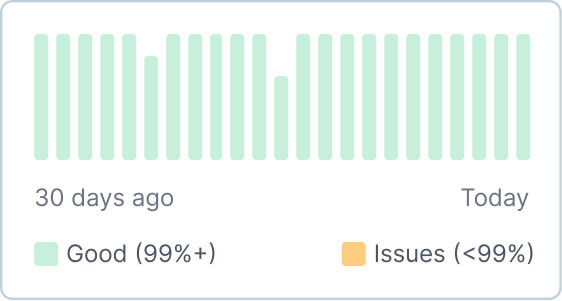

Connect with us
Book a discovery call to discuss how we can help you consolidate, standardize, and scale your enterprise communication infrastructure.