Proven strategies. Real results.
Trusted expertise.
Explore our case studies and insights to learn how our unified, cloud-based solutions and signature service model deliver performance, compliance, and lasting impact across industries.
How SmartChoice Future-Proofs Your Phone Systems
Evolve Without Disruption: How SmartChoice Future-Proofs Your Phone Systems—No Forklift Required
Why healthcare enterprises are ditching the “rip and replace” mentality for a smarter approach to communications modernization
The Communication Crisis Hiding in Plain SightPicture this: It’s 7 AM on a Monday morning, and your IT director is fielding calls from three different locations about phone system failures. Meanwhile, your CFO is questioning why telecom expenses keep climbing despite promises of “cost savings” from your current vendor lineup. Sound familiar?
If you’re nodding along, you’re not alone. Healthcare enterprises across the country are wrestling with the same fundamental challenge: how do you modernize critical communications infrastructure without bringing operations to a grinding halt?
The traditional answer—”rip and replace everything”—feels increasingly like digital age surgery with a sledgehammer. Sure, it might solve the problem, but at what cost?
The Hidden Costs of Forklift Upgrades (Spoiler: They’re Massive)Let’s talk about the elephant in the server room. When vendors pitch you on their shiny new phone system, they often gloss over what a “forklift upgrade” really means for a healthcare organization:
The Operational NightmareEvery “rip and replace” project becomes a high-stakes gamble with patient care. One misconfigured trunk line or delayed cutover, and suddenly your emergency department can’t communicate with radiology. Your scheduling system goes dark. Patient flow grinds to a halt.
The Financial Reality CheckBeyond the obvious hardware and licensing costs, forklift upgrades carry hidden expenses that make CFOs lose sleep:
- Extended downtime during migration windows
- Staff retraining across multiple locations
- Parallel system operations during transition periods
- Emergency rollback procedures when things go sideways
Most healthcare organizations end up managing relationships with at least 4-6 different communication vendors. Each has their own support portal, billing system, and finger-pointing protocol when something breaks. Your IT team becomes less “strategic technology partner” and more “vendor relationship manager.”
The result? Every upgrade feels like starting from scratch, and growth becomes a liability instead of an opportunity.
A Better Way Forward: The SmartChoice Phased EvolutionWhat if I told you there’s a way to modernize your communications infrastructure without the drama? That you could improve reliability, add capabilities, and reduce costs—all while keeping your current systems humming along?
That’s exactly what SmartChoice’s phased approach delivers. Think of it as evolutionary rather than revolutionary change. Enter: SmartChoice’s Crawl, Walk, Run approach.
Phase 1: Crawl – Building Your Foundation (Zero Disruption Required)We start where you are, not where we think you should be.
Instead of ripping out your existing PBX systems, we integrate SIP trunks and hybrid solutions that work alongside what you already have. This isn’t about replacing everything; it’s about making everything work more efficiently.
What this means for you:
- Immediate improvements in call quality and reliability
- Reduced telecom expenses from day one
- Zero downtime during implementation
- Your staff keeps using the phones they know
The magic happens behind the scenes: We begin establishing consistent network standards across your locations while your teams continue their critical work uninterrupted.
Phase 2: Walk – Expanding Your Capabilities (At Your Pace)Once you’re comfortable with the foundation we’ve built, we gradually introduce cloud-based features that transform how your organization operates.
This is where things get exciting. We’re talking about:
- Smart Contact Centers that handle patient inquiries across multiple channels
- CRM Integration that connects your phones directly to patient records
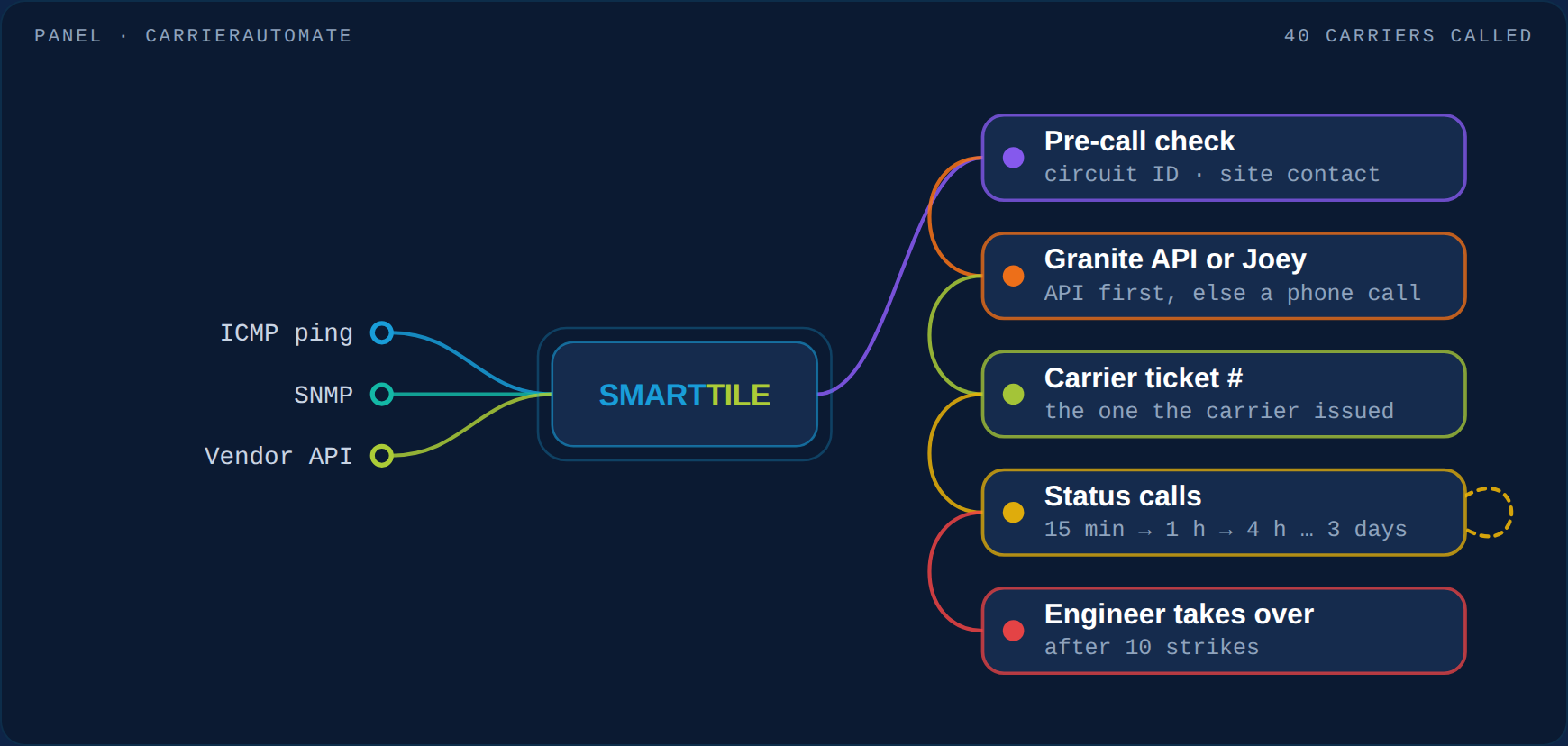
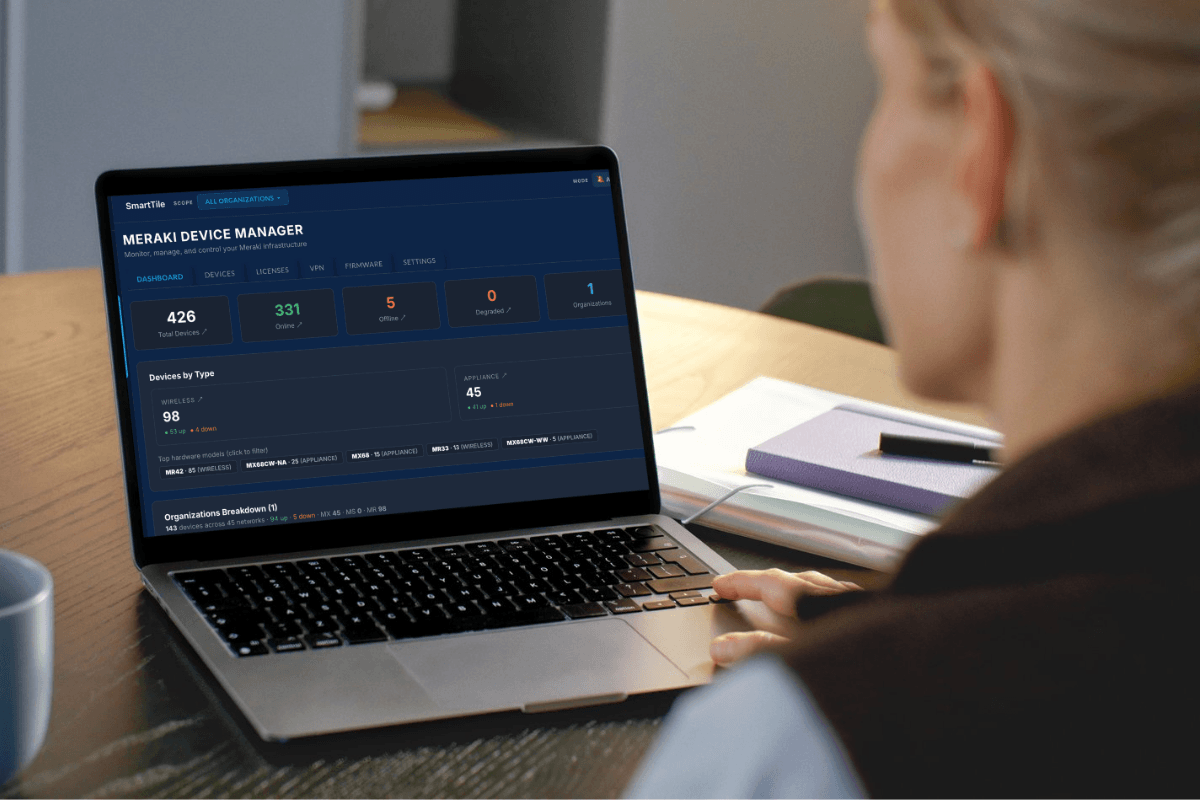
- SmartTile dashboards that give you real-time visibility across all locations
- Secure Cloud Fax that finally brings your PHI transmission into the 21st century
The beauty of this phase: You’re testing and optimizing new capabilities while your legacy systems provide backup. No pressure, no risk, just steady improvement.
Phase 3: Run – Full Transformation (When You’re Ready)By the time you reach this phase, you’ve already experienced the benefits of unified communications. The migration to our SMART Network feels natural because you’ve been building toward it all along.
This is where everything comes together:
- Unified communications across all sites and users
- Centralized monitoring and analytics
- Advanced security and compliance automation
- True scalability that grows with your organization
Let’s address the specific challenges that make healthcare communications uniquely complex:
The Vendor Sprawl Problem“We have six different vendors for our communication needs. When something breaks, everyone points fingers.”
SmartChoice Solution: One bill, one call, one provider. When you call for support, you’re talking to our team, not a call center that transfers you three times before finding someone who understands healthcare. We’re here for you 24/7/365, located in America’s heartland.
The Standardization Challenge“Every location feels like a different company. Our staff struggle when they float between sites.”
SmartChoice Solution: Uniform experience and performance across all locations. Whether your nurse is working in your flagship hospital or a satellite clinic, the communication tools work exactly the same way.
The Scalability Trap“Every time we open a new location, it’s a six-month project to get communications up and running.”
SmartChoice Solution: Pre-determined network designs and cloud-driven flexibility mean new locations can be operational in days, not months. Scale users instantly as your organization grows.
The Support Nightmare“Our current vendor’s idea of ‘premium support’ is a ticket system that takes 48 hours to respond.”
SmartChoice Solution: 24/7/365 U.S.-based white-glove support with proactive monitoring. We often fix issues before you know they exist, and when you need us, we’re there—no ticket queues, no runaround.
The Cost Control Crisis“Our network expenses are a black box. Every month brings surprise charges we can’t explain.”
SmartChoice Solution: Complete visibility and control over your network spend. Pay only for what you need, with transparent pricing and detailed usage analytics.
Features That Matter for Healthcare: Security, Compliance, and ReliabilityHealthcare communications aren’t just about making calls; they’re about protecting patient data, ensuring compliance, and maintaining the reliability that patient care demands.
Microsoft Teams Integration: The Collaboration Game-ChangerHere’s where things get really interesting for healthcare organizations already invested in the Microsoft ecosystem. SmartChoice seamlessly integrates with Microsoft Teams, transforming it from just another collaboration tool into a comprehensive healthcare communication platform.
Your clinical staff can make and receive calls directly through Teams, access patient information, and collaborate with colleagues, all from a single interface they already know. No more switching between applications or learning new systems.
The real-world impact: A physician can start a Teams meeting with a patient’s care team, pull up relevant records, and seamlessly transition to a phone call with a specialist—all without leaving the Teams environment. It’s the kind of workflow integration that actually improves patient care.
Softphone Apps: Healthcare Communication Without BoundariesHealthcare happens everywhere, not just at desk phones. Our softphone technology gives your medical staff reliable, secure communication tools accessible from any device, anywhere in the facility (or beyond).
Our softphone solutions integrate with your existing workflows, sync with patient management systems, and provide the same feature-rich experience whether your staff is at their desk, in a patient room, or working remotely.
The flexibility healthcare demands: When your on-call physician needs to consult with a specialist at 2 AM, or when your nurse manager is coordinating care across multiple units, softphone technology ensures communication never becomes a barrier to patient care.
CRM Integration (That Actually Works)Forget about juggling between systems. SmartChoice integrates seamlessly with Salesforce, HubSpot, and other leading CRM platforms. When a patient calls, their information is already on your screen. Schedule follow-ups, track interactions, and improve engagement—all from a single interface.
Secure Cloud Fax (Yes, Fax Still Matters in Healthcare)PHI transmission doesn’t have to be stuck in 1985. Our Secure Cloud Fax technology replaces those unreliable analog fax machines with secure digital solutions that integrate with your existing workflows. HIPAA-compliant, reliable, and actually trackable.
Smart Contact Center for Omnichannel Patient ExperienceYour patients don’t just call anymore: they text, email, and use patient portals. Our Smart Contact Center meets them where they are, providing seamless omnichannel experiences that improve satisfaction and reduce staff workload.
IVR with SMS IntegrationTransform frustrating phone trees into helpful interactions. Patients select what they need, and our system can instantly send relevant information via SMS. Appointment reminders, lab results, discharge instructions, all delivered securely to their mobile device.
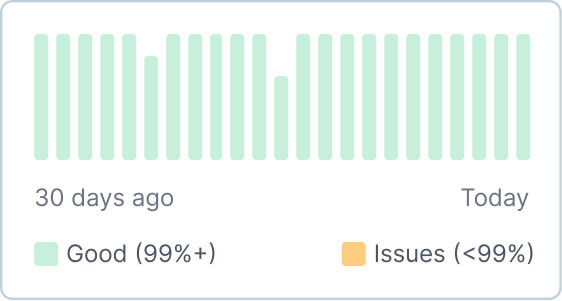
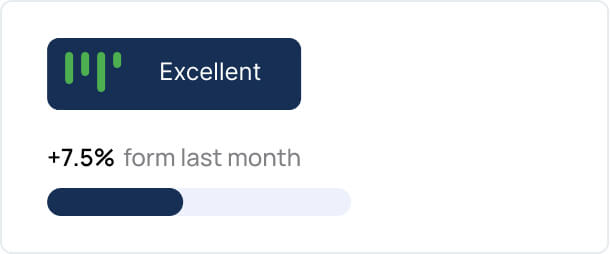
SmartTile Real-Time Operations DashboardGet real-time operational visibility across all your locations. Your IT team can swiftly identify and resolve issues, manage networks efficiently, and reduce downtime. It’s like having a mission control center for your communications infrastructure.
What Healthcare Leaders Are SayingThe results speak louder than promises. Take US Eye, a multi-specialty eye care practice operating across 60+ locations throughout Florida. When they faced recurring voice system downtimes that were impacting patient care, they partnered with SmartChoice for a comprehensive communications overhaul.
The Challenge: Managing communications across 60+ partner locations while dealing with system downtimes, over 30 different telecom vendors, and the constant pressure of HIPAA compliance requirements.
The SmartChoice Solution: A 60-day deployment that unified their communications infrastructure without disrupting operations at any location.
Real Results from Real Healthcare Leaders
“SmartChoice’s solutions, combined with their Smart Tile network analytics, helped us find and fix problems with our network and communications systems that we couldn’t see before. Our partnership and their implementation was key to turning things around and improving our system significantly.” — Chris Diguette, Chief Information Officer, US Eye
The transformation was immediate and measurable:
- Drastically reduced downtimes across all 64 sites
- Consolidated from 30+ vendors to a single provider – eliminating vendor chaos and finger-pointing
- Achieved HIPAA-compliant call center infrastructure with enhanced patient data security
- Reduced telecommunications expenses while improving service quality
- Real-time network monitoring through SmartTile analytics integration with Microsoft BI
What made the difference? The phased, supportive approach. As their Managed Service Provider noted:
“SmartChoice allowed us to work with staff in real-time as we ported into the SC environment. SC met with each practice weekly to support the lift onto the new platform. For me, as their managed Service Provider, having support in real time was instrumental in the success and safety of a migration of this size.” — Kathleen Goldman, KMGTELE
The final word from US Eye’s CIO says it all:
“Our pursuit of excellence led us to SmartChoice and their innovative solutions. The numbers speak for themselves – downtimes drastically reduced, operational efficiency heightened, and patient interactions seamlessly facilitated. This journey underscores the indispensable role of cutting-edge technology with a holistic approach in modern healthcare communications.”
Read the complete US Eye case study to see the detailed transformation process and specific metrics.
Ready to Evolve (Without the Pain of Evolution)?Here’s the bottom line: You don’t need to rip out everything and start over to modernize your communications infrastructure. The “forklift upgrade” mentality is outdated, expensive, and unnecessarily risky for healthcare organizations.
SmartChoice empowers you to evolve on your terms. Consolidate vendors, standardize experiences, and scale operations, all while keeping your current systems running smoothly.
The question isn’t whether you need to modernize your communications infrastructure. The question is whether you’ll do it the disruptive way or the smart way.
Want to see how our phased approach works for your organization?
Let’s schedule a consultation to discuss your specific challenges and show you exactly how SmartChoice can help your healthcare organization thrive—without the forklift!
850 Area Code: Establish Local Presence in Tallahassee
Florida’s Panhandle is home to a diverse range of cities, from the state capital to military bases, to some of the country’s best beaches—the 850 area code covers it all. Established in 1997 when Florida’s population boom forced a split from the original 904 area code, the 850 designation serves over 1.5 million residents across 23 counties in Northwest Florida.
The 850 region encompasses major economic centers like Tallahassee (home to Florida State University and state government), Pensacola (with its massive naval aviation training center), Panama City (a tourism and military hub), and Destin (a top-rated beach town). From government contracts to military spending, from university research to beach tourism, the 850 area code represents billions in economic activity.
For businesses operating in this market, your phone number isn’t just contact information; it’s a competitive signal. Companies with 850 numbers are immediately recognized as local players, while those using toll-free or distant area codes are often perceived as outsiders trying to capture local business without local commitment.
In this blog we’ll cover the cities and counties served by the 850 area code, why it’s important for businesses to have a local number, and how to get one.
What Areas Does 850 Area Code Cover?The 850 area code covers a large geographic area spanning many major cities and counties of the Florida panhandle.
Most of the 850 area code, including the state capital Tallahassee, observes Eastern Time, but the westernmost portion of the 850 area code, including cities like Pensacola and Panama City, observes Central Time.
Major cities in the 850 area code:
- Tallahassee (state capital)
- Pensacola
- Panama City
- Wright
- Fort Walton Beach
- Navarre
- Crestview
Counties covered by 850 area code:
- Escambia County
- Santa Rosa County
- Bay County
- Leon County
- Okaloosa County
- Walton County
- Jackson County
- Gadsden County
- Wakulla County
- Washington County
For businesses operating in Florida’s Panhandle region, a local 850 area code phone number serves as more than just a contact detail: it is a strategic business asset that drives credibility, engagement, and growth.
Establish Trust Through Local PresenceWhen customers see an 850 area code, they immediately recognize your business as part of their community. This local connection spans major Panhandle cities including Tallahassee, Pensacola, and Panama City, creating an instant sense of familiarity and reliability.
Local businesses are perceived as more trustworthy and community-focused, which translates directly into increased customer confidence and engagement.
Maximize Customer Response RatesCustomers are significantly more likely to answer calls from familiar local area codes. This preference makes your 850 number a powerful tool for cold calling and customer outreach, dramatically improving connection rates and fostering stronger customer relationships. The psychological comfort of seeing a local number can be the difference between an answered call and a missed opportunity.
Reduce Communication Barriers and CostsAn 850 area code eliminates long-distance charges for your customers, removing a potential barrier to communication and encouraging more frequent contact.
From a business perspective, virtual phone systems with 850 numbers eliminate expensive hardware requirements and physical office setups, significantly reducing operational overhead while maintaining professional communication standards.
Enable Flexible, Modern OperationsVirtual phone systems paired with 850 area codes provide unprecedented operational flexibility. Your team can handle calls and texts from mobile phones, laptops, or any internet-connected device, supporting remote work arrangements and multi-location operations without additional infrastructure investments. With modern VoIP systems, you can integrate your CRM to seamlessly manage contacts. This adaptability is essential for modern business operations.
Leverage Advanced Communication FeaturesLocal 850 numbers integrate seamlessly with sophisticated business communication tools including call forwarding, voicemail-to-text transcription, intelligent call screening, business texting capabilities, and customizable phone menus.
These features streamline customer service operations and ensure every call reaches the appropriate person or department efficiently.
Maintain Professional BoundariesA dedicated 850 business line protects your personal privacy while projecting professionalism. This separation ensures clear boundaries between personal and business communications, allowing you to maintain professional standards while protecting your personal time and contact information.
You can pair your business phone number with a softphone that protects your personal cell phone number, while allowing you to take work calls from your cell. This means your hybrid office can appear professional at the office and at home.
Strengthen Local Marketing and SEOProminently displaying an 850 area code across your website, business cards, and marketing materials reinforces your local market connection.
This consistent local branding can improve local search engine rankings and enhance brand recognition among regional customers, making your business more memorable and discoverable in local searches.
How to Get an 850 Business Phone Number Step 1: Select Your VoIP Service PartnerBegin by researching and selecting a reliable VoIP service provider that offers 850 area code numbers for Florida Panhandle businesses.
Your chosen partner will supply both the local phone numbers and communication equipment necessary to establish your professional presence in the Tallahassee, Pensacola, or Panama City markets.
Step 2: Configure Your Phone SetupAfter partnering with a provider, they’ll evaluate your business requirements and suggest a phone system that best suits your business needs.
Most businesses go with a combination of:
- Softphone App – Converts your smartphone into a professional business line while keeping your personal number private
- VoIP Desk Phones – Traditional-style office phones with modern digital capabilities. These integrate with both softphones and computer apps.
- Computer-Based Calling Software – Applications that integrate with platforms like Microsoft Teams or Zoom for unified communications
The mobile business app ensures you can manage your 850 number from anywhere while maintaining professional boundaries. Computer-based calling software creates a unified communication hub that connects with your mobile app and office phones.
Internet-based desk phones provide the familiar feel of traditional office equipment with advanced digital features. When combined, these tools create a comprehensive communication ecosystem that works across all your devices, so you can take calls in the office and on-the-go.
Step 3: Installation and System ActivationOnce you’ve selected your communication tools, your provider will ship the necessary equipment along with detailed setup instructions and troubleshooting guides. Your internal IT team can typically handle the installation process using the provided documentation.
Many providers also offer comprehensive setup services, including on-site delivery, professional installation, and hands-on training at your business location to ensure your 850 area code phone system launches smoothly.
Establish Local Presence with an 850 Area CodeSwitching to an 850 area code represents a calculated business decision that directly impacts your bottom line. Companies using local numbers see measurably higher call answer rates, reduced customer acquisition costs, and improved conversion rates compared to businesses using toll-free or out-of-area numbers.
An 850 number positions your business to capture market share from competitors using generic or distant area codes. Combined with modern VoIP systems, this strategy delivers cost savings, operational efficiency, and scalability without the overhead of traditional phone infrastructure.
The implementation is straightforward, and the ROI is immediate. Businesses typically see improved customer response rates within the first month of switching to a local 850 number. For companies serious about competing in the Tallahassee, Pensacola, and Panama City markets, a local area code is a must.
If you need an 850 area code phone system, our experts can help. Feel free to reach out to us to schedule a demo.
Call Center vs Contact Center : Which Is Better for Your Business
The terms “contact center” and “call center” are often used interchangeably, but they represent fundamentally different approaches to customer service.
While both help businesses connect with their customers, the distinction between them has significant implications for customer experience, operational efficiency, and business growth.
In this blog, we’ll cover the key differences between contact centers and call centers. You’ll learn which is the better option for your business needs and how features and costs differ.
What’s the Difference Between a Contact Center and a Call Center?Call centers exclusively use voice communication to serve customers, while contact centers use multiple communication channels like voice, live chat, SMS, and email.
Contact centers are equipped to handle a higher volume of customers because they can service customers through multiple communication channels. With that, contact centers come with a higher setup and maintenance cost than call centers.
If your business has relatively low call volume, a call center will work great; but if you have high volume, you’ll likely need to budget for a contact center.
Contact centers also offer more flexibility and scalability due to their integration with AI-powered tools. Natural language processing (NLP) enables intelligent chatbots to handle routine queries, while AI-driven IVR (Interactive Voice Response) systems route calls more efficiently based on customer intent.
Types of Call and Contact Centers- Inbound: These focus on receiving your calls when you need help, have questions, or want to make a purchase. Think customer service hotlines.
- Outbound: These are the ones contacting you – for sales, marketing campaigns, or follow-up surveys.
- Blended: These handle both – they’ll take your incoming communication and make outgoing calls as needed.
- Virtual: The agents work remotely from various locations rather than being in one central office.
- Automated: These use AI and self-service options to handle many interactions without you ever speaking to a live person.
AI-powered contact centers can enhance all these models through automation, predictive dialing for outbound campaigns, AI-based workforce optimization, and automated quality monitoring.
Contact Center vs Call Center: Key ConsiderationsContact centers deliver a more sophisticated customer experience through channel diversity, integrated data systems, and proactive service capabilities. This approach aligns with modern customer expectations for seamless, personalized interactions across multiple touchpoints.
Call centers, while potentially cost-effective for organizations with straightforward communication needs, may create friction in the customer journey due to their single-channel limitation and often fragmented approach to customer data.
When deciding which is right for your business, there are some key areas to consider.
Customer ExperienceContact centers and call centers can both provide a seamless customer experience.
Contact centers are better for businesses who typically get questions that require follow-up communication, as it allows the agents to communicate with the customer through multiple channels. The initial communication might be a phone call but the agent can follow up through email or chat. Customers have a better experience with this method as it doesn’t require them to wait on hold or for a call back.
On the other hand, simple and non-urgent inquiries can be resolved through automated and self-service methods like chat, SMS, and email. These channels allow the customer to get help faster without having to wait on hold for a resolution.
AI-enabled chatbots and virtual agents further enhance the experience by providing instant, 24/7 assistance. These tools can resolve common issues without agent intervention and escalate to a human only when necessary, reducing wait times and improving satisfaction.
AI IntegrationsCall centers and contact centers both have the capabilities to have AI integrations like call center analytics and sentiment analysis.
For voice, many centers have sentiment analysis to monitor how customers feel during their call. If a negative sentiment is detected, a notification can be sent to the agent’s manager, for review. Each call can be transcribed so agents and management can review calls for training and analysis.
These features can integrate with your CRM, so agents can pull up details about customers, and nurture the relationship post resolution. A Microsoft Teams integration with your contact center can give you a platform to manage your contacts and follow up with them via email and SMS.
Additional AI features include:
- Predictive analytics to forecast customer behavior and demand.
- Real-time agent assist tools that provide suggested responses and knowledge base articles during interactions.
- AI-based quality assurance that scores calls and chats automatically to identify coaching opportunities and compliance issues.
Contact and call centers have advanced analytics and reporting for all channels.
All communication channels have analytics and reporting for metrics, such as number of calls and chats received, time to resolution, average wait time, etc. These metrics can get more granular, focusing on individual agents, or they can be summarized for the team.
AI takes this a step further by generating insights into customer journey mapping, root cause analysis of repeat contacts, and predictive indicators of churn.
StaffingContact centers can typically assist more customers with the same number of agents as call centers. The efficiency that communicating through multiple channels provides allows businesses to have leaner teams in their contact centers. Businesses with lower volume can often stick to voice communication only, with less agents, making it a more cost-effective option.
AI workforce management tools can optimize agent scheduling, predict staffing needs based on demand trends, and even recommend skill-based routing to improve first contact resolution.
Call Center vs Contact Center: Which Should You Choose?Contact centers and call centers both offer voice communication. The deciding factor is whether your business is high volume and complex enough to require multiple communication channels like live chat, SMS, and email.
If you consistently maintain a lower call volume, where customer questions are resolved at the first interaction, you may not need to upgrade to a contact center. However, if you feel more communication channels would help you offer a better customer service experience, contact centers are well worth the additional cost. They promote efficiency and offer high customer satisfaction.
And with AI integrations becoming increasingly accessible and affordable, even smaller businesses can now benefit from intelligent routing, automation, and self-service capabilities previously reserved for large enterprises
If you need help setting up a contact center or call center, our experts can help. Feel free to reach out to us.
305 Area Code: Establish Local Presence in Miami
Starting a business in Miami can be tough. You might have great products and fair prices, but Miami customers still won’t call you back. Why? Because they don’t think you’re a real local business.
Miami customers want to work with businesses they trust.
They look for signs that you’re really part of their community. One of the first things they notice is your phone number. If your area code isn’t 305, they might think you’re just an outsider trying to make quick money. This creates a big problem. Customers may not answer your calls or may choose your competitors instead. In Miami, being seen as a local business matters.
The good news? Getting a 305 area code can solve this problem. It makes your business look local right away and helps Miami customers trust you more.
Overview of 305 Area Code: What Areas Are Covered?305 area code covers Miami-Dade County and Monroe County which includes the Florida Keys. It is the original area code for the Miami area, but since 786 and 645 area codes have been added as overlays to accommodate Miami’s growing population.
Miami
Hialeah
Fort Lauderdale
Miami Gardens
Miami Beach
Homestead
North Miami Beach
Key West
Key Biscayne
Key Largo
Marathon
Islamorada
Why You Need a Local Miami Business Phone NumberOne of the most important decisions you’ll make isn’t about location, inventory, or even your business plan. It’s about your phone number. Having a business phone number with a local area code has many benefits.
It builds trust with the local audienceThink about it from a local’s perspective. You’re scrolling through search results for a service you need, and you see two similar businesses. One has a 305 number, the other has some random out-of-state area code. Which one feels more legit?
There’s something comforting about seeing that familiar 305. Miami residents have been conditioned to recognize it as “home,” and that familiarity translates directly into trust.
When someone sees your 305 number, they’re not wondering if you’ll disappear after taking their money or if you understand the local market. You’ve already answered those questions.
People are more likely to answer calls from local numbersWhen was the last time you answered a call from an unknown number with an unfamiliar area code? Probably not often, right?
A 305 number increases your chances of getting past that initial hurdle – getting someone to pick up the phone. People in Miami recognize a local number instantly and are much more likely to answer.
When potential customers are ready to make that important purchase decision, they want to talk to someone local. They want to know there’s a real person they can reach if something goes wrong. A local number makes that conversation possible.
Calling a local number often costs less for your customers, especially those still on older phone plans. Removing even small barriers like this can make the difference between getting that call and losing it to a competitor.
Your business show up in local searchesWhen someone in Miami searches for “best plumber near me” or “Miami marketing agency,” Google pays attention to signals that indicate genuine local presence. Your phone number is one of those signals.
Having a 305 area code strengthens your local SEO game significantly. It tells Google’s algorithm that you’re not just claiming to serve Miami; you have a local presence there. This can bump you up in local search results and help you appear in rich results like the business map listings.
When you’re setting up your Google Business Profile, that 305 number becomes part of your local credibility score. Combined with a Miami address and local reviews, it creates a powerful trifecta that boosts your presence in local searches.
It helps you stand out in a crowded marketMiami’s business scene is intense. Everyone is fighting for attention, and the competition is fierce across pretty much every industry. Having a 305 area code might seem minor, but it’s often the smallest details that make the biggest difference.
When a potential customer is comparing similar businesses, the one with the local number automatically feels more accessible and trustworthy.
For businesses expanding into Miami from other markets, a 305 number helps establish your business as a local option. It immediately legitimizes your presence and helps you compete with businesses that have been there for years.
How to Get a 305 Business Phone NumberReady to establish that local Miami presence? Getting your 305 area code is more straightforward than you might think, and the whole process can be wrapped up in just a few days.
Step 1: Find your VoIP partnerThe first thing you’ll need to do is connect with a reliable VoIP provider who can hook you up with that Miami number. This isn’t just about getting any phone service: you want someone who understands what you’re trying to accomplish with your local presence strategy.
Your provider is going to be the one supplying not just your 305 number, but also helping you figure out the best setup for staying connected with your Miami customers. They’ll handle getting your business properly equipped with whatever devices and systems make sense for how you operate.
Step 2: Pick your communication setupOnce you’ve got your provider lined up, they’ll walk you through your options for phones. This is where you get to decide how you want to handle your Miami business calls.
Most businesses today go with a combination approach that gives them flexibility. When you combine all three options, you can manage your calls seamlessly whether you’re at your desk, on the road, or working from anywhere.
SoftphonesA softphone app is probably going to be your best friend here – it basically turns your regular smartphone into a business line while keeping your personal number separate and private. You get all the benefits of having a business number on your personal cell phone.
Desktop ApplicationsDesktop apps are another popular choice, especially if you’re already using tools like Microsoft Teams or Zoom for your business. These apps let you handle calls right from your computer and typically sync up perfectly with your other communication options.
VoIP Desk PhonesIf you want something that feels more like a traditional office setup, VoIP desk phones give you that familiar experience with all the modern features. This option integrates with both your softphone and your desktop app, so you can manage your calls from anywhere.
Step 3: Get everything connectedAfter you’ve decided on your setup, your provider will get your equipment shipped out with everything you need to get connected. If you have in-house IT, they can handle the installation using the provided instructions.
If you need help setting up your phones, look for a telecom service provider that offers white glove service. An expert will come to your location, set everything up for you, and walk you through how everything works.
The whole process from signing up to taking your first call on your new 305 number typically takes less than a week, and suddenly you’ve got that local Miami credibility that can make all the difference in your business success.
Establish Local Presence with a 305 Area CodeFor the cost of a few business lunches, you can remove one of the biggest barriers between you and Miami customers. You can start building trust before you even say hello. You can compete with local businesses on equal ground.
The Miami market is full of opportunities, but only for businesses that customers trust. A 305 area code is your fastest way to earn that trust. It shows you’re not just another outsider looking to make a quick sale. You’re a business that’s here to stay and serve the Miami community.
Don’t let something as simple as an area code keep you from succeeding in Miami. Get your 305 number today and start building the local presence your business deserves.
407 Area Code: Get Local Presence in Orlando
When potential customers see an unfamiliar area code pop up on their phone, what happens? Most likely, they don’t answer. In a city growing by over 1,000 new residents weekly, a local business number helps you unify communication and stand out amongst non-local competitors.
That’s where a 407 business number becomes your secret weapon. More than just digits, it’s an instant signal that you’re part of the Orlando community, not some outsider trying to cash in.
Whether you’ve been serving Central Florida for decades or just setting up shop, that familiar 407 prefix creates immediate trust and recognition that no marketing campaign can buy.
In this guide, we’ll dive into how this simple change can boost your local visibility, increase your answered calls, and help your business become part of Orlando’s fabric, instead of just another name passing through.
Overview of 407 Area Code: What Areas Are Covered?407 area code covers Orlando and its surrounding areas, serving Orange, Seminole, and Osceola counties, as well as parts of Volusia and Lake counties. Alternatively, there is an overlay area code 698 which covers the same areas as 407.
- Orlando
- Alafaya
- Pine Hills
- Kissimmee
- Sanford
- Titusville
- Apopka
- Altamonte Springs
- Ocoee
- St Cloud
- Winter Garden
- Oviedo
- Winter Springs
- Casselberry
- Buenaventura Lakes
- Poinciana
- Meadow Woods
Orlando isn’t just known for Disney anymore. Tech, healthcare, aerospace, and manufacturing have entered the scene, bringing more jobs and business to the area. This growing economy means more opportunities and less risk for your business.
With this growth, Orlando’s market is becoming increasingly competitive. A local presence helps set your business apart. It signals commitment to the region, fosters brand loyalty, and positions your company as a trusted part of the local economy.
When people search for services in Orlando, they’re ready to buy. A local business number helps you appear in these location-based searches, allowing qualified buyers to find you.
A local business phone number helps your company appear in local search results, driving more relevant and targeted traffic to your website or storefront.
Benefits of Having a 407 Business Phone Number You get instant local credibility and trustA 407 phone number instantly tells Orlando folks “Hey, we’re local!” This familiar area code makes people way more likely to pick up when you call, trust what you’re offering, and actually engage with your business instead of screening you out.
People around here just naturally trust businesses with local numbers more. It’s like you’re saying “We’re committed to this community” without having to spell it out, which is huge for building those lasting customer relationships.
It provides stronger connection to the Orlando marketThat 407 code is practically synonymous with Orlando’s buzzing economy – from the theme parks to tech startups to healthcare. Having this number immediately connects you to this diverse market and signals you’re a part of the local business scene.
You’ll also reach nearby areas like Kissimmee, Sanford, and Winter Park without needing physical offices everywhere. One number covers a ton of ground!
It enhances marketing and sales performanceLet’s be real – local numbers just perform better in marketing. People are way more likely to answer or call back a 407 number than some random out-of-state area code, which means more conversations and better conversion rates.
When you put that 407 number on your ads, website, or social media, it reinforces your local identity and gets significantly more responses from people in the area.
It’s cost-effective and flexibleVirtual 407 numbers come with all sorts of cool features like call forwarding and professional voicemail without the headache of traditional phone systems. You can easily scale up as your business grows.
Calls within the 407 area are typically cheaper, saving money for both you and your customers – a small but meaningful perk that adds up over time.
It gives you a competitive advantage in a growing marketWith Orlando growing like crazy, a 407 number immediately positions you as a serious player in this hot market, opening doors to local partnerships that outside businesses might miss.
It gives you a clear edge over competitors calling in from elsewhere, especially when customers are specifically searching for local solutions to their problems.
How to Get a 407 Area Code Number Step 1: Find Your Ideal VoIP ProviderFirst, you’ll need to scout out a VoIP provider that clicks with your business needs. Look for one that’s not just reliable but also offers the specific features your operation requires.
Most Orlando businesses go with a Unified Communications provider for their VoIP needs because they handle everything from securing your local 407 number to connecting your devices and troubleshooting any hiccups along the way.
Your chosen provider will hook you up with your 407 number and help connect all your devices—whether your team works from a single Orlando office or is scattered across Florida.
Step 2: Pick Your Phone StackNow, think about how you and your team will use that 407 number. Most local businesses mix and match from these options:
- Softphones: These handy apps transform your existing smartphone into a business phone with a professional 407 number, keeping your personal number private when calling clients.
- VoIP Desk Phones: If you prefer the feel of a traditional office phone, these modern versions give you that familiar experience while connecting to your VoIP system and syncing with your other devices.
- Desktop Apps: Make and take calls straight from your computer, often integrating smoothly with platforms that integrate with Microsoft Teams.
Using a combination gives you the flexibility to answer calls from anywhere in the Orlando metro area. Your 407 business number follows you whether you’re at your International Drive office, working from Lake Eola Park, or meeting clients in Winter Park.
Step 3: Get Everything Up and RunningAfter selecting your setup, your provider will ship everything your way, typically with straightforward setup instructions tailored for your Orlando business.
If you have an IT person on staff, they can usually handle the configuration quickly. For an even smoother experience, some local providers offer white glove service where they’ll visit your Orlando location, set everything up for you, and show you how to make the most of your new 407 business line.
407 Area Code Business Number Improves Local SEOYour 407 area code isn’t just for making calls—it’s a powerful local SEO tool that tells both customers and search engines you’re authentically Orlando-based.
Using this local number consistently across your Google Business Profile, website, and directory listings dramatically improves your chances of appearing in local search results and map packs.
Google prioritizes businesses with consistent NAP (Name, Address, Phone) information, so make sure your 407 number appears the same way everywhere online.
Establish Local Presence in Orlando with a Business Phone NumberEstablishing a local presence in Orlando doesn’t have to be complicated or expensive—a dedicated business phone number with the 407 area code is a simple way to show customers you’re part of the community.
It’s not just about looking local; it’s about building trust, making real connections, and standing out in a busy market. Whether you’re a startup, a growing business, or expanding into Central Florida, a 407 number can open doors and help you make a lasting impression.
Ready to give your business that Orlando edge? Reach out to us today and let’s get you set up with a 407 business phone number that puts you on the map.
Microsoft Teams vs Zoom: Which Is Better for Your Business?
Unified Communication can make or break your business. Whether you’re connecting with your team or reaching out to clients, you need a platform that won’t let you down when it matters most.
We’ve all been there… that crucial client call that keeps dropping, the team meeting where nobody can hear each other, or the frustrating game of app-switching between your chat, video, and file sharing tools. It’s not just annoying; it’s costing you time, money, and maybe even opportunities.
Your business needs a reliable all-in-one solution that works consistently for both internal collaboration and external communication. But with so many options out there – Teams, Zoom, Slack, and more – how do you know which one is right for you?
In this blog, we’ll break down the key differences and benefits of each platform to help you choose the best option.
Teams vs Zoom: Which Is Better?Teams is better if you need integrations
- Microsoft Teams is better if you already use MS365 Products
- Microsoft Teams is a better all-in-one communication platform
- Zoom has better video and audio quality
- Teams is better if you need integrations
- Zoom is better if you host webinars or events
- Teams is better for security and compliance
Microsoft Teams is better if you already use MS365 Products
If your organization already uses Microsoft 365 (MS365) products, Microsoft Teams offers a uniquely integrated experience that enhances productivity, streamlines collaboration, and maximizes the value of your existing technology investment.
Teams is the ultimate hub for anyone using Microsoft 365. It brings everything together in one spot – here’s why that matters:
Teams connects seamlessly with all your favorite Microsoft apps. You can edit documents with colleagues in real-time, schedule meetings, and share files without jumping between apps. Everything syncs automatically, so there’s no more “which version are we using?” Confusion.
Every Teams space comes with its own SharePoint site and document library, keeping your files organized and accessible from anywhere. Plus, tasks and projects are easy to manage with built-in Planner and To Do integration.
Need to automate repetitive work? Teams plays perfectly with Power Automate, Power Apps, and Power BI. Create custom workflows, build simple apps, and visualize data – all without leaving Teams.
For sales teams, the Dynamics 365 integration is a game-changer. You can view customer records, share data, and even make calls directly from your CRM. Everything uses the same security settings, same login, and same familiar Microsoft interface. Less time switching between apps means more time getting work done.
Microsoft Teams is a better all-in-one communication platform
Teams brings all communication and scheduling channels into one place, beating standalone tools like Slack or Zoom, especially if you’re already using Microsoft products.
Chat works just like Slack – organized channels, private messages, threads, and searchable history – all without switching apps. All your conversations and shared files stay in one spot.
The calendar syncs perfectly with Outlook, so you can schedule and join meetings without bouncing between programs. No more double-bookings or hunting for meeting links – everything updates automatically across both platforms.
What really sets Teams apart is how it combines everything: chat, video calls, document editing, and project management all happen in the same window. Edit files together in real-time, manage tasks with Planner, and run video meetings with up to 1,000 people – all without leaving Teams.
Zoom has better video and audio quality
Let’s be real: Zoom just looks and sounds better than Teams in day-to-day use. While both technically support full HD video, Zoom consistently delivers clearer video and more natural audio using the same equipment and internet connection.
Zoom meetings have less pixelation and fewer audio glitches. Voices sound fuller and less muffled compared to Teams. If you’ve ever been on both platforms back-to-back, you’ve probably noticed the difference.
Most Zoom users get 720p by default, but Business and Enterprise accounts can bump up to crisp 1080p. Zoom’s technology handles compression and bandwidth changes more smoothly, giving you better performance when your internet gets spotty.
Teams is better if you need integrations
Teams blows Zoom out of the water when it comes to integrations, especially if you’re trying to streamline your workflow.
Teams works perfectly with all Microsoft 365 apps; you can edit documents together, schedule meetings, and manage files without bouncing between apps. Plus, tools like Planner and Power BI are built right in.
The app marketplace is stacked with hundreds of third-party integrations like Trello, Asana, and Salesforce. Even better, you can build your own custom apps using Microsoft’s Power Platform without needing a team of developers.
Everything happens in one place with Teams. No more switching between a dozen different windows – your files, chats, meetings, and tools all live together. You can even interact with integrated apps directly in Teams, while Zoom usually kicks you out to another window.
Need to automate your workflow? Teams connects with Power Automate to create workflows that link to hundreds of services. Set up automatic notifications, data syncing, or approval processes that work across your entire system.
Teams really shines as a complete phone system too. You can make and receive regular phone calls directly from the Teams app on any device – your laptop, phone, or tablet. No desk phone needed.
You can use Microsoft’s built-in calling plans or connect Teams to your existing phone system through Direct Routing. Softphone apps integrate seamlessly, adding features like call recording, custom routing, and even SMS texting.
This means your team manages everything – internal chats, video meetings, AND external phone calls – from one interface. Perfect for remote workers who need to make business calls from anywhere while keeping things professional.
Security is solid too – all those integrations are protected by Microsoft’s enterprise-grade security, with built-in controls to keep your data safe.
If you want your tools, workflows, and phone system to play nice together in one secure place, Teams is your best bet. Zoom’s integrations are mostly about enhancing meetings, while Teams creates a complete digital workspace with full communication capabilities
Zoom is better if you host webinars or events
Zoom handles massive crowds: up to 10,000 viewers and 1,000 interactive speakers for webinars, or a million attendees for Zoom Events. No matter how big you go, Zoom’s got you covered.
It’s super user-friendly: attendees can join with one click without creating accounts, which is perfect when you’re inviting clients or the public. It works on any device too, so people can join from wherever.
During your event you can keep your audience engaged with live polls, Q&A sessions, hand-raising, and chat options. Hosts have total control to promote attendees to speakers, manage permissions, and create breakout rooms for smaller discussions.
The backend logistics of your event is handled seamlessly: Zoom Events gives you one dashboard for ticketing, registration, and branding. It integrates well with Salesforce and other CRM tools, so you have access to your contacts right from Zoom.
Everything gets recorded automatically with options for cloud storage and transcripts. You’ll get detailed stats on who attended and how they engaged, which is gold for follow-ups.
The bottom line is, if you want to look professional, reach tons of people, and keep them engaged during online events, Zoom is your best bet.
Teams is better for security and compliance
Teams is built on Microsoft 365’s security framework with a Zero Trust approach that verifies everyone before granting access. Everything stays encrypted whether it’s moving between users or sitting on Microsoft’s servers, with files getting extra protection through OneNote and SharePoint encryption.
Behind the scenes, Microsoft Defender constantly watches your back by scanning links and files in real-time, immediately blocking sketchy content, and flagging suspicious activity. If something looks fishy, users can report it directly, helping security teams respond quickly.
Admins have plenty of control options: from requiring multi-factor authentication and limiting file downloads on personal devices to creating private channels for sensitive conversations. Special labels and prevention policies work together to keep confidential information from leaking out accidentally.
For businesses in restricted industries like Finance and Healthcare, Teams checks all the compliance boxes like GDPR, HIPAA, and ISO 27001, with data centers in 54 regions to meet local laws. You can customize retention policies and easily retrieve communications when needed for legal purposes.
Teams vs Zoom: The Bottom Line
Microsoft Teams and Zoom are great video communication platforms, but every business’ needs are different. Here’s the bottom line.
- You should choose Teams if you need an all-in-one communication platform with security features
- Go with Zoom if you need to host internal and external meetings with high video quality
Get familiar with SmartChoice products
Watch SmartChoice communication and collaboration solutions videos to learn how our tools can transform your business productivity and connectivity.
Become a partner
Extend your offering with enterprise-grade voice and connectivity solutions, backed by our 24/7/365 support—based in the U.S.

Connect with us
Book a discovery call to discuss how we can help you consolidate, standardize, and scale your enterprise communication infrastructure.