Proven strategies. Real results.
Trusted expertise.
Explore our case studies and insights to learn how our unified, cloud-based solutions and signature service model deliver performance, compliance, and lasting impact across industries.

What Are Key Considerations For My Law Firm’s Communication Network?
In the intricate world of law, communication isn’t just about exchanging information—it’s about upholding trust, ensuring confidentiality, and driving efficiency. As leaders in law firms, Managing Partners, CEOs and CIOs stand at a critical juncture, responsible for having a communications network that reflects these priorities. Here are key considerations:
Client Confidentiality
At the heart of every law firm is the sacred attorney-client privilege. Your communications network should be ironclad, ensuring that no unauthorized entity can access, intercept, or compromise sensitive client data.
Scalability
The legal industry is dynamic. Whether you’re taking on more clients, expanding practice areas, or integrating new technologies, your communication infrastructure should adapt and grow with your firm’s evolving needs.
Integration with Existing Systems
Most law firms use specialized software for case management, research, billing, and more. Your communication network should seamlessly integrate with these tools to streamline processes and reduce redundancy.
Compliance and Regulations
The legal industry is bound by numerous regulations, especially concerning data retention and protection. Ensure your network meets all necessary compliance standards, both domestic and international, especially if your firm handles cross-border cases.
Disaster Recovery and Redundancy
In the event of unexpected disruptions—be it technical glitches, natural disasters, or cyber-attacks—your firm should experience minimal downtime. Implementing a robust disaster recovery plan and ensuring system redundancies will ensure continuity in client services.
Flexibility and Remote Accessibility
With the rise of remote consultations and virtual court sessions, the ability for attorneys to access the network securely from anywhere becomes crucial. Choose solutions that offer secure remote access without compromising on speed or functionality.
User-Friendliness
A communications system, no matter how advanced, is ineffective if it’s not user-friendly. Opt for solutions that require minimal training so that your legal team can focus on what they do best: practicing law.
Cost Efficiency
While it’s vital to invest in a top-tier communications setup, leaders should also evaluate the long-term ROI. Consider both upfront costs and potential savings in terms of time, efficiency, and reduced risks.
Expert Support
Partner with providers who offer round-the-clock expert support. When challenges arise, quick resolutions can make the difference between winning or losing a case.
Feedback Mechanism
Lastly, establish a feedback loop with your legal team. Their insights on the communication network’s efficiency, challenges, and possible improvements can be invaluable in ensuring long-term success.
For law firm leaders, setting up an effective communication network isn’t just a technical endeavor—it’s a strategic move that underpins the firm’s reputation, efficiency, and client trust. By focusing on these considerations, leaders can ensure their firm remains at the forefront of legal communications excellence.

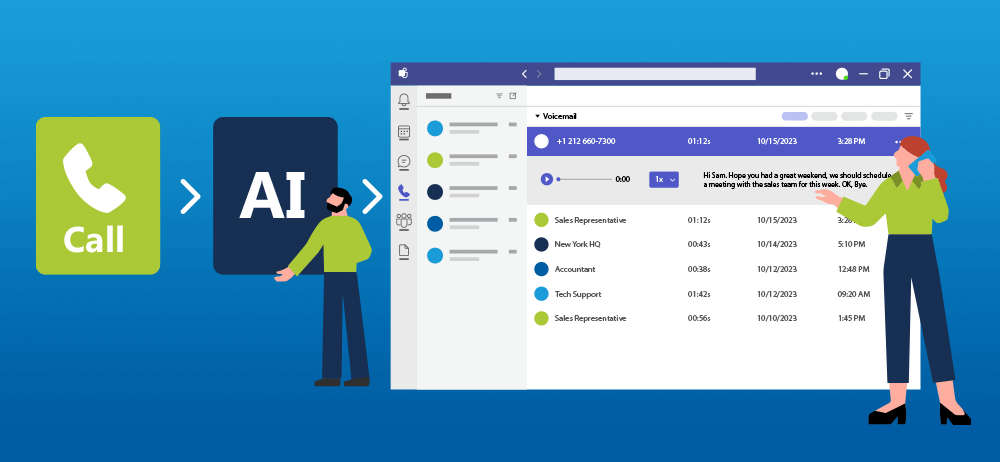
How Is AI Improving My Microsoft Teams Voice Integrations?
Artificial intelligence (AI) is top of mind for many and stands at the forefront of technological advancement. This revolutionary paradigm is not just a mere concept confined to sci-fi novels; it’s actively reshaping our present. One of the most prominent arenas feeling AI’s transformative impact is the modern workplace. Tools and platforms that utilize AI have become staples in enterprises, making tasks more streamlined and efficient. A shining example of this integration is the voice systems within Microsoft Teams.
The AI-Driven Work EnvironmentModern work environments are steadily becoming more virtual and collaborative. As businesses strive to keep up with this shift, there’s a growing need for tools that can simplify communications, making them more instantaneous and clear. Enter AI. Through its data processing prowess and machine learning algorithms, AI helps in making sense of vast amounts of data, predicting user needs, and offering real-time solutions.
When it comes to communication platforms, these AI-powered tools can significantly enhance user experience. They can transcribe meetings, offer real-time translations, filter out background noises, and even understand and act upon voice commands. The implications are profound, from making meetings more accessible to non-native speakers to ensuring that important details from a conversation aren’t missed.
Microsoft Teams and the Magic of AI in Voice SystemsMicrosoft Teams, a frontrunner in collaborative platforms, has tapped into the potential of AI to revamp its voice systems. But what are the underlying technologies that make this integration so seamless?
- Speech Recognition: One of the foundational AI technologies for voice systems is speech recognition. It allows Teams to convert spoken language into text. This feature is especially useful for transcribing meetings or offering real-time subtitles, ensuring that all participants can follow along, regardless of any hearing impairments or language barriers.
- Natural Language Processing (NLP): NLP helps Teams understand the context and sentiment behind the words spoken. It’s not just about recognizing words, but comprehending them. This understanding enables features like voice commands where you can ask Teams to perform specific tasks using just your voice.
- Deep Learning and Neural Networks: These technologies empower Teams’ noise suppression feature. By training on vast datasets, the system learns to distinguish between the primary voice it needs to capture and background noises it should filter out. The result? Clearer audio quality, even if you’re taking a call in a bustling cafe or with construction noises in the background.
- Predictive Analytics: Ever noticed how Teams can sometimes predict what you’re about to say or offer auto-suggestions? That’s predictive analytics at work. By analyzing patterns in your communication, Teams can anticipate your needs, making your interactions faster and more intuitive.
The integration of AI technologies in voice systems, as seen with Microsoft Teams, underscores the potential of AI in enhancing communication in work environments. As AI continues to mature, we can expect even more advanced features, like voice biometrics for security or more refined voice assistants tailored to individual business needs. It is not just a trend.

How Can Our Company Transmit Documents Securely?
Navigating the digital age requires careful consideration when sending sensitive documents. This is especially important for legal, medical and financial firms. We would like to walk you through the distinct differences between using secure cloud fax applications and the traditional method of scanning and emailing. Understanding these differences is crucial to safeguarding your personal and professional information.
Security Measures Secure Cloud Fax ApplicationsDesigned with a primary focus on transmitting fax digitally, these applications integrate enhanced security measures. End-to-end encryption ensures that faxed documents remain confidential during transit. Features like multi-factor authentication can further bolster security, ensuring only authorized individuals can send or receive faxes.
Scanning and EmailingTraditional email systems, although commonplace, do not inherently match the specialized security infrastructure of Secure Cloud Fax Applications. Some email providers do incorporate basic encryption. However, such mechanisms can be more susceptible to breaches. Furthermore, email is a frequent target for phishing schemes, making documents vulnerable to unauthorized access.
Accessibility and Ease of Use Secure Cloud Fax ApplicationsThese platforms are designed for straightforward digital faxing. Users can easily send or receive faxes from various devices without needing physical fax machines. Moreover, notifications and digital logs ensure users are always updated about their fax activities.
Scanning and EmailingThe process of scanning a document, attaching it to an email, and sending it can be tedious and time-consuming. Additionally, email has file size limitations, which might require compressing or splitting larger documents, further complicating the process.
Document Tracking and Management Secure Cloud Fax ApplicationsThese applications often include features that allow users to track when a fax has been sent, received, or even viewed. This ensures a clear record of transmission, aiding in accountability and document management.
Scanning and EmailingOnce an email is sent, the sender has limited control and visibility over the document. There’s no reliable way to track whether the recipient has opened or forwarded the email, making it difficult to manage and control the distribution of sensitive information.
Storage and Retrieval Secure Cloud Fax ApplicationsThese platforms provide cloud-based storage, allowing users to store faxes digitally. This feature facilitates easy retrieval and ensures that there’s a backup of crucial documents, reducing the risk of data loss.
Scanning and EmailingEmail systems come with their own storage capacities, which can quickly be exhausted, especially with large attachments. Searching for specific documents amidst cluttered inboxes can be a daunting task, and inadvertent deletions can result in permanent data loss.
Cost-effectiveness Secure Cloud Fax ApplicationsThough there’s often a cost associated with premium Secure Cloud Fax services, the investment often justifies the enhanced features, specialized security mechanisms, and convenience they offer.
Scanning and EmailingWhile email services are often free, the hidden costs, including potential security breaches, time spent managing emails, and the limitation on storage and file size, might outweigh the apparent cost savings.
For those in search of secure, efficient document transmission methods, Secure Cloud Fax Applications provide a compelling alternative to the traditional scanning and emailing method. Their specialized functionalities, tailored for secure fax transmissions, make them a worthy consideration. SmartChoice encourages users to assess their unique requirements and select the approach that best matches their security, efficiency, and functionality needs.

Six Common Questions To Ask When Integrating UCaaS and Microsoft Teams
Unified Communication as a Service (UCaaS) is a vital solution for businesses seeking integrated, efficient communication platforms. When companies decide to integrate UCaaS solutions like SmartChoice with Microsoft Teams, various crucial questions arise. This article demystifies the process, answering vital questions concerning the integration, providing a roadmap for seamless, productive, and collaborative communication.
1. What Makes UCaaS and Microsoft Teams Integration Beneficial?
Integrating UCaaS with Microsoft Teams empowers organizations with enhanced features, such as superior call control, advanced communication features, and access to cloud PBX (private telephone network) capabilities. The synergy of these platforms offers a centralized, unified space for team collaboration and communication, essential for businesses today.
2. How Does the Integration Process Work?
The process generally begins by mapping out your communication structure, understanding the specific needs and features required. It’s crucial to follow the detailed guidelines from your provider or engage professionals experienced in the integration process for a hassle-free setup.
3. What about the Security and Compliance Aspect?
Security remains paramount in any communication setup. SmartChoice UCaaS is known for its robust security protocols, and when combined with Microsoft Teams’ secure communication environment, businesses enjoy a secure, compliant, and reliable communication infrastructure. Always stay updated with the security policies and compliance certifications of both platforms to ensure maximum security.
4. How User-Friendly is the Integrated System for Employees?
An intuitive, user-friendly interface is the hallmark of both SmartChoice UCaaS and Microsoft Teams. Once integrated, employees will find the system easy to navigate, with a slight learning curve. Conducting training sessions and providing resources helps employees adapt quickly, maximizing the benefits of the integrated communication system.
5. What Customization Options Are Available?
The integration allows for customization to tailor the system to your business’s unique communication needs. Users can leverage SmartChoice UCaaS’s advanced features while enjoying Microsoft Teams’ interface for collaborative work. Understanding and exploring customization options will provide a communication experience that aligns perfectly with your organization’s workflow and brand identity.
6. Can the Integrated System Support Mobile and Remote Work?
In an era of remote work and mobile connectivity, the integrated system supports flexible work arrangements efficiently. Both platforms offer mobile applications, facilitating communication for remote and on-the-go employees. Ensuring that your team is well-acquainted with these mobile solutions will promote seamless communication, irrespective of location.
Integrating UCaaS with Microsoft Teams is a strategic endeavor that promises efficient, secure, and seamless communication for businesses. Addressing the vital questions discussed above will facilitate a smoother integration process, allowing your company to harness the power of unified communication effectively.

Enhanced Plain Old Telephone Service (EPOTS) versus UCaaS plus Teams
When it comes to choosing the right communication solution, businesses often find themselves at a crossroads, debating between Enhanced Plain Old Telephone Services (EPOTS) and Unified Communications as a Service (UCaaS) with Microsoft Teams. In this article, we’ll explore the key differences and decision points between these two options to help you make an informed choice for your company.
EPOTS: Enhanced Traditional TelephonyEPOTS represent a modernized version of traditional landline telephone services. They offer an array of features and functionalities to meet the evolving needs of businesses while maintaining the reliability and familiarity of conventional phone systems. Key points to consider:
- Familiarity: EPOTS retains the familiarity of traditional phone systems, making it easy for employees to adapt.
- Reliability: EPOTS provides a dependable connection, with minimal downtime and a proven track record of service stability.
- Features: EPOTS can include features like voicemail, caller ID, call waiting, and call forwarding.
- Infrastructure: Existing telephone infrastructure may require minimal modifications or upgrades to support EPOTS.
- Cost: EPOTS can be cost-effective, particularly for businesses with modest communication needs.
Unified Communications as a Service (UCaaS) with Microsoft Teams is a cloud-based solution that combines various communication tools into a single platform. It offers a comprehensive suite of features for both voice and video communication, as well as collaboration and integration capabilities. Key points to consider:
- Collaboration: UCaaS with Microsoft Teams provides a unified platform for voice calls, video conferencing, chat, and file sharing, fostering collaboration and productivity.
- Scalability: This solution is highly scalable, making it suitable for businesses of all sizes.
- Integration: UCaaS systems can also integrate with other Microsoft Office 365 applications, streamlining workflows.
- Remote Work: UCaaS supports remote work by enabling employees to communicate and collaborate from anywhere with an internet connection. It allows them to leverage a company phone number via Teams wherever they are.
- Cost: While UCaaS offers robust features, it may have a higher upfront cost and ongoing subscription fees compared to EPOTS.
When choosing between EPOTS and UCaaS with Microsoft Teams, consider the following decision points:
- Communication Needs: Assess your organization’s communication needs. If basic voice communication suffices, EPOTS may be cost-effective. However, if you require a comprehensive communication and collaboration solution, UCaaS with Microsoft Teams is a better fit.
- Scalability: Evaluate your growth plans. UCaaS solutions are more scalable and can adapt to your evolving needs.
- Remote Work: Consider the importance of remote work capabilities. UCaaS with Teams excel in supporting distributed teams. Employees can use a business phone number on their personal device, which helps the company mitigate potential risks and uphold data security.
- Integration: If your business relies heavily on Microsoft Office 365 applications, UCaaS with Microsoft Teams may provide seamless integration benefits.
- Budget: Carefully analyze your budget constraints, including upfront costs and ongoing expenses.
Choosing between EPOTS and UCaaS with Microsoft Teams ultimately hinges on your organization’s unique communication requirements, growth outlook, and budget. EPOTS offers reliability and simplicity, ideal for businesses with basic communication needs. On the other hand, UCaaS with Microsoft Teams provides a modern, integrated, and scalable communication and collaboration solution, particularly well-suited for organizations looking to enhance productivity and adapt to the changing landscape of work. Make your choice based on what aligns best with your company’s goals and communication priorities.
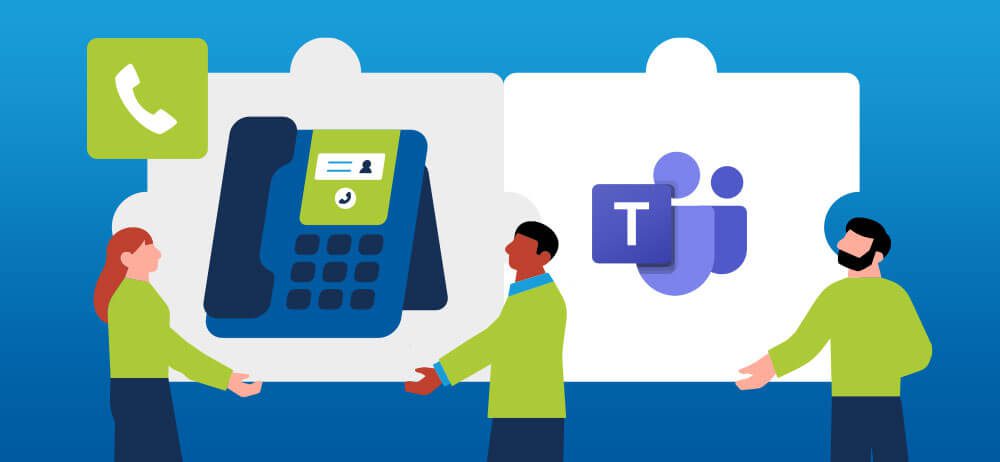
How Do I Integrate Microsoft Teams with My Phone System?
Effective communication is the backbone of success. With remote work becoming the new norm, organizations need flexible and efficient tools to connect their teams, clients, and partners. Microsoft Teams has emerged as a leading platform for collaboration, offering a comprehensive suite of features. But what if you could take it a step further and integrate Microsoft Teams with your phone system? This powerful combination can supercharge your communication capabilities. In this article, we’ll guide you through the process of integrating Microsoft Teams with your phone system for a more seamless and productive experience.
Why Integrate Microsoft Teams with Your Phone System?Before diving into the how, let’s understand the why. Integrating Microsoft Teams with your phone system offers several advantages for your organization:
- Unified Communication: By integrating Teams with your phone system, you create a unified communication hub. This means that whether you’re making a traditional phone call, conducting a video conference, or sending chat messages, everything happens within one platform, streamlining communication for your team.
- Enhanced Collaboration: Teams provides a range of collaboration tools, from file sharing to screen sharing and more. Integrating your phone system allows you to seamlessly switch between these features while on a call, making it easier to collaborate in real time.
- Remote Work Support: As remote work continues to gain popularity, having a phone system integrated with Teams enables your employees to make and receive business calls from anywhere, ensuring that they remain productive and accessible, no matter where they’re working.
- Cost Savings: Integration can lead to cost savings by reducing the need for multiple communication tools. You can consolidate your communication expenses, saving both time and money.
Now that we’ve covered the benefits, let’s get into the nitty-gritty of integrating Microsoft Teams with your phone system. Here’s a step-by-step guide:
1. Choose a Phone System Integration Solution:There are several solutions available for integrating Microsoft Teams with your phone system including SmartChoice. Research these solutions to determine which one aligns best with your organization’s needs and budget.
2. Check Compatibility:Ensure that your chosen phone system integration solution is compatible with Microsoft Teams. Most reputable solutions are designed to seamlessly integrate with Teams, but it’s essential to verify this before proceeding.
3. Set Up Microsoft Teams:If your organization is not already using Microsoft Teams, you’ll need to set it up. This typically involves creating user accounts, organizing teams and channels, and configuring settings to meet your specific requirements.
4. Configure Your Phone System:Follow the instructions provided by your chosen integration solution to configure your phone system to work with Microsoft Teams. This may involve setting up phone numbers, routing rules, and voicemail settings.
5. Train Your Team:Once the integration is complete, it’s crucial to train your team on how to use the integrated system effectively. Provide them with clear instructions on making and receiving calls, using collaboration features, and troubleshooting common issues.
6. Test and Monitor:Before fully implementing the integrated system, conduct thorough testing to ensure that calls, messages, and other communication functions work as expected. Monitor the system’s performance and gather feedback from your team to address any issues or concerns.
7. Customize and Optimize:Customize the integrated system to match your organization’s unique communication needs. You can set up call routing, voicemail greetings, and other features to enhance the user experience. Continuously optimize the system based on user feedback and changing business requirements.
8. Security and Compliance:Don’t forget about security and compliance. Ensure that your integrated system meets all necessary security and compliance standards, especially if you’re handling sensitive information or working in regulated industries.
Best Practices for Successful IntegrationTo ensure a smooth and successful integration of Microsoft Teams with your phone system, consider these best practices:
- Plan Ahead: Carefully plan the integration process, including timelines, resources, and potential challenges.
- Engage Your IT Team: Involve your IT team or IT service provider from the beginning to ensure a seamless integration.
- Communication: Keep your team informed about the integration process and provide them with resources for support and training.
- Backup and Redundancy: Implement backup and redundancy measures to ensure uninterrupted communication in case of system failures.
- Regular Updates: Stay up to date with software updates and patches for both Microsoft Teams and your phone system integration solution.
Integrating Microsoft Teams with your phone system can revolutionize your organization’s communication and collaboration capabilities. This integration empowers your team to work more efficiently, whether they’re in the office or working remotely. By following the steps outlined in this article and adhering to best practices, you can ensure a successful integration that enhances your business’s productivity and connectivity in the digital age.
Get familiar with SmartChoice products
Watch SmartChoice communication and collaboration solutions videos to learn how our tools can transform your business productivity and connectivity.
Become a partner
Extend your offering with enterprise-grade voice and connectivity solutions, backed by our 24/7/365 support—based in the U.S.



Connect with us
Book a discovery call to discuss how we can help you consolidate, standardize, and scale your enterprise communication infrastructure.