Proven strategies. Real results.
Trusted expertise.
Explore our case studies and insights to learn how our unified, cloud-based solutions and signature service model deliver performance, compliance, and lasting impact across industries.

Network automation and orchestration definition
From the Technology Desk at SmartChoice
Network automation is the use of software to perform individual network tasks — detecting an outage, opening a ticket, applying a configuration, sending a notification — without a human doing the work by hand. Network orchestration is the coordination of those automated tasks into a governed, end-to-end workflow that delivers a complete operational outcome.
Automation does the task. Orchestration runs the play.
Most definitions stop there, and that is the problem with most definitions. In managed network operations, the outcome that matters is never “the commands were sent.” It is “service restored, carrier engaged, customer informed, record complete.” Any definition that stops short of that is describing tooling, not operations — and the gap between those two is where networks actually fail.
The distinction, shown in one outageThe cleanest way to separate the two concepts is to watch them work. It is 2:07 a.m., and a circuit at a client’s branch location goes hard down.
Automation is each individual task. The poller flags the failure. A verification check confirms sustained packet loss. A ticket gets created. A notification goes out. Each one is a discrete unit of work performed by software instead of a person.
Orchestration is the entire play, run in order, with rules:
- Detection with gates. The failure must persist across consecutive polls, for a minimum duration, with corroborating evidence, before it is declared a hard down. Nothing acts on a blip.
- Enrichment. The workflow pulls what it needs from the source of truth: site, circuit ID, carrier, access hours, critical-facility status, escalation contacts, and the customer’s handling preferences.
- Internal ticket. Opened automatically, with the evidence attached — not a bare “site down” that someone has to investigate from scratch.
- Carrier engagement. Via API where the carrier supports one. Where they don’t — and many still don’t — the workflow proceeds anyway; even the phone call to the carrier can be automated by a mature platform.
- Customer communication. Status updates at every stage of the ticket’s life, sent automatically, so nobody on the client side is refreshing a screen and guessing.
- Follow-through. The workflow polls the carrier for updates and escalates when the carrier goes quiet. Silence is a state, and the workflow treats it as one.
- Verified restore. Multiple consecutive clean polls over a minimum window before “restored” is believed. The first green light is a hypothesis, not a conclusion.
- Closure per policy. Auto-close, hold for a reason-for-outage, hold for a service-credit request, or flag the circuit as chronic because this is the fourth time this quarter. The customer’s preference, encoded ahead of time, decides the ending.
- The record. Every step, every decision, every timestamp — written to an audit trail as the workflow runs.
A script can do step three. Orchestration is all nine steps holding together at 2 a.m. with nobody watching. That is the definition that matters.
Where network management fitsNetwork management is the umbrella discipline — operating, monitoring, securing, and improving the network over time. Automation and orchestration are how management scales past headcount. They do not replace network engineers; they relocate them. Engineers move from executing procedures to designing them, and to handling the exceptions — which is where engineering judgment actually earns its keep.
The core componentsEvery serious orchestration program we have seen — including our own — is built from the same five components. The architecture varies; the list does not.
- A source of truth. Inventory, circuits, device-to-carrier bindings, site metadata, access hours, contacts, customer preferences. Automation acting on stale data is worse than no automation at all. It is the first thing to get right — and every workflow should update it automatically after every change, so it never decays.
- Programmable interfaces. Carrier and vendor APIs where they exist; structured, tested fallbacks where they do not. Define one adapter contract — the same set of operations every integration must implement — and hold every carrier and every tool to it. Your orchestration layer is only as reliable as its least reliable integration.
- A workflow engine with state. Order, dependencies, retries, timeouts, and the ability to stop safely mid-play. Orchestration is a state machine with governance, not a script with extra steps.
- Validation and assurance. Pre-checks before acting: is the environment actually what we believe it is? Post-checks after: did we achieve the outcome, or just run the commands? Restore gates live here — “up” is only true once it stays true.
- Governance. Role-based access. Per-customer, per-capability toggles. Approval gates on anything intrusive. Tamper-evident audit logging. A training mode that hard-blocks writes so new operators can learn on the real system without any chance of touching production. And kill switches on the risky capabilities — off by default, enabled deliberately, never assumed.
Implementations differ; the lifecycle does not. Every well-run orchestrated change moves through the same eight stages:
- Intent. Define the outcome, not the commands. “Restore service and complete the record” — not “run these scripts.”
- Inputs. Gather from the source of truth. Most automation failures are actually data failures wearing a disguise.
- Plan. Determine what has to happen, in what order, and which steps need a human’s approval before they run.
- Pre-checks. Reachability, current state, capacity, drift. Never change an environment you have not just verified.
- Execution. Sequenced, dependency-aware, stop-on-failure. One step’s success is the next step’s permission.
- Validation. Post-checks confirm the outcome — not the exit code. Commands succeeding and services working are different facts.
- Systems of record. The workflow itself updates tickets, inventory, and documentation, so the records and the network never drift apart.
- Exceptions. Clear errors, safe stops, escalation to humans, everything preserved for review. This stage is the maturity test. The question is never “does it work when everything goes right” — it is “what does it do when the carrier’s API times out at step five.” A mature workflow also knows when to quit: after a defined number of unsuccessful attempts, it stops and hands the issue to a person, with the full history attached.
- The carrier ticket lifecycle. Open, update, escalate, capture the reason for outage, close per customer policy. It is the highest-frequency, highest-toil workflow in managed network operations — and the one where orchestration most visibly changes what customers experience.
- Incident response. Evidence collection, correlation, notification fan-out, and escalation clocks that run themselves. Minutes of human coordination become seconds of workflow.
- Site turn-up. Provisioning, monitoring enrollment, documentation, and validation as one governed workflow — instead of five teams, a spreadsheet, and three weeks of email.
- Compliance evidence. When standards are encoded into the workflows and every action is logged as it happens, audit preparation becomes an export instead of a project.
Orchestration amplifies whatever you feed it, including your mistakes. Every risk on this list has a control that belongs beside it, and every pairing here was earned the hard way somewhere in production:
- Acting on a single data point → confirmation gates. Consecutive polls, minimum durations, corroborating evidence. The blip is not the outage.
- Restart storms → startup lockouts. A platform that reboots and misreads a quiet network as a crisis will generate a ticket storm in minutes. No automated action until the system has rebuilt a verified, stable picture of the world.
- Update floods → cooldowns and circuit breakers. A workflow stuck in a loop can hammer a ticket, an inbox, or a carrier queue. Rate limits that halt the automation and page a human are non-negotiable.
- Flapping circuits → bounce detection. Up-down-up-down should register as instability — its own condition with its own handling — not as four separate outages each triggering the full play.
- Automating chaos → standardize first. Orchestrating an unstandardized environment does not fix the mess; it industrializes it. Naming, baselines, and clean data come before scale.
The pattern across all five: orchestration at scale is as much about knowing when not to act as knowing when to act.
Maturity, honestly stagedPrograms mature in stages, and skipping stages is how they fail:
- Manual operations. Engineers do the work by hand; documentation lives separately from reality.
- Scripted tasks. Faster, but fragile — undocumented scripts owned by whoever wrote them.
- Standardized automation. Version-controlled, reviewed, governed, and tied to a source of truth.
- Orchestrated workflows. End-to-end, stateful, validated, with the systems of record updated as part of the play.
- Closed-loop operations. Telemetry-driven workflows that initiate themselves — with human approval still retained for anything intrusive.
Note what the final stage is not: fully autonomous. Full autonomy was never the goal. Full accountability is.
Common misconceptions- “Orchestration replaces engineers.” It replaces their 2 a.m. Someone still has to design the plays, define the policies, and own the exceptions — and that work becomes more important, not less.
- “A script is orchestration.” A script is a task. Orchestration is state, sequence, validation, governance, and a plan for what happens when things fail.
- “It has to be AI-driven to be modern.” We would argue the opposite. Use AI to build and refine the workflows — mining incident history, drafting logic, finding patterns humans miss. Then run production on deterministic logic that behaves identically every time. AI builds it; automation runs it.
- “We need perfect data before we start.” You need honest data for the workflow at hand — and workflows that update the record after every action, so the data improves with every run instead of decaying.
Automation does tasks. Orchestration delivers outcomes — governed, validated, documented outcomes. If your workflows can carry an event from detection through verified restoration to a complete record without a human pushing them along — and they know when to stop and ask for one — you have orchestration. Everything else is scripting with ambition.
Frequently Asked Questions What is the simplest definition of network automation and orchestration?Network automation uses software to perform network tasks with minimal manual effort. Network orchestration coordinates multiple automated tasks across systems to deliver a complete operational outcome or network service.
Is orchestration more advanced than automation?Usually, yes. Orchestration builds on automation by adding sequence, dependency management, validation, integration, and workflow logic. However, basic automation is still valuable and often comes first.
How is network automation different from network management?Network management is the overall practice of operating and maintaining the network. Network automation is a capability within network management that performs repetitive tasks automatically. Network orchestration is another capability that coordinates multiple tasks or systems to deliver a larger outcome.
What are examples of network automation?Examples include configuration backups, VLAN creation, interface updates, software upgrades, access list changes, compliance checks, device onboarding, and diagnostic data collection.
What are examples of network orchestration?Examples include new site turn-up, end-to-end service provisioning, SD-WAN deployment, security incident response, multi-domain data center service deployment, and NFV service lifecycle management.
Do automation solutions require APIs?APIs are not always required, but they are highly useful. Many modern platforms use APIs, model-driven interfaces, or controller integrations because they are more structured and scalable than manual command entry. Legacy devices may still require CLI-based automation.
What is the biggest risk?The biggest risk is applying incorrect changes at scale. This risk can be reduced through testing, limited scope, approvals, accurate data, validation, rollback planning, and strong access controls.

Understanding the basics of network automation
From the Technology Desk at SmartChoice
Most explanations of network automation open with history — engineers logging into routers one at a time, typing configuration commands into a terminal, and how software eventually changed all that. It’s true, but it isn’t the definition we use internally. Ours is simpler: network automation is what your infrastructure does at 2 a.m. when nobody is watching.
A circuit drops at a branch location. Does anything happen before a human being reads an alert? If the honest answer is no — if your “automation” story is a monitoring screen turning red and an email landing in a shared inbox — then you don’t have automation yet. You have notification. We operate networks for enterprises in healthcare, financial services, luxury retail, and beyond, where minutes of downtime carry real consequences, and that is the standard we hold the word to.
What network automation actually isOur working definition: network automation is software that detects network events, verifies them, decides what to do, and does it — with the same discipline a senior engineer would apply, executed identically every single time. Three verbs matter in that sentence: detect, verify, act. Much of the industry stops after the first one. Plenty of tools will detect a problem and document it beautifully. Detection and documentation are table stakes. Acting on the problem — safely, consistently, and with a complete record — is the point.
The contrast with manual operations makes it concrete. Manually, an engineer notices the alert, investigates, opens an internal ticket, contacts the carrier, follows up when the carrier goes quiet, confirms the restore, and writes it all up. Every one of those steps has a queue in front of it — the engineer’s attention, the carrier’s hold music, the handoff between shifts. Automated, the steps are exactly the same. The queues are gone, and no step gets skipped because it’s a holiday weekend.
How it works when it’s done rightUnder the hood, real automation is a loop, and every stage of the loop has to earn its keep. Here is the anatomy we build to:
- Continuous polling. Watch every device and circuit on a fixed cycle — every 60 seconds, not on demand, not when someone remembers. Stale visibility produces stale decisions.
- Confirmation gates. Never act on a single data point. A blip is not an outage. Before declaring a hard down, require the failure to persist across multiple consecutive polls, for a minimum duration, with corroborating evidence such as sustained packet loss. False positives are how automation loses an organization’s trust; confirmation gates are how it keeps it.
- Enrichment. Before acting, the platform should already know everything a human would have to look up: which site, which circuit, which carrier is on the other end, the site’s access hours, whether it’s a critical facility, and who needs to be told. That requires a maintained source of truth — inventory, circuit bindings, and contacts — not tribal knowledge in someone’s head.
- Action. Open the internal ticket. Open the carrier ticket. Where the carrier offers an API, use it. Where they don’t — and a surprising number still don’t — the process is still automatable; a modern network operations automation platform can work the problem the way a NOC technician would, without waiting for one to be free.
- Follow-through. Poll the carrier for status. Escalate when the updates stop. Keep the customer informed at every stage automatically, so nobody is left refreshing a screen and wondering.
- Verified restore. “It’s back” is a claim, not a fact. Require multiple consecutive clean polls over a minimum window before anything closes. Circuits that flap will burn you exactly once if your automation treats the first green light as the end of the story.
- The record. Every detection, every decision, every action — logged and timestamped. Compliance teams in healthcare and financial services do not accept “the system handled it” without evidence, and neither should you.
Here is the strongest opinion we hold in this space: automation that touches production networks must be deterministic. Same inputs, same behavior, every time, forever.
AI builds it. Automation runs it.
AI is a phenomenal tool for building automation — mining ticket history for patterns, drafting and testing workflow logic, finding correlations no human would spot across thousands of incidents. We use it that way aggressively. But once the logic is in production, it should execute like a machine, not improvise like a chatbot. You cannot run a hospital’s network — or sit across from an auditor after an incident — on a system that might do something different tomorrow than it did today.
Guardrails are a feature, not a limitationThe legitimately scary thing about automation is scale. A bad manual change affects one device; a bad automated change can affect hundreds in the time it takes to pour a coffee. So restraint has to be engineered in from day one:
- Velocity limits and circuit breakers. If the system attempts to open an abnormal number of tickets in a short window, it stops itself and summons a human. An automation platform that can flood your ticketing system is a liability, not an asset.
- Cooldowns. No duplicate notes, no duplicate notifications, no hammering the same ticket on every polling cycle. Once is information; ten times is noise.
- Startup protection. A platform restart must never be mistaken for a network event. Suppress all automated action until the system has rebuilt a stable picture of the world — otherwise a reboot becomes a ticket storm.
- A touch limit. Automation should know when it isn’t making progress. After a defined number of unsuccessful attempts on the same issue, stop and escalate to a person — with the full history attached. Persistence without progress is just noise with a timestamp.
- Kill switches, off by default. The most intrusive capabilities — power-cycling equipment, intrusive testing, dispatching a technician — live behind explicit per-customer, per-carrier toggles and human approval. Nothing rolls a truck because software felt confident.
This is the section most vendor material skips. It is also the part that determines whether automation survives contact with production.
What you actually getFramed operationally rather than aspirationally, the benefits look like this:
- Speed where it counts. The carrier ticket is open — with the circuit ID, the evidence, and the correct contact attached — before a human would have finished reading the alert. That is the mean-time-to-repair difference customers actually feel.
- Consistency. Step four of the runbook never gets skipped because it’s 6 p.m. on a Friday. The process runs the same way at 2 a.m. on a Sunday as it does at 10 a.m. on a Tuesday.
- Fewer errors. Logic that was written once, reviewed, and tested beats commands hand-typed under pressure — every time, at any scale.
- An audit trail by default. For regulated industries, the record isn’t extra work anymore. It is a byproduct of the system doing its job.
- Engineers doing engineering. Nobody’s best work happens copy-pasting circuit IDs into a carrier’s web form in the middle of the night. Automation gives that time back to design, architecture, and the hard problems.
You do not get there by buying a tool and flipping it on. The path we recommend — and the one we followed ourselves — is deliberately staged:
- Visibility first. Automate read-only work: inventory collection, configuration backups, telemetry. Zero risk, immediate value, and it will expose how inconsistent your data really is. It is always worse than you think.
- Standardize. Automating an inconsistent network just automates chaos, faster. Naming conventions, configuration baselines, and a source of truth come before any programmatic change.
- Automate detection — with gates. Get alerting with confirmation logic right before you let software act on anything.
- Automate the low-risk actions. Ticket creation, notifications, documentation updates. High value, small blast radius, fast trust-building.
- Close the loop. Carrier status polling, escalation on silence, verified restore, closure according to policy. This is where automation stops being a convenience and starts being an operating model.
- Keep humans on the intrusive decisions. Approval gates wherever the consequences are physical, expensive, or irreversible. The goal was never to remove judgment — it is to spend judgment where it matters.
Network automation is not about replacing people. It is about letting infrastructure carry the repetitive weight so people can carry the judgment. Detect. Verify. Act. Verify again. Document. And on. And on.
The networks that win the next decade will be the ones where that loop never stops running — and the teams that win will be the ones who built it with gates, guardrails, and evidence from the very first line.
Broadband Network Capacity Planning
Broadband networks are judged by what customers feel: fast page loads, stable video calls, low-latency gaming, reliable streaming, and consistent performance during the busiest hours of the day. Behind that experience is a disciplined process of forecasting demand, measuring constraints, and investing in the right parts of the network before congestion becomes visible.
That process is broadband network capacity planning. Done well, it helps internet service providers, municipalities, campus networks, and enterprise broadband teams balance performance, capital spending, and customer satisfaction. Done poorly, it leads to oversubscribed links, preventable outages, rushed upgrades, rising churn, and support teams fielding the same “slow internet” complaints every evening.
This guide explains how network capacity planning works, which metrics matter, how to forecast demand, and which network bandwidth optimization tactics can delay or reduce unnecessary infrastructure spend.
Caption: Capacity planning starts with visibility into traffic, utilization, and performance across the full broadband network.
What Is Broadband Network Capacity Planning?Broadband network capacity planning is the process of determining how much network capacity is needed now and in the future to deliver reliable service across access, aggregation, transport, peering, and core network layers.
It answers questions such as:
- How much bandwidth is currently being used during peak periods?
- Which nodes, links, ports, or service groups are approaching congestion?
- How fast is subscriber usage growing?
- Where will new demand appear because of customer growth, higher speed tiers, new applications, or business expansion?
- Which upgrades should happen first?
- Can performance improve through configuration, routing, caching, or traffic engineering before adding new infrastructure?
The goal is not simply to buy more capacity. The goal is to provide the right capacity, in the right location, at the right time, at the right cost.
For broadband providers in the United States, this is especially important because customer expectations keep rising. Households may have multiple connected TVs, phones, laptops, cameras, smart speakers, gaming systems, and work-from-home applications running at once. A network that looked healthy based on average usage can struggle when real demand concentrates during evening streaming hours, major software updates, live sports, school breaks, or weather-related work-from-home spikes.
Why Capacity Planning MattersCapacity planning is both a technical discipline and a business discipline. It directly affects customer experience, upgrade timing, budget allocation, and competitive positioning.
Strong capacity planning helps organizations:
- Maintain consistent broadband performance during peak usage windows
- Reduce latency, packet loss, jitter, and buffering
- Identify bottlenecks before they affect a large customer base
- Prioritize capital investments based on evidence instead of guesswork
- Support higher speed tiers and new service packages
- Improve customer retention by reducing repeat performance complaints
- Coordinate engineering, finance, operations, and customer support teams
- Avoid overbuilding in areas where optimization would solve the issue
Poor planning often shows up as a familiar pattern: a network looks acceptable during the day, then deteriorates at night. Speed tests become inconsistent. Video buffering increases. Gamers report lag. Support tickets rise. Engineers scramble to split nodes, upgrade backhaul, add ports, or renegotiate upstream capacity under pressure.
A mature capacity planning strategy prevents that cycle by creating a continuous planning rhythm instead of waiting for congestion to become a customer-facing emergency.
The Core Layers of Broadband CapacityBroadband capacity is not one single number. A customer’s experience depends on multiple layers working together. A bottleneck at any layer can degrade performance even if other parts of the network have room to spare.
Access NetworkThe access layer connects customers to the broadband network. Depending on the provider, this may include fiber, cable, DSL, fixed wireless, satellite, or hybrid architectures.
Capacity planning at this layer may focus on:
- Passive optical network split ratios
- Cable service group utilization
- Wireless sector capacity and spectrum efficiency
- Customer premises equipment performance
- Last-mile signal quality
- Upstream and downstream traffic balance
This is often where customer complaints first appear because access constraints are closest to the user.
Aggregation NetworkAggregation networks collect traffic from many access nodes and move it toward regional or core infrastructure. These links and devices may serve large clusters of customers, so a bottleneck here can affect entire neighborhoods, towns, or service areas.
Important considerations include:
- Uplink utilization
- Router and switch port capacity
- Link redundancy
- Oversubscription ratios
- Regional traffic growth
- Failure scenarios, such as whether surviving links can carry traffic after a fiber cut or device failure
The core network carries traffic between regions, data centers, internet gateways, and service platforms. Capacity planning here is less about a single neighborhood and more about total network scale and resilience.
Key planning areas include:
- Backbone link utilization
- Routing efficiency
- Data center interconnect capacity
- Resilient path design
- Hardware forwarding capacity
- Maintenance and failover headroom
Many broadband performance issues are influenced by where traffic enters and exits the provider network. Streaming, gaming, cloud platforms, software updates, and video conferencing all place heavy demand on interconnection points.
Planning should account for:
- Transit capacity
- Peering relationships
- Internet exchange participation
- Content delivery network cache placement
- Regional traffic localization
- Cloud service connectivity
A provider may have sufficient access capacity but still deliver poor performance if peering or transit paths are congested during peak hours.
Key Metrics for Network Performance AnalysisEffective network performance analysis depends on consistent measurement. The best capacity plans are built from trend data, not one-time snapshots.
Peak UtilizationAverage utilization can hide serious problems. A link that averages 35 percent utilization over 24 hours may still hit 95 percent every evening. Capacity planning should focus heavily on peak busy-hour usage.
Useful views include:
- 95th percentile utilization
- Evening peak utilization
- Weekend versus weekday patterns
- Seasonal peaks
- Utilization during special events or outages
Throughput measures how much data is successfully delivered over time. It helps planners understand whether customers are receiving the performance they expect from their subscribed service tiers.
Throughput should be analyzed by location, speed tier, technology type, and time of day. This makes it easier to distinguish between localized congestion and broader architectural issues.
LatencyLatency is the time it takes data to travel from one point to another. High latency can make a connection feel slow even when raw bandwidth appears sufficient.
Latency is especially important for:
- Video conferencing
- Online gaming
- Voice over IP
- Remote desktop applications
- Cloud-based business tools
Rising latency during peak usage is often an early warning sign of congestion.
Packet LossPacket loss occurs when data packets fail to reach their destination. Even small amounts of loss can degrade real-time applications and cause retransmissions that consume more bandwidth.
Capacity planning should track packet loss across access, aggregation, core, and interconnection points to pinpoint where degradation begins.
JitterJitter is variation in packet delay. It matters most for voice, video, gaming, and other real-time services. A network may have acceptable average latency but still perform poorly if jitter is high.
Subscriber Growth and Usage per SubscriberCapacity demand grows in two ways:
- More subscribers are added to the network
- Existing subscribers use more data, more often, on more devices
A reliable forecast accounts for both. Many networks are not strained by subscriber count alone. They are strained by rising usage intensity per household or business.
Service Tier MixAs customers upgrade to higher speed tiers, the network must support more simultaneous demand. Not every customer uses the full advertised speed at once, but higher tiers can increase peak usage and change traffic patterns.
Capacity plans should track how many customers subscribe to each tier and how that mix is changing over time.
A Practical Capacity Planning FrameworkA useful broadband network capacity planning framework should be repeatable, measurable, and easy to communicate across teams. The following process works for many broadband environments.
Step 1: Define Service ObjectivesStart by defining what “good performance” means for your network. Capacity targets should connect engineering metrics to customer experience.
Examples of service objectives include:
- Keep peak link utilization below a defined threshold
- Maintain low latency during busy hours
- Reduce packet loss in oversubscribed service groups
- Support planned subscriber growth for the next 12 to 36 months
- Preserve enough failover capacity during maintenance or outages
- Meet internal service-level targets for residential, business, or wholesale customers
Without clear objectives, capacity planning becomes reactive. Teams may know a link is “busy” but disagree on whether it requires action.
Step 2: Build a Network InventoryCapacity planning requires an accurate view of the assets that carry traffic. This includes physical infrastructure, logical topology, hardware limits, software versions, and service relationships.
Your inventory should include:
- Access nodes and service areas
- Fiber routes and transport links
- Routers, switches, and optical equipment
- Port speeds and available slots
- Upstream providers and peering points
- Customer counts by area and service tier
- Redundancy and failover paths
- Known constraints, such as power, space, cooling, or permitting issues
Inventory accuracy matters because a forecast is only useful if planners know which upgrades are physically and operationally possible.
Step 3: Collect Traffic and Performance DataNext, collect data from monitoring systems, network devices, customer experience platforms, speed testing systems, and support records.
Important data sources may include:
- Interface counters
- Flow records
- Latency and packet loss probes
- Customer speed test results
- Device telemetry
- Trouble tickets
- Outage reports
- Installation and upgrade records
- Usage trends by service group or region
The most useful data is time-based. A single reading may show what is happening now, but trend data reveals whether a link is stable, improving, or moving toward congestion.
Step 4: Identify BottlenecksA bottleneck is any constraint that limits performance. It may be physical, logical, operational, or economic.
Common broadband bottlenecks include:
- Oversubscribed access nodes
- Insufficient backhaul from access to aggregation
- Congested aggregation uplinks
- Under-provisioned internet transit
- Inefficient routing paths
- Saturated peering links
- Hardware forwarding limits
- Poor Wi-Fi performance inside the customer premises
- Legacy equipment that cannot support modern speed tiers
It is important to separate network-side congestion from in-home or customer-side issues. For example, a customer may experience slow speeds because of outdated Wi-Fi equipment even when the provider network has enough capacity. Both issues matter, but they require different solutions.
Step 5: Forecast DemandForecasting is the heart of network capacity planning. The objective is to estimate when and where current capacity will no longer support expected demand.
A strong forecast considers:
- Historical traffic growth
- Subscriber growth projections
- New housing or business development
- Speed tier upgrades
- Seasonal demand patterns
- School calendars and remote work trends
- Streaming and gaming usage
- New product launches
- Planned marketing campaigns
- Network expansion projects
A simple forecast might use recent growth rates to project future peak utilization. A more advanced forecast may segment demand by region, access technology, customer type, and application category.
For example, a fiber neighborhood with rapid new construction may need a different model than a mature cable service area with stable subscriber counts but rising evening video traffic.
Step 6: Model Headroom and Trigger PointsHeadroom is the unused capacity reserved for growth, traffic bursts, failover, and operational safety. A network running close to its limits may appear efficient, but it has little room for unexpected demand or failures.
Capacity trigger points define when action is required. They should be specific enough to guide decisions.
Example trigger points might include:
- Review required when a link regularly exceeds a moderate utilization threshold
- Upgrade planning required when busy-hour utilization crosses a higher threshold
- Immediate mitigation required when congestion causes measurable latency, packet loss, or customer complaints
- Resilience review required when failover paths cannot carry expected traffic
The exact thresholds depend on architecture, business goals, redundancy model, and customer expectations. The key is to set triggers in advance so teams do not debate every case from scratch.
Step 7: Compare Upgrade and Optimization OptionsNot every capacity issue requires a major build. Sometimes the best answer is a physical upgrade. Other times, network bandwidth optimization can deliver meaningful relief.
Potential options include:
- Add access capacity through node splits, additional wavelengths, spectrum improvements, or fiber expansion
- Upgrade aggregation links or router ports
- Add transport capacity between markets or data centers
- Improve peering or transit capacity
- Deploy or expand content caching
- Adjust routing policies to balance traffic
- Reconfigure oversubscribed links
- Improve quality of service policies for latency-sensitive traffic
- Replace hardware that has reached forwarding or port-density limits
- Improve customer premises equipment where in-home bottlenecks are common
The best capacity planning strategies evaluate cost, speed of deployment, operational complexity, risk, and customer impact.
Step 8: Prioritize ProjectsMost organizations have more potential upgrades than available budget or crew capacity. Prioritization ensures the most important work happens first.
Consider ranking projects by:
- Number of customers affected
- Severity of performance degradation
- Revenue impact
- Risk of service-level failure
- Growth rate in the affected area
- Time required to implement
- Dependency on permits, construction, vendors, or equipment lead times
- Opportunity to combine with planned maintenance or expansion work
A high-growth area with rising packet loss may deserve priority over a lightly used link that looks inefficient on paper but does not affect customer experience.
Caption: A layered capacity model helps teams locate bottlenecks and choose the right upgrade path.
Network Bandwidth Optimization Before You BuildAdding capacity is sometimes necessary, but optimization should be part of every planning process. Network bandwidth optimization improves how existing capacity is used.
Improve Traffic EngineeringTraffic engineering distributes traffic across available paths more efficiently. If one path is congested while another has spare capacity, routing changes may improve performance without new construction.
Common techniques include:
- Adjusting routing preferences
- Balancing traffic across multiple links
- Reviewing asymmetric routing
- Optimizing backbone paths
- Steering traffic toward better peering locations
Caching stores popular content closer to users. This can reduce transit demand, improve streaming performance, and lower latency for frequently accessed content.
Caching is especially useful when a large share of traffic comes from video, software updates, gaming downloads, or other repeatable content.
Review Peering and Transit DesignInterconnection strategy has a major impact on broadband performance. If traffic travels too far or enters through congested routes, customers may experience problems even when the access network is healthy.
Capacity planners should review:
- Which networks generate the most traffic
- Where traffic enters and exits
- Whether additional peering locations would reduce congestion
- Whether transit links have adequate peak headroom
- Whether content providers can connect more directly
Not all traffic has the same performance requirements. A software download can tolerate delay better than a voice call or gaming session. Quality of service policies can help protect latency-sensitive applications when used carefully and transparently.
The goal is not to unfairly restrict usage. The goal is to manage congestion so real-time services remain usable while long-running bulk transfers continue in the background.
Reduce Waste from MisconfigurationSome capacity problems are caused or worsened by configuration issues. Regular audits can uncover:
- Incorrect port settings
- Routing loops or inefficient paths
- Unused redundant links
- Poor load balancing
- Legacy policies that no longer match traffic patterns
- Device CPU or memory constraints mistaken for bandwidth problems
Optimization is not a substitute for long-term investment, but it can buy time, improve reliability, and make future upgrades more targeted.
Capacity Planning Strategies by Network TypeDifferent broadband architectures require different planning assumptions.
Fiber NetworksFiber networks often offer strong scalability, but they still require careful planning around split ratios, optical line terminal capacity, aggregation links, and upstream connectivity.
Fiber planning should focus on:
- Growth by neighborhood or development area
- PON utilization
- Higher-speed tier adoption
- Business customer demand
- Backhaul and aggregation scaling
- Equipment port availability
Cable networks require attention to service group size, upstream capacity, downstream channel utilization, node splits, and migration paths to newer standards.
Planning should consider:
- Evening downstream peaks
- Upstream growth from video calls, cloud backups, and creator workflows
- Service group segmentation
- Plant health and signal quality
- Customer migration to higher-speed tiers
Fixed wireless capacity is shaped by spectrum, signal quality, tower loading, sector design, line of sight, weather conditions, and customer distribution.
Planning should evaluate:
- Sector utilization
- Spectrum availability
- Signal-to-noise performance
- Customer density
- Backhaul to tower sites
- Capacity impact of new installs
Municipal networks often need to balance technical performance with public goals such as affordability, coverage, economic development, and digital inclusion.
Capacity planning should align with:
- Residential adoption targets
- Business district needs
- Schools, libraries, and public facilities
- Grant or funding requirements
- Long-term maintenance budgets
- Future expansion zones
A capacity plan should lead to a clear roadmap. The roadmap connects data, decisions, budgets, and timelines.
A practical roadmap should include:
- Current utilization and performance baseline
- Forecasted growth by area
- Known bottlenecks and risk levels
- Recommended upgrades or optimizations
- Estimated implementation sequence
- Dependencies and constraints
- Monitoring requirements after completion
- Review dates for each service area
The roadmap should be updated regularly. Broadband demand is not static, and neither are customer expectations. A plan created once per year may be useful for budgeting, but operational reviews should happen more frequently for high-growth or high-risk areas.
Common Mistakes in Broadband Capacity PlanningEven experienced teams can make planning mistakes. The most common issues include focusing on averages, ignoring upstream demand, underestimating customer behavior changes, and separating financial planning from engineering reality.
Relying Too Much on Average UtilizationAverages smooth out the peaks that customers actually experience. Busy-hour data is essential.
Treating All Areas the SameDifferent neighborhoods, towns, and customer segments grow at different rates. A single network-wide growth percentage may hide local congestion.
Ignoring Upstream TrafficUpstream demand has grown as more people use video meetings, cloud storage, security cameras, remote work tools, and content creation platforms. Capacity plans should not focus only on downstream usage.
Waiting for ComplaintsCustomer complaints are lagging indicators. By the time support tickets rise, the network may already be congested. Monitoring should identify risk before customers feel it.
Forgetting Failover ConditionsA network may perform well in normal operation but fail during maintenance or outages if backup paths lack capacity. Resilience planning should include failure scenarios.
Not Closing the LoopAfter an upgrade, teams should verify whether the project improved the intended metrics. If latency, loss, or utilization did not improve as expected, the original diagnosis may have been incomplete.
Caption: Forecasting peak demand helps planners schedule upgrades before performance falls below target levels.
Best Practices for Sustainable Capacity PlanningA sustainable program combines engineering discipline, operational cadence, and business alignment.
Use these best practices as a checklist:
- Monitor peak utilization, not just averages
- Track latency, jitter, and packet loss alongside bandwidth
- Segment forecasts by geography, technology, and customer type
- Maintain an accurate network inventory
- Set clear trigger points for review, planning, and action
- Include failover capacity in planning models
- Review peering, transit, and caching as part of the full customer experience
- Coordinate capacity planning with sales, marketing, construction, finance, and support
- Validate upgrades after deployment
- Revisit assumptions regularly as usage patterns change
The most effective teams treat capacity planning as an ongoing lifecycle: measure, forecast, decide, implement, validate, and repeat.
How AI Can Support Capacity PlanningAI and machine learning can help broadband teams analyze large volumes of traffic, telemetry, and performance data. While AI should not replace engineering judgment, it can improve speed and pattern recognition.
Useful AI-assisted applications include:
- Detecting abnormal traffic patterns
- Forecasting peak utilization by area
- Identifying early congestion signals
- Correlating customer complaints with network telemetry
- Recommending candidate upgrade locations
- Prioritizing projects based on risk and customer impact
- Summarizing performance trends for operational reviews
AI works best when the underlying data is accurate, complete, and well-labeled. Poor inventory data, inconsistent monitoring, or missing performance history can limit the value of advanced analytics.
Building a Capacity Planning CultureTools and forecasts matter, but culture matters too. Capacity planning succeeds when teams share a common understanding of performance goals and investment priorities.
Engineering teams need reliable data and authority to raise risks early. Finance teams need clear justification for spending. Customer support teams need visibility into known issues and planned fixes. Leadership needs a roadmap that connects network health to customer satisfaction and growth.
A strong capacity planning culture encourages proactive decisions. Instead of asking, “Why are customers complaining?” the organization asks, “Which parts of the network will need attention next, and what should we do now?”
Final TakeawayBroadband network capacity planning is the foundation of reliable internet service. It combines network performance analysis, demand forecasting, upgrade strategy, and network bandwidth optimization into one continuous process.
The best capacity planning strategies do more than prevent congestion. They help organizations invest wisely, improve customer experience, support future growth, and create a more resilient broadband network. Whether the network serves a city, a rural community, a regional ISP footprint, or a large enterprise environment, the same principle applies: plan capacity before customers feel the constraint.
10 AI-driven network management tasks
Modern networks are larger, more distributed, and more business-critical than ever. Cloud applications, remote users, connected devices, branch locations, security tools, and hybrid infrastructure all create more traffic, more alerts, and more operational complexity. Traditional network management methods still matter, but manual monitoring and reactive troubleshooting are no longer enough for teams that need speed, reliability, and scale.
That is where AI-driven network management becomes valuable. By combining data collection, machine learning, automation, analytics, and policy-based workflows, IT teams can move from “finding and fixing” problems to predicting, preventing, and automatically resolving them. The result is a smarter operating model: fewer repetitive tasks, faster decisions, better visibility, and more consistent service delivery.
AI does not replace network professionals. Instead, it gives them better tools. The most effective approach pairs human expertise with network automation technology that can detect patterns, prioritize issues, recommend actions, and execute approved workflows across complex environments.
Why AI-driven network management mattersNetwork teams are under pressure to deliver always-on connectivity while managing more endpoints, more vendors, more data, and more security risks. The challenge is not just volume; it is speed. A slow application, misconfigured device, bandwidth spike, or intermittent outage can affect customer experience and employee productivity before a human operator has time to investigate.
AI network management helps by continuously analyzing operational data from across the environment, including performance metrics, device health, logs, topology, traffic patterns, and user experience signals. Instead of waiting for an administrator to manually connect the dots, intelligent systems can surface what matters most.
Common benefits include:
- Faster root cause analysis
- Reduced alert fatigue
- More proactive maintenance
- Better capacity planning
- Improved security visibility
- More consistent configuration management
- Lower operational overhead
- Stronger support for hybrid and distributed environments
Platforms such as SmartTile bring these ideas together through AI and automation-driven features that help teams monitor networks, identify issues, streamline workflows, and make more informed operational decisions from a centralized management experience.
1. Intelligent network monitoringMonitoring is one of the most important use cases for AI-driven network management. Traditional monitoring tools often focus on thresholds: if CPU usage, latency, packet loss, or bandwidth crosses a predefined limit, an alert is triggered. While useful, static thresholds can generate too many false positives or miss subtle patterns.
AI-enhanced monitoring adds context. It can learn normal behavior for different devices, sites, applications, and time periods. For example, a bandwidth spike during a scheduled backup may be normal, while a similar spike at another time could indicate a problem. By understanding baseline behavior, AI can help teams identify meaningful anomalies rather than simply reporting every metric change.
This makes monitoring more actionable. Instead of asking teams to manually review hundreds of alerts, intelligent systems can highlight unusual events, group related symptoms, and help operators focus on the issues most likely to affect service quality.
2. Anomaly detection and early warningSome network problems develop gradually. A circuit may become unstable, a device may begin dropping packets, or an application path may degrade over several hours. If these changes remain below static alert thresholds, teams may not notice them until users complain.
AI-driven anomaly detection is designed to catch these early signals. By analyzing historical and real-time data, it can identify unusual behavior that may indicate a developing issue. This is especially useful for intermittent problems, which are often difficult to diagnose because they appear and disappear before an engineer can manually investigate.
Early warning capabilities help teams move from reactive support to proactive operations. Instead of responding after an outage, administrators can investigate warning signs, validate risk, and take corrective action before a minor issue becomes a major incident.
3. Automated root cause analysisRoot cause analysis is often one of the most time-consuming parts of network troubleshooting. A single user-facing issue may involve switches, routers, wireless access points, firewalls, DNS, cloud services, WAN links, and application infrastructure. Without automation, engineers may need to manually check each layer.
Intelligent network solutions can speed up this process by correlating events across the environment. If multiple alerts occur at the same time, AI can help determine whether they are separate problems or symptoms of one underlying cause. For example, if several branch users report application slowness, the system may correlate the issue with WAN latency, interface errors, or a recent configuration change.
Automated root cause analysis does not eliminate the need for expert review, but it shortens the path to understanding. Engineers can begin with a ranked list of likely causes instead of starting from scratch.
4. Predictive maintenancePredictive maintenance uses data patterns to anticipate failures before they happen. In a network environment, this may involve identifying hardware degradation, recurring interface errors, increasing memory usage, unstable wireless performance, or devices approaching resource limits.
This task is a strong fit for AI because network health data accumulates constantly. Over time, machine learning models can identify signals that commonly appear before failures or performance degradation. The system may recommend replacing hardware, updating firmware, adjusting capacity, or investigating recurring faults.
For IT leaders, predictive maintenance can support better planning. Instead of relying only on fixed refresh cycles or emergency replacements, teams can prioritize work based on operational risk and real-world device behavior.
5. Configuration management and complianceNetwork configuration errors are a common source of outages and security exposure. A small mistake in routing, access control, VLAN assignment, firewall policy, or device template can create widespread issues.
AI and automation can improve configuration management by detecting drift, identifying risky changes, and comparing current configurations against approved standards. When paired with policy-based workflows, network automation technology can help ensure that changes are consistent across devices and locations.
Useful configuration tasks include:
- Detecting unauthorized or unexpected configuration changes
- Comparing device settings to approved baselines
- Flagging misconfigurations that may affect performance or security
- Recommending standardized templates
- Automating approved remediation steps
- Documenting changes for audit and operational review
A platform like SmartTile can support this type of work by combining visibility, automation, and AI-assisted insights so teams can manage network changes with greater confidence.
6. Performance optimizationNetworks are dynamic. Traffic patterns change as users adopt new applications, business locations grow, cloud services shift, and devices move across wired and wireless environments. Performance optimization requires continuous attention, but manually tuning every part of the network is rarely practical.
AI network management can analyze performance data and recommend optimization actions. This may include adjusting routing paths, balancing traffic, identifying congested links, prioritizing critical applications, or tuning wireless coverage. In some environments, automation can apply approved changes directly, while in others it may generate recommendations for engineering review.
The value comes from continuous learning. Rather than optimizing based only on a snapshot in time, AI can evaluate patterns across days, weeks, and usage cycles. This helps teams make decisions based on actual network behavior instead of assumptions.
7. Alert correlation and noise reductionAlert fatigue is a major challenge in network operations. When every device, interface, and application produces notifications, teams can become overwhelmed. Important alerts may be missed simply because they are buried in noise.
AI-driven alert correlation helps solve this problem by grouping related alerts, suppressing duplicates, and prioritizing events based on probable business impact. Instead of showing 50 separate alerts from affected devices, the system may present one incident with supporting evidence.
This improves response quality. Operators can focus on incidents rather than individual symptoms. It also helps managers understand operational risk more clearly, because alerts are organized around service impact rather than raw technical volume.
Strong alert management should include:
- Event grouping
- Severity scoring
- Business impact context
- Historical comparison
- Suggested next actions
- Integration with ticketing or workflow tools
When these capabilities are combined with automation, teams can respond faster and more consistently.
SmartChoice’s SmartTile 8. Security threat detection supportNetwork management and security operations are closely connected. While dedicated security tools remain essential, AI-driven network management can add important visibility by analyzing traffic behavior, access patterns, device activity, and unusual communications.
For example, AI may help identify abnormal traffic between systems, unexpected device behavior, unusual login patterns, or bandwidth usage that does not match historical baselines. These insights can support security investigations and help teams detect potential compromise, misconfiguration, or policy violations.
The goal is not to turn a network management platform into a full security operations center. Rather, it is to use network intelligence as another layer of awareness. When network and security teams share better context, they can investigate incidents more efficiently and reduce blind spots.
9. Capacity planning and forecastingCapacity planning is often difficult because network demand changes over time. New applications, business growth, video usage, IoT deployments, cloud migrations, and remote work patterns can all affect bandwidth and infrastructure requirements.
AI can improve forecasting by analyzing historical utilization, growth trends, seasonal patterns, and peak usage windows. Instead of reacting after a link becomes saturated or a device reaches capacity, teams can plan upgrades based on projected demand.
This is especially useful for distributed organizations with many sites. AI-assisted forecasting can help prioritize which locations need attention first, which links are underutilized, and where future investment is likely to deliver the greatest operational benefit.
Capacity planning can support decisions such as:
- When to upgrade WAN circuits
- Where to add wireless access points
- Which devices may need replacement
- How to support new applications
- How to prepare for business expansion
- Whether current infrastructure is aligned with future demand
Better forecasting helps organizations spend more strategically and reduce the risk of performance surprises.
10. Automated remediation workflowsOne of the most powerful uses of AI-driven network management is automated remediation. After a system detects an issue, it can trigger a predefined workflow to resolve or contain the problem. Depending on the environment and approval model, remediation may be fully automated or require human confirmation.
Examples include:
- Restarting a failed service
- Reapplying a known-good configuration
- Opening and enriching a support ticket
- Notifying the correct team
- Rolling back an approved change
- Isolating a problematic device
- Redirecting traffic to a healthier path
- Running diagnostic commands
- Collecting logs for investigation
Automation is most effective when it is governed by clear policies. Not every action should happen automatically, especially in sensitive production environments. A mature approach uses guardrails, approvals, role-based access, and audit trails so teams can gain speed without losing control.
SmartTile’s AI and automation-driven features are designed to support this kind of operational efficiency, helping teams move from manual response to more repeatable, guided, and intelligent network workflows.
Best practices for adopting AI network managementAI works best when it is implemented with the right strategy. Simply adding a new tool will not automatically improve network operations. Teams should begin with clear goals, reliable data, and well-defined workflows.
Start with high-value use cases. Many organizations begin with monitoring, alert correlation, anomaly detection, or automated ticket enrichment because these areas deliver practical benefits quickly. Once teams trust the insights, they can expand into more advanced automation and remediation.
Focus on data quality. AI-driven tools depend on accurate and complete information. Device inventories, topology maps, configuration records, performance metrics, and event logs should be maintained as cleanly as possible.
Keep humans in the loop. Automation should support expert decision-making, not bypass it without oversight. For critical actions, approval workflows and change controls are essential.
Measure outcomes. Track metrics such as mean time to detect, mean time to resolve, alert volume, incident frequency, network availability, and manual hours saved. These measurements help demonstrate the value of intelligent network solutions and guide continuous improvement.
The future of network operations is intelligent and automatedAs networks continue to grow more complex, AI and automation will become central to how teams manage performance, reliability, security, and change. The most successful organizations will not use AI as a standalone feature; they will embed it into daily operations, from monitoring and troubleshooting to planning and remediation.
With platforms like SmartTile, organizations can take a more modern approach to network management by using AI-assisted insights and automation-driven workflows to improve visibility, reduce repetitive work, and respond faster to operational challenges.
The goal is simple: help network teams spend less time chasing noise and more time delivering secure, reliable, high-performing connectivity for the business.

Enhancing Network Performance with Advanced Solutions
Modern businesses depend on fast, stable, secure connectivity to support cloud applications, remote teams, customer portals, data transfers, video collaboration, and mission-critical operations. When latency rises, bandwidth becomes congested, or devices fail without warning, productivity drops quickly. The challenge is that network issues are rarely simple. A slow application may be caused by a misconfigured router, overloaded access point, inefficient traffic path, underperforming server, DNS delay, or a third-party service.
That is why organizations increasingly rely on Network Performance Management Solutions to gain visibility, detect problems early, and optimize the digital experience across complex environments. The right approach combines monitoring, diagnostics, automation, reporting, and continuous improvement rather than treating network management as a reactive support function.
What Network Performance Management Really MeansNetwork performance management is the process of monitoring, analyzing, maintaining, and improving how data moves across an organization’s network. It focuses on measurable performance indicators such as speed, uptime, packet loss, latency, jitter, device health, bandwidth utilization, and application responsiveness.
Traditional network administration often centered on keeping hardware online. Modern network management is broader. It includes physical infrastructure, wireless networks, cloud services, software-defined networks, VPNs, firewalls, remote endpoints, and user experience. In other words, it is no longer enough to know whether a device is “up” or “down.” Teams need to understand how well the network is supporting the business.
Effective network management solutions help IT teams answer questions such as:
- Which users, applications, or devices are consuming the most bandwidth?
- Where are latency or packet loss problems occurring?
- Are outages caused by internal infrastructure or external providers?
- Which network segments are approaching capacity?
- Are performance issues affecting specific locations, departments, or applications?
- What trends indicate future risk?
By answering these questions, organizations can move from reactive troubleshooting to proactive optimization.
Why Network Performance Matters More Than EverNetwork performance directly affects employee productivity, customer experience, operational continuity, and technology ROI. As organizations adopt more digital tools, even minor network slowdowns can create widespread disruption.
For example, a sales team using a cloud CRM may experience delays when retrieving customer records. A healthcare office may struggle with video consultations if jitter and latency are high. A distributed engineering team may lose time when large files transfer slowly. A retailer may face checkout delays if point-of-sale systems depend on unstable connectivity.
Strong performance is especially important in environments that rely on:
- Cloud-based applications and SaaS platforms
- Hybrid and remote work models
- Voice over IP and video conferencing
- E-commerce and customer-facing portals
- IoT devices and connected operations
- Multi-site branch networks
- Data-heavy workflows and real-time analytics
Performance issues are not just technical inconveniences. They can influence customer satisfaction, revenue, compliance, and internal trust in IT systems.
Core Components of Advanced Network Performance Management SolutionsThe best Network Performance Management Solutions combine several capabilities into a unified strategy. While toolsets vary, most high-performing environments rely on the following components.
Real-Time MonitoringReal-time monitoring provides immediate visibility into the health and behavior of network devices, connections, traffic flows, and applications. This allows teams to detect abnormal activity before users begin reporting issues.
Key metrics often include:
- Device availability
- CPU and memory usage
- Interface utilization
- Packet loss
- Latency
- Jitter
- Bandwidth consumption
- Error rates
- Application response time
Real-time insight is essential because network conditions can change quickly. Without live monitoring, teams may only discover a problem after it has already disrupted operations.
Performance Monitoring SoftwarePerformance monitoring software is the foundation of a modern network visibility stack. It collects and analyzes data from routers, switches, firewalls, servers, access points, endpoints, and cloud services. Many solutions also generate alerts, dashboards, historical reports, and trend analysis.
Strong performance monitoring software should make it easier to:
- Identify bottlenecks quickly
- Correlate network events with application slowdowns
- Track performance against service expectations
- Visualize traffic patterns
- Prioritize incidents based on business impact
- Support capacity planning
The goal is not simply to gather more data. The goal is to turn network data into actionable insight.
Traffic Analysis and Bandwidth ManagementBandwidth is one of the most common sources of network performance complaints. Traffic analysis helps teams understand how bandwidth is being used, which applications are driving demand, and whether certain users or services are creating congestion.
With this visibility, organizations can make informed decisions about quality of service settings, access policies, upgrades, and application prioritization. For instance, a business may decide to prioritize voice and video traffic over non-critical downloads during peak hours.
Automated Alerts and Incident ResponseManual monitoring is not scalable for modern networks. Automated alerts help teams respond to problems faster by notifying the right stakeholders when performance thresholds are exceeded.
However, alert quality matters. Too many alerts can create noise and fatigue. Advanced network management solutions should support intelligent alerting based on severity, dependencies, business impact, and historical baselines.
Useful alerting practices include:
- Setting thresholds that reflect normal operating conditions
- Grouping related alerts into a single incident
- Escalating critical issues automatically
- Suppressing low-value notifications
- Including context and recommended next steps
Automation can also trigger predefined remediation steps, such as restarting a service, rerouting traffic, or opening a ticket.
Network Mapping and Topology VisibilityA clear map of the network helps IT teams understand relationships between devices, locations, applications, and dependencies. When an outage occurs, topology visibility helps identify whether the root cause is a failed device, upstream connection, configuration issue, or service dependency.
Network maps are especially valuable for organizations with multiple offices, hybrid cloud environments, or rapidly changing infrastructure. They help teams document complexity and reduce the time required to investigate incidents.
Common Network Performance ChallengesBefore choosing technology, organizations should understand the problems they are trying to solve. Advanced solutions are most effective when they are aligned with real operational pain points.
Limited VisibilityMany teams only see part of the network. They may monitor core infrastructure but lack insight into wireless performance, cloud dependencies, remote users, or application behavior. This fragmented visibility makes troubleshooting slow and uncertain.
Slow Root Cause AnalysisWhen users report that “the network is slow,” IT teams need to determine whether the issue is local, regional, application-specific, device-related, or provider-related. Without centralized data, teams may spend hours testing assumptions.
Alert OverloadMonitoring tools can create too many notifications if they are poorly configured. This makes it difficult to separate urgent incidents from routine fluctuations.
Capacity ConstraintsNetworks evolve as organizations add users, applications, devices, and locations. Without trend analysis, capacity limitations may remain hidden until performance degrades.
Hybrid and Cloud ComplexityCloud adoption has changed the performance equation. Traffic may move across internal networks, public internet connections, cloud providers, security layers, and third-party platforms. Troubleshooting requires visibility beyond the traditional perimeter.
How to Choose the Right Network Management SolutionsSelecting the right network management solutions requires a practical evaluation of business needs, technical requirements, and operational maturity.
Start With Your Use CasesBefore comparing features, define the outcomes you need. Common goals include:
- Reducing downtime
- Improving application performance
- Supporting remote users
- Monitoring multi-site networks
- Managing bandwidth more effectively
- Improving incident response times
- Preparing for infrastructure growth
- Strengthening reporting for leadership
Clear use cases help prevent overbuying and ensure the solution addresses the most important problems.
Prioritize End-to-End VisibilityA strong solution should provide visibility across devices, traffic, applications, locations, and users. If your organization uses cloud services, remote access, or hybrid infrastructure, make sure the tool can monitor those environments effectively.
Look for capabilities such as:
- Device and interface monitoring
- Application performance visibility
- Cloud and SaaS monitoring
- Wireless network monitoring
- Endpoint or user experience insights
- Historical performance reporting
- Network path analysis
The broader the visibility, the easier it becomes to identify root causes.
Evaluate Ease of UseA powerful platform is only valuable if teams can use it effectively. Dashboards should be clear, alerts should be actionable, and reports should be easy to interpret. Consider whether the tool supports different audiences, such as network engineers, help desk teams, IT managers, and executives.
Consider ScalabilityYour network may look different in a year than it does today. Choose performance monitoring software that can scale with new sites, users, devices, applications, and cloud environments. Scalability should include both technical capacity and administrative simplicity.
Review Integration OptionsNetwork performance tools often work best when integrated with other IT systems. Useful integrations may include:
- IT service management platforms
- Ticketing systems
- Security tools
- Cloud platforms
- Configuration management systems
- Collaboration tools
- Automation workflows
Integrations reduce manual work and help teams respond faster.
Best Practices for Improving Network PerformanceTechnology alone will not solve every performance issue. Organizations also need consistent processes and disciplined optimization.
Establish BaselinesA baseline shows what normal performance looks like. Without baselines, it is difficult to know whether a metric is truly abnormal. Track performance during typical operating periods, peak usage, maintenance windows, and seasonal demand shifts.
Monitor the User ExperienceDevice health is important, but users care about whether applications work smoothly. Include user-centric metrics such as application response time, call quality, page load behavior, and remote access performance.
Segment and Prioritize TrafficNot all traffic has the same business value. Use policies to prioritize critical applications, voice, video, and operational systems. Limit or schedule non-essential high-bandwidth activities when necessary.
Keep Network Documentation CurrentOutdated documentation slows troubleshooting. Maintain accurate records of devices, circuits, IP ranges, dependencies, configurations, and escalation contacts.
Review Reports RegularlyPerformance reporting should not only happen after incidents. Review trends regularly to identify capacity risks, recurring issues, and optimization opportunities.
Combine Monitoring With Preventive MaintenanceRoutine maintenance can prevent avoidable incidents. This may include firmware reviews, configuration audits, hardware lifecycle planning, and wireless signal assessments.
Building a Practical Implementation RoadmapA phased approach helps organizations adopt advanced Network Performance Management Solutions without overwhelming IT teams.
Phase 1: Assess the Current EnvironmentDocument the network architecture, critical applications, known pain points, current monitoring tools, and performance expectations. Gather input from both IT and business users.
Phase 2: Define Success MetricsChoose measurable goals, such as improving uptime visibility, reducing recurring incidents, accelerating troubleshooting, or improving reporting accuracy. Avoid vague objectives that are difficult to evaluate.
Phase 3: Deploy Monitoring in Priority AreasStart with critical infrastructure and high-impact applications. This may include core switches, internet circuits, firewalls, cloud connections, wireless controllers, and key business systems.
Phase 4: Tune Alerts and DashboardsCustomize thresholds, notifications, and dashboards based on real operating conditions. Remove noisy alerts and focus on events that require action.
Phase 5: Expand and OptimizeAfter the foundation is stable, expand monitoring to additional locations, services, endpoints, and user experience metrics. Use reports to guide long-term improvements.
Measuring ROI From Network Performance ImprovementsThe value of network performance management is often seen in reduced downtime, faster troubleshooting, better capacity planning, and improved user satisfaction. While every organization measures ROI differently, useful indicators include:
- Fewer recurring performance complaints
- Shorter incident investigation times
- Improved application availability
- Better bandwidth utilization
- More accurate infrastructure planning
- Reduced reliance on guesswork during outages
- Stronger reporting for leadership and stakeholders
The most effective programs connect technical metrics to business outcomes. For example, instead of only reporting latency, explain how improved latency supports smoother video meetings, faster transactions, or better customer service.
Frequently Asked Questions What are Network Performance Management Solutions?Network Performance Management Solutions are tools and processes used to monitor, analyze, troubleshoot, and optimize network performance. They help IT teams understand availability, traffic behavior, latency, bandwidth use, device health, and application responsiveness.
How is performance monitoring software different from basic uptime monitoring?Basic uptime monitoring usually tells you whether a device or service is available. Performance monitoring software goes deeper by showing how well the network is functioning, where bottlenecks exist, and how performance changes over time.
What should businesses look for in network management solutions?Businesses should look for real-time monitoring, clear dashboards, intelligent alerts, traffic analysis, reporting, scalability, integration options, and visibility across on-premises, wireless, remote, and cloud environments.
Can network performance management help with cloud application issues?Yes. Many cloud application issues are related to latency, routing, bandwidth, DNS, remote access, or third-party dependencies. Network performance visibility can help determine whether the issue is internal, external, or application-specific.
How often should network performance be reviewed?Critical systems should be monitored continuously. Performance trends and reports should also be reviewed regularly so teams can identify recurring issues, plan capacity, and prevent future disruptions.
Final RecommendationsTo improve network reliability and user experience, start with visibility. Choose network management solutions that provide actionable insight, not just raw metrics. Prioritize performance monitoring software that supports your current architecture while giving you room to scale.
The strongest approach includes:
- Clear performance goals
- End-to-end monitoring
- Intelligent alerting
- Traffic and bandwidth analysis
- Regular reporting
- Ongoing optimization
- Alignment between IT metrics and business outcomes
If your organization is struggling with slow applications, recurring outages, limited visibility, or complex hybrid infrastructure, now is the time to evaluate advanced Network Performance Management Solutions. A proactive strategy can help your team reduce disruption, improve service quality, and build a network that supports future growth.

From Guesswork to Instant Answers: How a Leading Luxury Retailer Cut MTTR with SmartTile
Get familiar with SmartChoice products
Watch SmartChoice communication and collaboration solutions videos to learn how our tools can transform your business productivity and connectivity.
Become a partner
Extend your offering with enterprise-grade voice and connectivity solutions, backed by our 24/7/365 support—based in the U.S.

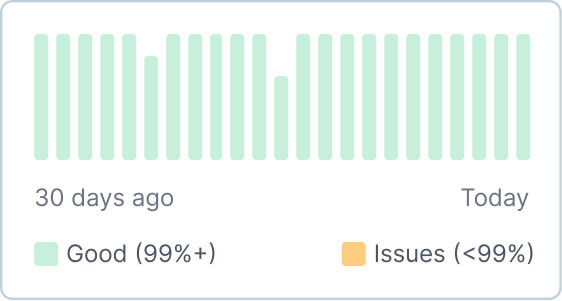

Connect with us
Book a discovery call to discuss how we can help you consolidate, standardize, and scale your enterprise communication infrastructure.