Proven strategies. Real results.
Trusted expertise.
Explore our case studies and insights to learn how our unified, cloud-based solutions and signature service model deliver performance, compliance, and lasting impact across industries.

Why Should My Business Upgrade to Full Fiber Broadband?
Upgrading to full fiber broadband, also known as Fiber-to-the-Premises (FTTP), offers several compelling advantages for businesses compared to traditional broadband or older internet connectivity methods like DSL or cable.
There Are Many Business Reasons to UpgradeHere are some reasons why a company might need to upgrade to full fiber broadband:
- High-Speed Internet: Full fiber broadband offers significantly higher internet speeds compared to traditional broadband options. This increased speed can be crucial for businesses that rely on bandwidth-intensive applications, such as video conferencing, cloud-based services, and data-intensive tasks like large file uploads or downloads.
- Reliability: Fiber-optic networks are known for their reliability and consistent performance. They are less susceptible to interference from electrical or radio frequency sources, making them less prone to outages and signal degradation. This reliability is especially critical for businesses that depend on a constant internet connection for their operations.
- Symmetrical Upload and Download Speeds: Full fiber broadband typically offers symmetrical upload and download speeds. This is essential for businesses that regularly upload large files, engage in video conferencing, or use real-time collaboration tools. Symmetrical speeds ensure a seamless experience in both directions.
- Scalability: Fiber-optic connections are highly scalable, allowing businesses to easily increase their bandwidth as their needs grow. This flexibility is crucial for adapting to changing business demands and accommodating increased online traffic.
- Support for Multiple Users and Devices: Fiber broadband can handle a large number of simultaneous users and devices without significant speed degradation. This is beneficial for businesses with multiple employees and numerous connected devices like computers, smartphones, tablets, and IoT devices.
- Future-Proofing: Investing in fiber broadband is a forward-looking strategy. As technology continues to advance, fiber-optic networks will remain relevant and capable of supporting emerging technologies and applications. It provides a foundation for future growth.
- Enhanced Cloud Access: Many businesses rely on cloud-based services for data storage, software applications, and collaboration tools. Full fiber broadband ensures rapid access to cloud resources, enhancing productivity and reducing latency.
- Competitive Advantage: Having faster and more reliable internet can give your business a competitive edge. It enables quicker response times, better customer service, and the ability to adopt the latest digital tools and trends.
- Security: Fiber-optic connections are more secure than traditional copper-based connections because they are difficult to tap into without detection. This added security can be crucial for protecting sensitive business data.
- Improved Customer Experience: Faster internet speeds can lead to improved online customer experiences, whether you’re running an e-commerce website, providing customer support, or offering online services. Customers are more likely to stay engaged if they experience fast and responsive interactions.
In summary, upgrading to full fiber broadband can be a strategic move for businesses looking to improve their internet performance, reliability, and overall competitiveness. It provides the speed, scalability, and future-proofing needed to meet the demands of the modern digital business landscape. However, the availability of fiber broadband may vary by location, so it’s essential to check with local internet service providers to determine if it’s an option for your company.

What are Virtual Phone Numbers and Does Your Business Need Them?
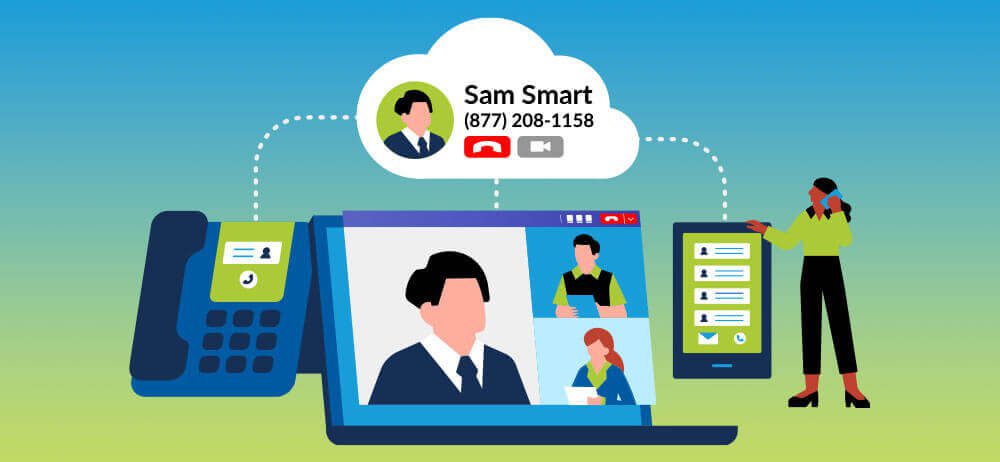
Businesses are constantly seeking innovative ways to enhance their communication strategies and improve customer engagement. One such tool that has gained popularity is the virtual phone number. This technology offers a myriad of benefits for businesses, but it’s essential to understand what it means to use a virtual phone number and the key considerations your business should take into account.
What is a Virtual Phone Number?A virtual phone number, also known as a cloud-based number, is a phone number that is not tied to a physical phone line or location. Instead, it operates through the internet, making it accessible from anywhere with an internet connection. Virtual phone numbers have become an integral part of modern business communications due to their flexibility, cost-effectiveness, and diverse features.
Key Considerations for Businesses Using Virtual Phone Numbers- Enhanced Flexibility and Mobility: Virtual phone numbers empower businesses with unparalleled flexibility. Your team can access and manage calls from anywhere, allowing for remote work and ensuring that you never miss an important call, even when you’re on the go.
- Cost-Effective Solution: Traditional phone systems can be costly to set up and maintain, whereas virtual phone numbers require minimal hardware and reduce long-distance and international calling charges. This cost savings can significantly impact your bottom line.
- Professional Image: A virtual phone number can project a professional image for your business. You can choose a toll-free number or a local number in a specific area code, giving your business a local presence even if it operates from a different location.
- Scalability: Virtual phone systems are highly scalable. Whether you’re a small startup or a large enterprise, you can easily add or remove phone lines as your business grows or experiences fluctuations in call volume.
- Advanced Features: Many virtual phone systems offer a range of advanced features, such as call forwarding, voicemail transcription, auto-attendants, and call recording. These features can streamline your communication processes and enhance customer service.
- Analytics and Reporting: Virtual phone systems often provide detailed call analytics and reporting tools. These insights can help you make data-driven decisions, identify trends, and assess the performance of your customer service team.
- Integration: Consider how well the virtual phone system integrates with your existing communication tools, such as CRM software and email. Integration can streamline workflows and improve efficiency.
- Compliance and Security: Ensure that your virtual phone number provider complies with industry regulations and offers robust security measures to protect sensitive customer data.
- Reliability and Uptime: Look for a virtual phone service with a strong track record of uptime and reliability. Downtime can negatively impact your business’s operations and reputation.
- Customer Support: Evaluate the level of customer support provided by the virtual phone number provider. Quick and effective support can be crucial when technical issues arise.
Incorporating virtual phone numbers into your business communication strategy can offer numerous advantages, from increased flexibility and cost savings to enhanced professionalism and scalability. However, it’s crucial to consider the unique needs of your business and carefully choose a virtual phone number provider that aligns with your goals.
By taking these key considerations into account, your business can harness the power of virtual phone numbers to improve customer engagement, streamline operations, and stay ahead in today’s competitive marketplace. Whether you’re a small startup or a large enterprise, virtual phone numbers can be a valuable asset in your quest for success.
The Pros and Cons of Cloud-Based Voice & Collaboration Systems
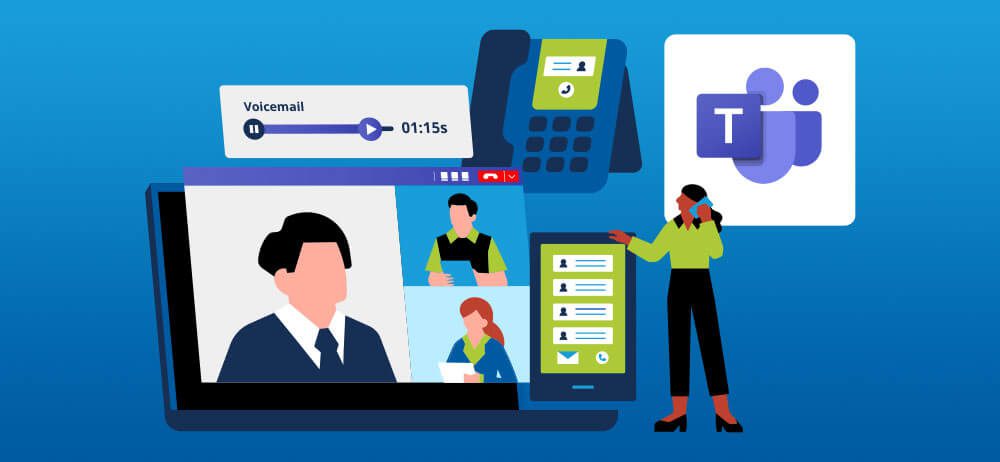
The business landscape is evolving at an unprecedented pace, and executives are constantly seeking innovative solutions to enhance their organization’s communication and collaboration. Among the myriad of options available, cloud-based voice & collaboration systems like Microsoft Teams have emerged as compelling choices. However, it’s vital to delve into the nuances of these systems, weighing their advantages and challenges carefully.
Now, let’s delve into the pros and cons of cloud-based voice systems:
The pros and how to leverage.- Cost Efficiency: An attractive cost model, shifting from capital-intensive upfront investments to predictable operational expenses. This financial predictability allows CFOs to better allocate resources for strategic initiatives.
- Scalability and Flexibility: Unparalleled scalability and flexibility. Organizations can easily scale up or down, aligning resources with evolving business needs. This agility is particularly beneficial for CIOs navigating dynamic IT requirements.
- Enhanced Collaboration: Equipped with collaboration tools, fostering seamless teamwork. Features like video conferencing, instant messaging, and file sharing are vital for improving overall productivity, especially in today’s remote work environment.
- Reliability and Disaster Recovery: Cloud providers offer robust uptime guarantees and disaster recovery capabilities, ensuring minimal downtime. This aligns with the CEO’s and CIO’s focus on uninterrupted operations and business continuity.
- Security Concerns: Security remains a paramount concern for CISOs with cloud-based voice systems. Storing sensitive data and communication off-premises can expose them to potential breaches and unauthorized access, necessitating stringent security measures. Leading cloud providers invest heavily in security, often employing dedicated teams to protect data, but CISOs must ensure rigorous implementation of data encryption, access controls, and authentication mechanisms.
- Compliance Challenges: Many industries are subject to stringent regulatory requirements, such as GDPR or HIPAA. Cloud-based voice systems must comply with these regulations, placing the onus on CFOs and CIOs to maintain adherence. Leading cloud providers, including Microsoft, offer comprehensive compliance certifications and tools to help organizations meet regulatory requirements. This can simplify compliance efforts, but organizations must still understand the shared responsibility model.
- Data Sovereignty Issues: The geographical location of cloud data centers can lead to data sovereignty challenges. Some countries have strict laws governing where data can be stored and processed, presenting difficulties for multinational corporations. Many cloud providers address data sovereignty issues by offering regional data centers and compliance with local data regulations. Organizations should select providers that align with their geographic requirements.
- Limited Control: Implementing cloud-based voice systems entails relinquishing some control over infrastructure and data management. This transition can be unsettling for CIOs and CISOs accustomed to direct control over their technology stack. While control may be shared with the provider, it also means shared responsibility for system maintenance and updates. Additionally, providers often furnish comprehensive management dashboards, offering insights and control over the system.
Cloud-based voice systems have the potential to revolutionize communication and collaboration within organizations. CEOs, CFOs, CIOs, and CISOs must carefully evaluate their benefits and challenges. Through thorough risk assessments, robust security measures, compliance adherence, and contingency planning, organizations can harness the power of cloud technology to drive innovation, collaboration, and growth while safeguarding their most critical assets.
How Do I Know If I Need to Upgrade My Business Internet?
In today’s business landscape, a robust and uninterrupted internet connection is not just a luxury; it’s an absolute necessity. Disruptions in connectivity can lead to productivity losses and missed opportunities. Sometimes, it’s hard to determine whether you need to invest in new infrastructure, or if it is something more simple than that. In this SmartChoice guide, we’ll delve into troubleshooting internet connectivity issues and provide valuable insights to keep your business online and thriving. Plus, we’ll highlight an often-overlooked culprit: the microwave oven.
Verify Business DevicesBefore delving into complex troubleshooting procedures, start with the basics. Ensure that the devices crucial to your business operations are functioning optimally. Power them off and on to resolve temporary glitches. Confirm that they are connected to the right network and that the Wi-Fi or Ethernet indicators show a stable connection.
Router and Modem MaintenanceYour business’s router and modem are the gateways to the digital world. Initiate the troubleshooting process by rebooting both devices. Unplug them from their power sources, wait for 30 seconds, and then plug them back in. This action can resolve various issues, including network congestion and minor hardware glitches.
Service Outages and SLAsIn the business world, time is money. If your internet connection falters, it could be due to a service outage from your internet service provider (ISP). Check if there are any reported outages in your area. Most ISPs offer online tools or apps to provide real-time outage information. Keep in mind your Service Level Agreement (SLA) with your ISP, which outlines the expected level of service and compensation for downtime.
Wireless Interference ManagementWireless networks are susceptible to interference from neighboring Wi-Fi networks, electronic devices, and physical barriers. Ensure your router is centrally located within your business premises and far from electronic devices that could interfere with the signal. Notably, avoid placing the router near a microwave oven, which can disrupt the signal when in use.
Note: Microwave InterferenceMicrowave ovens operate within the 2.4 GHz frequency range, commonly used by Wi-Fi routers. Microwave usage emits electromagnetic radiation, which can interfere with Wi-Fi signals. To minimize this interference, relocate your router or consider upgrading to a dual-band router, which can operate on the less congested 5 GHz frequency.
Firmware UpdatesOutdated router firmware can lead to performance issues and security vulnerabilities, posing a significant risk to your business’s data. Check your router manufacturer’s website for the latest firmware updates and follow the instructions to ensure your router’s firmware is up-to-date, improving network stability and security.
Enhanced Network SecurityIn a business environment, network security is paramount. Make sure your network is secured with a strong, unique password. Activate advanced security features like WPA3 encryption and MAC address filtering for an added layer of protection against cyber threats.
Identify Bandwidth-Intensive ProcessesWithin a business network, a single device or application consuming excess bandwidth can hinder others’ performance. Monitor and identify any devices or processes running bandwidth-intensive tasks, such as large file transfers or video streaming. Implement Quality of Service (QoS) settings to prioritize mission-critical applications and maintain optimal performance.
Regular Security AuditsMalware and viruses can infiltrate business networks, jeopardizing data security and network stability. Regularly conduct antivirus and anti-malware scans on all business devices to ensure they are free from malicious software.
Engage Business SupportIf your business internet connection remains unstable or non-operational after following these steps, it’s time to contact a specialist such as your ISP’s business support team, an MSP, or an IT Integrator. They have the expertise to remotely diagnose and address issues related to business accounts promptly.
Invest in Network UpgradesFor businesses experiencing frequent connectivity issues, consider investing in network upgrades. Upgrading to higher-quality routers, implementing a robust mesh Wi-Fi system, or subscribing to a faster internet plan can significantly enhance your business’s online capabilities.
ConclusionA consistent and reliable internet connection is not negotiable in your business. By adhering to the SmartChoice guidelines outlined in this article, your business will be better prepared to identify and resolve common internet connectivity issues. Keep in mind essential practices such as securing your network, performing regular maintenance, and steering clear of microwave interference. With these strategies, your business will remain steadfastly connected to the digital world, ensuring uninterrupted productivity and success.

Leading Luxury Retail Giant Brings Together 500 Mono-Brand Stores Through Smart Tile Innovation

Factors CIOs Should Consider To Set Up Multi-Location Communications
Chief Information Officers (CIOs) who are tasked with setting up or upgrading communications across their company’s multiple business sites should take into account a range of questions and consider various factors to ensure a smooth and effective implementation.
Here are some of the key things CIOs should consider:
- Business Goals and Objectives:
- What are the specific business goals and objectives that this communication upgrade should support?
- How will improved communication contribute to the overall success of the organization?
- Current Infrastructure Assessment:
- What is the current state of the communication infrastructure at each site?
- Are there any legacy systems that need to be integrated or replaced?
- Budget and Resource Allocation:
- What is the budget available for the project?
- How will resources (financial, human, and technological) be allocated across sites?
- Scalability and Future Growth:
- How scalable is the chosen communication solution to accommodate future growth?
- Will the infrastructure support additional sites or remote workers in the future?
- Technology Stack:
- Which communication technologies and tools are best suited for the organization’s needs (e.g., VoIP, unified communications, cloud-based solutions)?
- Should the organization consider hybrid solutions that combine on-premises and cloud-based systems?
- Security and Compliance:
- What security measures are in place to protect communication and data across sites?
- How will compliance with industry regulations and data protection laws be ensured?
- Network Infrastructure:
- Is the network infrastructure robust enough to support the new communication system?
- Do any sites require network upgrades to ensure quality of service?
- Integration with Other Systems:
- How will the new communication system integrate with existing business applications (e.g., CRM, ERP)?
- Are there third-party integrations needed?
- User Needs and Training:
- What are the specific communication needs of employees at each site?
- How will employees be trained to use the new communication tools effectively?
- Reliability and Redundancy:
- How will the organization ensure high availability and redundancy for critical communication systems?
- What is the disaster recovery plan in case of system failures?
- Vendor Selection:
- What criteria are important in selecting communication technology vendors?
- Have references and reviews been thoroughly researched?
- Project Management and Timelines:
- What is the project timeline and milestones for implementation?
- How will the project be managed across multiple sites?
- User Experience and Feedback:
- How will user feedback be collected and used to refine the communication system?
- Are user experience improvements part of the ongoing plan?
- Cost-Benefit Analysis:
- What is the expected return on investment (ROI) for the communication upgrade?
- How will success be measured and evaluated?
- Legal and Regulatory Considerations:
- Are there any legal or regulatory restrictions that need to be addressed (e.g., international communication, privacy laws)?
- Sustainability and Environmental Impact:
- What is the environmental impact of the chosen communication technology, and are there options for greener alternatives?
- Vendor Support and Service Level Agreements (SLAs):
- What level of support and SLAs are provided by the chosen vendors?
- How will vendor relationships be managed?
By addressing these questions and considerations, CIOs can develop a comprehensive plan for setting up or upgrading communications across multiple business sites that aligns with the organization’s goals and requirements.
Get familiar with SmartChoice products
Watch SmartChoice communication and collaboration solutions videos to learn how our tools can transform your business productivity and connectivity.
Become a partner
Extend your offering with enterprise-grade voice and connectivity solutions, backed by our 24/7/365 support—based in the U.S.



Connect with us
Book a discovery call to discuss how we can help you consolidate, standardize, and scale your enterprise communication infrastructure.