Network Traffic Analysis: Optimize Performance and Security
Have you ever experienced a sudden, inexplicable internet slowdown right in the middle of an important video call? Or perhaps you are an IT administrator who has noticed suspicious spikes in data transfers during off-hours, leaving you wondering what exactly is moving across your wires. In our hyper-connected world, data is constantly in motion. Every single email, video stream, API call, and database query contributes to the massive, invisible flow of network traffic.
To keep this digital highway running smoothly and securely, IT professionals rely on a critical practice: network traffic analysis. Whether your goal is optimizing performance or defending against sophisticated cyber-attacks, mastering the art of reading your network’s data is non-negotiable.
In this comprehensive guide, we will explore the core concepts of network analysis, break down the technical jargon, and provide actionable insights into keeping your infrastructure fast, reliable, and secure.

What is Network Traffic Analysis?
At its simplest, network traffic analysis is the process of capturing, reviewing, and evaluating the data that moves across your network. By leveraging specialized network traffic analysis tools—ranging from open-source software like Wireshark to enterprise-grade monitoring suites—administrators gain complete visibility into their IT infrastructure.
This visibility is the cornerstone of effective traffic management. Without it, you are flying blind. When you analyze traffic, you can see exactly who is talking to whom, what applications are consuming the most bandwidth, and whether any unauthorized devices are attempting to access sensitive servers.
The Core Components: How We Analyze Traffic
When data travels across a network, it doesn’t move as one giant file. Instead, it is chopped up into tiny, manageable chunks called packets. Understanding how to look at these packets is the first step in mastering network operations.
Packet Sniffing and Analysis
If you are exploring packet sniffing for beginners , think of it as a postal inspector observing the mail as it moves through a sorting facility. A packet sniffer passively intercepts data packets as they travel across the network. Once captured, packet analysis allows you to open these digital envelopes and inspect their contents.
A critical part of this process involves understanding packet header information. Every packet has a header—much like the address label on a physical envelope. The header contains metadata such as the source IP address, the destination IP address, the ports being used, and the protocol type. By examining these headers, you can map out communication paths without even looking at the actual payload (the data inside the packet).

Making Sense of the Data
Raw network data is essentially a chaotic stream of 1s and 0s. So, what is protocol decoding? It is the vital process where analysis tools translate this raw binary data into human-readable formats. When a tool decodes a protocol (like HTTP, DNS, or TCP), it applies the specific rules of that protocol to format the captured data logically, allowing engineers to read the exact commands and responses being exchanged between servers.
Choosing Your Method: Deep Packet Inspection vs Flow Analysis
When deploying monitoring solutions, IT teams generally choose between two primary methodologies, and understanding deep packet inspection vs flow analysis is crucial:
- Flow Analysis (e.g., NetFlow, sFlow): This method is like looking at a phone bill. It tells you who called whom, when the call happened, and how long it lasted, but it does not record the conversation. It is incredibly lightweight and perfect for high-level bandwidth monitoring.
- Deep Packet Inspection (DPI): This is the equivalent of wiretapping the phone call. DPI looks at both the header and the payload of the packet. It is highly resource-intensive but necessary for identifying specific application usage, malware signatures, and complex network errors.
Performance Optimization and Traffic Management
A network that performs poorly costs businesses time and money. Effective traffic analysis is the ultimate diagnostic tool for network engineers dealing with sluggish connectivity.
Pinpointing Bottlenecks and Latency
One of the most common questions IT helpdesks receive is why the internet is so slow. Knowing how to identify network bottlenecks requires analyzing data flows to see where traffic is piling up. Often, a specific switch port is over-utilized, or a single workstation is downloading massive files, choking the bandwidth for everyone else.
By implementing real-time bandwidth monitoring techniques—such as setting up SNMP (Simple Network Management Protocol) alerts or monitoring NetFlow dashboards—you can catch these spikes as they happen rather than waiting for users to complain.
Furthermore, troubleshooting high latency issues becomes much easier when you can analyze packet timestamps. If a user complains about choppy VoIP calls, packet analysis can reveal whether the delay is happening on your local network, at your ISP, or at the destination server. You can measure exactly how long a packet takes to travel and identify where it gets held up.
Solving Connection Drops
There is nothing more frustrating than a connection that randomly drops. Performing root cause analysis for connection drops involves looking for specific packet behaviors, such as excessive TCP retransmissions or sudden TCP Reset (RST) flags. By capturing the traffic during a drop, you can definitively prove whether a misconfigured firewall blocked the connection, a router dropped the packet due to congestion, or the destination server simply crashed.

Boosting Network Security with Traffic Analysis
While performance is important, network security is arguably the most critical use case for analyzing your traffic. Firewalls and antivirus software are essential, but they are not infallible. Network traffic analysis acts as your final line of defense, catching the threats that slip past the perimeter.
Hunting for Threats and Intrusions
Modern cybersecurity requires a proactive approach. Security teams use cyber threat hunting strategies to actively search through network logs and packet captures for hidden threats. Instead of waiting for an alarm to go off, they look for anomalies—such as an internal device suddenly scanning the network or attempting to communicate with known malicious IP addresses.
This is where the intrusion detection system benefits truly shine. An Intrusion Detection System (IDS) automates much of this process by constantly comparing your live network traffic against a database of known threat signatures. It excels at detecting malicious data patterns, such as the specific packet structures used in SQL injection attacks, ransomware lateral movement, or Denial of Service (DoS) attempts.
Securing Sensitive Data
Protecting intellectual property and customer data is a top priority. Analyzing outbound traffic is critical for preventing data exfiltration techniques. Cybercriminals often try to sneak data out of a network by breaking it into small pieces, hiding it within DNS queries (DNS tunneling), or transferring it during off-hours. By analyzing traffic volume and destinations, you can configure alerts for unusually large outbound transfers and shut them down before sensitive files leave your environment.
The Challenge of Encryption
Today, the vast majority of web traffic is encrypted using TLS/SSL. While this is great for privacy, it creates a blind spot for security teams. Maintaining monitoring encrypted traffic visibility is a major modern challenge. Since you can no longer easily perform deep packet inspection on the payload without decrypting it (which is complex and often legally fraught), analysts now rely on metadata. By analyzing the unencrypted packet headers, checking the Server Name Indication (SNI), and utilizing TLS fingerprinting (like JA3), security tools can still identify malicious behavior and unauthorized applications without ever needing to break the encryption.

Best Network Monitoring Practices
To get the most out of your analysis efforts, you need a strategy. Throwing tools at a network without a plan will only result in alert fatigue and overwhelming amounts of raw data. Here are a few best network monitoring practices to keep in mind:
- Establish a Baseline: You cannot identify abnormal traffic if you do not know what normal looks like. Spend a few weeks mapping out standard traffic volumes, typical active hours, and baseline application usage.
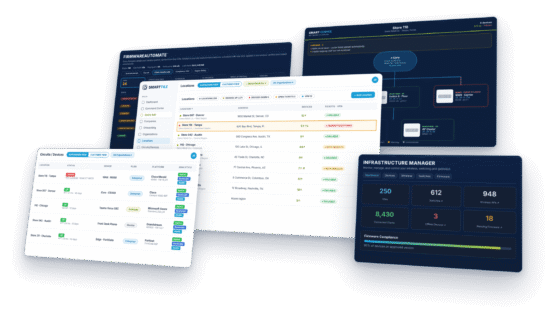
- Embrace Visuals: Staring at lines of packet captures will quickly burn out even the most seasoned engineer. Visualizing network data flows through interactive dashboards, heat maps, and graphs helps you spot trends and anomalies at a glance.
- Strategize Tool Placement: You don’t need to capture deep packets on every single switch port. Use flow analysis for broad, network-wide visibility, and place deep packet inspection sensors strategically at critical chokepoints, such as right inside your main firewall or in front of your most sensitive database servers.
- Set Actionable Alerts: Only configure alerts for events that require human intervention. If your alerts are constantly going off for minor, self-correcting issues, your team will eventually start ignoring them—a dangerous habit when a real threat emerges.
The Final Takeaway
Understanding the basics of network traffic analysis is akin to turning on the lights in a dark room. It transforms your network from a mysterious black box into a transparent, measurable, and highly controllable environment.
By mastering both packet-level details and high-level flow data, IT professionals can drastically reduce downtime, optimize user experience, and build formidable defenses against the ever-evolving landscape of cyber threats. Whether you are identifying a pesky bottleneck, decoding complex protocols, or hunting down a sophisticated data exfiltration attempt, the answers you need are already there, flowing through your cables. You just need to know how to read them.