Best practices for installing security cameras in Florida schools: A comprehensive guide using Verkada & SmartChoice
The brief:
School safety remains a top priority in Florida, especially as policymakers continue reinforcing requirements for classroom and campus video monitoring. As districts modernize, selecting a unified, compliant, and scalable camera system becomes crucial.
This guide outlines best practices for deploying security cameras in Florida K–12 schools—leveraging Verkada’s education‑focused security solutions and SmartChoice’s managed connectivity, surveillance integration, and district‑wide deployment support.
1. Understand Florida’s requirements — especially for special education classrooms
Florida law permits cameras in many K–12 settings and, in some cases, requires them. The state mandates that:
- A camera must be installed in a self‑contained special education classroom when a parent submits a written request.
- These classrooms are defined as spaces where a majority of students receive special education services for at least 50% of the school day.
- Schools must install and activate the camera within 30 days of receiving the request.
- The camera must capture the entire classroom, including connected instructional areas.
Other legislation such as HB 257 requires:
- Video and audio monitoring in designated classroom environments
- A minimum 3‑month retention window for recordings
- Strict rules governing who may access, request, and review footage
Before designing a campus‑wide camera plan, districts should review:
- Whether a space is considered a classroom vs. common area
- Audio‑recording rules (Florida is an all‑party consent state)
- FERPA requirements for storing, accessing, and redacting footage
2. Prioritize privacy-conscious, AI‑enabled technology
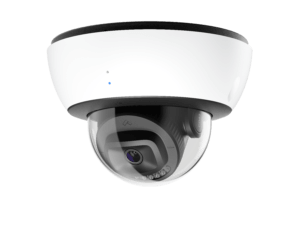
Verkada—delivered and supported by SmartChoice—provides districts with tools that simplify compliance and protect student privacy:
- AI‑powered search for quickly locating individuals, vehicles, or incidents
- Face Blur tools that automatically obscure student identities when sharing or reviewing footage with parents, external agencies, or the public
- Configurable privacy regions, ensuring sensitive areas remain blocked
- On‑device storage up to 365 days, eliminating NVR/DVR vulnerabilities
- Cloud‑based access, enabling district leaders to review footage from any school
Verkada’s unified platform also integrates cameras, access control, sensors, alarms, and emergency tools within one dashboard—ideal for large or multi‑site districts.
3. Follow strategic camera placement guidelines — and know where not to place them
Effective school security plans focus on coverage of:
- All primary entry/exit points
- Hallways, stairwells, and high‑traffic corridors
- Parking lots, athletic areas, and bus loops
- Cafeterias, gymnasiums, auditoriums
- Server rooms, IT closets, and other sensitive administrative spaces
Equally important is knowing where cameras cannot be placed. Schools should never install cameras in:
- Restrooms
- Locker rooms
- Changing areas
- Nurse’s offices (if used for medical privacy)
Verkada’s centralized dashboard makes it easy to manage compliant camera placement across campuses.
4. Establish reliable connectivity & infrastructure
Cloud‑managed systems depend on strong network performance. SmartChoice ensures:
- Enterprise‑grade internet with proactive monitoring
- Managed WiFi, optimized for always‑connected camera environments
- SD‑WAN for resilient traffic routing between campuses
- One‑provider support for telecom, security, and infrastructure
- Proactive network monitoring and alerts for all endpoints – including cameras – with SmartChoice’s Smart Tile product
Consistent connectivity is essential—especially because outages in required classrooms must be documented and preserved for one year.
5. Implement strong access controls, permissions & governance protocols
Florida law mandates restricted access to footage, identity protection, and strict retention rules. Verkada simplifies governance with:
-
Role‑based permissions
- IT teams: full system oversight
- Administrators/SROs: live + historical access
- Teachers: limited access (e.g., classroom views or only live feeds)
- Comprehensive audit logs that track every access event
- Cloud archiving for long‑term or legal hold storage
- Face Blur for FERPA‑aligned sharing
Districts should define:
- Who can access footage?
- Who can export/share footage with parents or authorities?
- Who can initiate emergency response tools such as lockdowns?
Schools should also train staff on:
- How to locate, save, and securely share footage
- How to create proactive alerts
- How to access emergency tools during critical situations
6. Build a comprehensive emergency response workflow
This is one of the most valuable capabilities for Florida schools.
Verkada’s emergency response ecosystem enables:
Instant, controlled sharing with law enforcement
- Share live video feeds with police or district security teams
- Share historical footage during investigations
- Add Face Blur automatically when sharing footage involving students
Real‑time campus visibility
- Live floorplans showing camera locations and active events
- Immediate situational awareness for administrators and responders
Lockdown capabilities
- Initiate campus‑wide or zone‑based lockdowns from mobile, desktop, or integrated panic buttons
- Automated door‑locking sequences if integrated with access control
Teacher & administrator panic buttons
- Desktop, wearable, or wall‑mounted panic devices
- Instant alerts to administrators, SROs, and first responders
Reliable connectivity during emergencies
Paired with SmartChoice’s redundant networking and monitoring, districts gain uninterrupted visibility during crises—when seconds matter most.
7. Choose a deployment model that scales across the district
For multi‑site deployments:
- Verkada offers plug‑and‑play PoE cameras that come online within minutes
- SmartChoice delivers white‑glove installation, standardized cabling, and nationwide support
This ensures consistency and quality across new buildings, aging campuses, or rapidly expanding districts.
Bonus: The latest best practices in school security technology
For districts exploring advanced capabilities, modern camera platforms can include:
- NCIC/real‑time crime center integrations for law enforcement collaboration
- Person of interest notifications using AI‑powered identity matching
- Fight detection alerts that automatically notify administrators or SROs
- Live bus‑camera streaming, even while buses are in motion
- Environmental sensors for vape, smoke, air quality, or noise anomalies
- Automated intrusion detection tied to alarms and dispatch workflows
These tools help districts move from reactive to proactive safety management.
Conclusion
Florida districts face rising expectations around school safety, compliance, and emergency responsiveness.
By combining:
- Verkada’s modern, AI‑powered, privacy‑conscious security platform, and
- SmartChoice’s unified connectivity, managed WiFi, and end‑to‑end deployment support,
schools can build a safer, more compliant, and more future‑ready security ecosystem that meets Florida’s evolving requirements.